SOLIDWORKS PDM 2026 delivers a strong set of enhancements focused on data security, workflow efficiency, and ease of use. Whether you’re managing thousands of files or just ensuring your projects stay safe and organized, these improvements help teams work more reliably and confidently.
Here are the Top 10 Enhancements you need to know:
1. Automatic File Recovery
Checked-out files are safer than ever. PDM now automatically creates backups of modified files on the archive server, so they can be recovered in case of hardware failure or user absence.
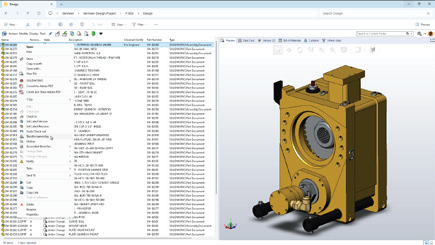
Benefit: Avoid costly rework and ensure critical design changes are never lost.
2. Archived Workflows for Cleaner Administration
Keep the Admin Tool clutter-free by archiving unused workflows. This prevents outdated or incorrect workflows from being used, while making it easier for admins to manage active processes.
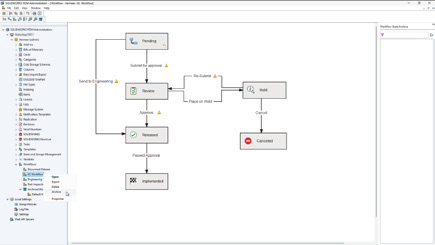
Benefit: Simplify administration and reduce errors with streamlined workflow management.
3. Granular Folder Access Control
New access rules allow you to grant visibility to subfolders without exposing parent folders. This gives you more precision in defining user rights while keeping sensitive data protected.
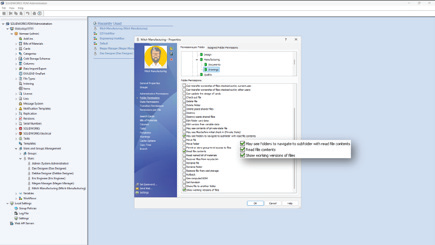
Benefit: Collaborate securely without compromising confidentiality.
4. Static Previews for Third-Party CAD Files
Save time by viewing static image previews of third-party CAD data directly in PDM. No need to open each file to confirm its contents.
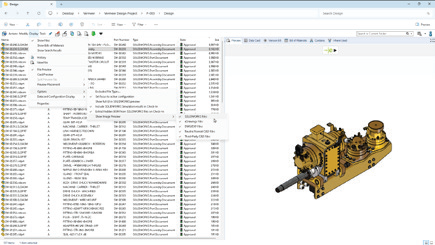
Benefit: Faster file identification across mixed CAD environments.
5. Smarter BOM Management in Web2
Named BOMs can now be viewed and edited directly in the Web2 client. A collapsible variables panel helps maximize workspace, especially on smaller screens.
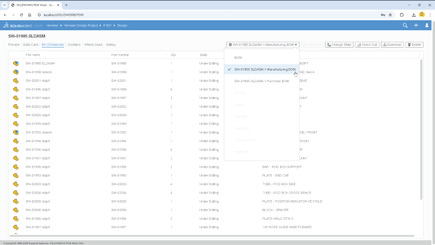
Benefit: Manage BOMs from anywhere with a more efficient and user-friendly interface.
6. Stronger Security With AES-256 Encryption
Data transfers are now protected with AES-256 encryption, bringing SOLIDWORKS PDM in line with stricter modern cybersecurity requirements.
Benefit: Ensure compliance and safeguard sensitive intellectual property.
7. Modern Authentication With Kerberos Support
PDM adds Kerberos authentication to its existing NTLM and NTLMv2 protocols, making it easier to integrate with enterprise Single Sign-On (SSO) and modern Windows environments.
Benefit: Seamlessly connect PDM to enterprise IT systems while improving login security.
8. Smarter File Version Upgrades
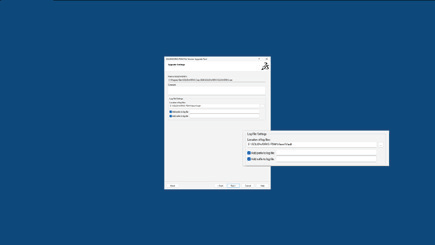
The File Version Upgrade Tool has been enhanced with more control options and a simplified interface. Users can decide which files to upgrade and how, with better progress tracking along the way.
Benefit: Reduce upgrade risks and keep projects running smoothly during version transitions.
9. Expanded File Conversion Options
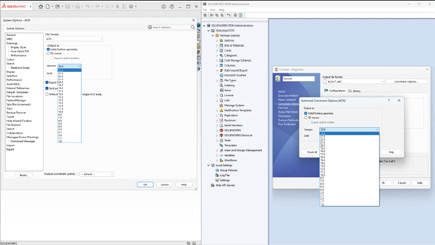
Convert Task options are more powerful than ever. You can now specify Parasolid® or ACIS® versions and use advanced scripting for DraftSight® and Office-to-PDF conversions.
Benefit: Greater flexibility when collaborating with partners and suppliers using different formats.
10. Streamlined Database Upgrades
The Database Upgrade Wizard has been redesigned with clearer reporting, improved efficiency, and better error handling. Admins can now complete upgrades with more confidence and less downtime.
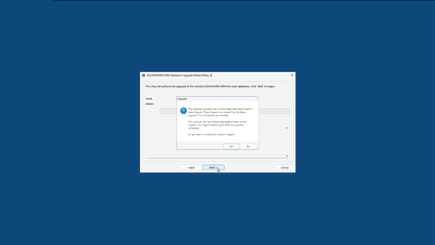
Benefit: Faster, more reliable upgrades that keep your system stable.
Smarter, Safer, Stronger. PDM 2026 Sets a New Standard.
With SOLIDWORKS PDM 2026, data is safer, workflows are cleaner, and administration is easier. From automatic file recovery to enterprise-grade encryption and authentication, these top 10 enhancements give teams the tools they need to manage design data securely and efficiently.
Want to see how these updates can transform your setup? Let’s start the conversation.