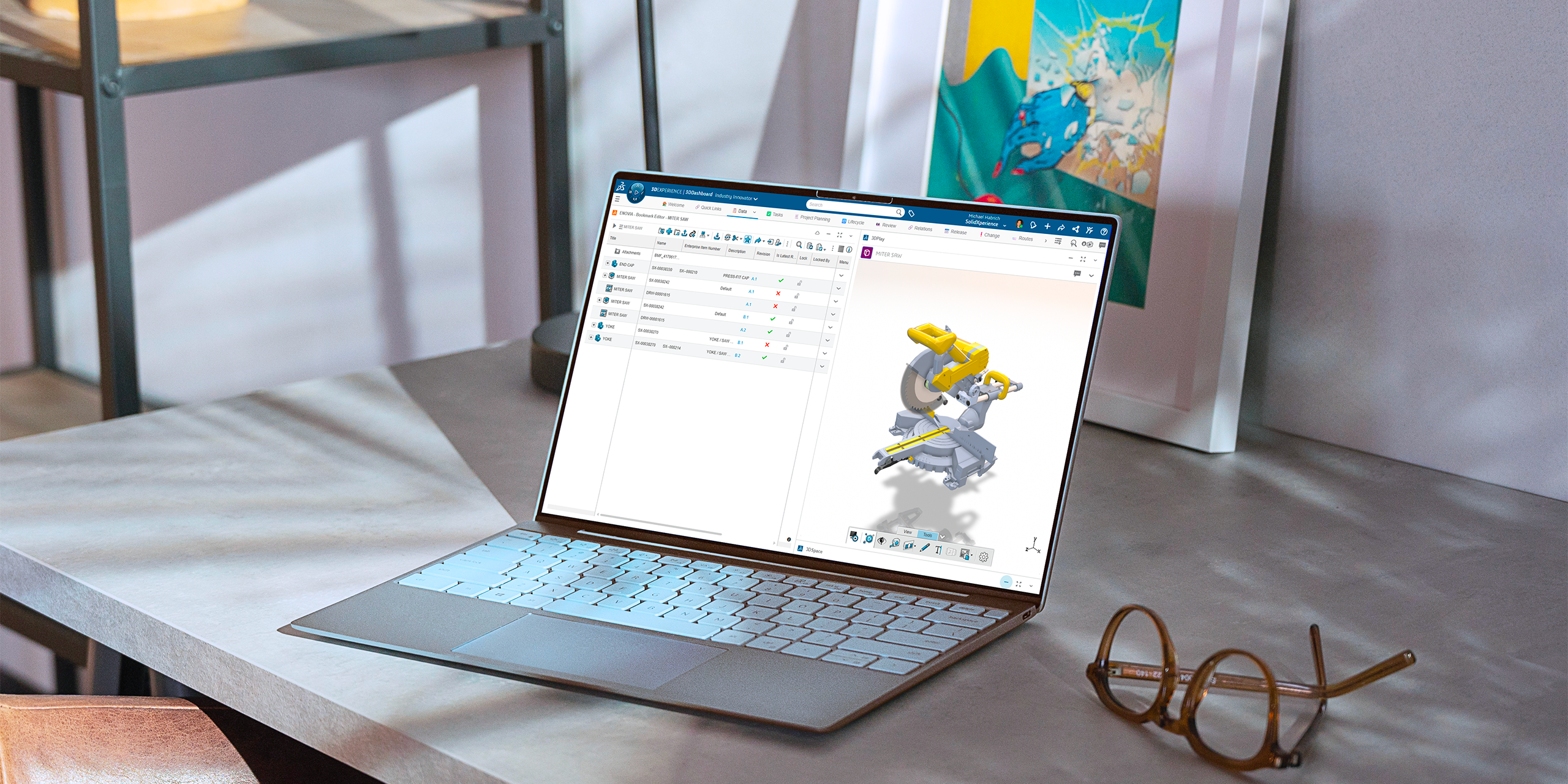
Sometimes the standard attributes in the 3DEXPERIENCE platform just aren’t enough. Maybe you need a custom field to track a project code, client name, or any other detail that’s specific to your workflow. The good news? You can create your own attributes in just a few steps and we’ll show you how.
Before You Start
To build custom attributes, you’ll need:
-
Administrative privileges on your platform
-
The Platform Manager role assigned to your profile
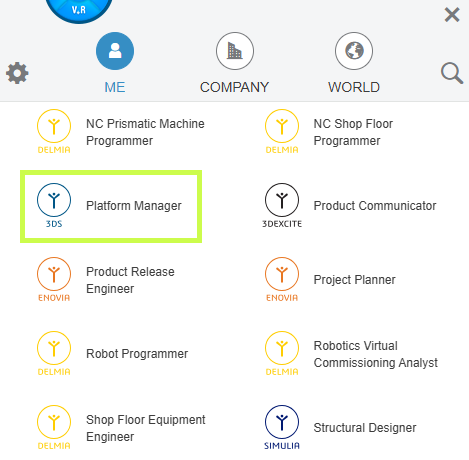
Once that’s in place, you’re ready to go.
Step 1: Open Attributes Management
-
Select the Platform Management role.
-
Head into the Collaborative Spaces Control Center.
-
From there, choose Attributes Management.
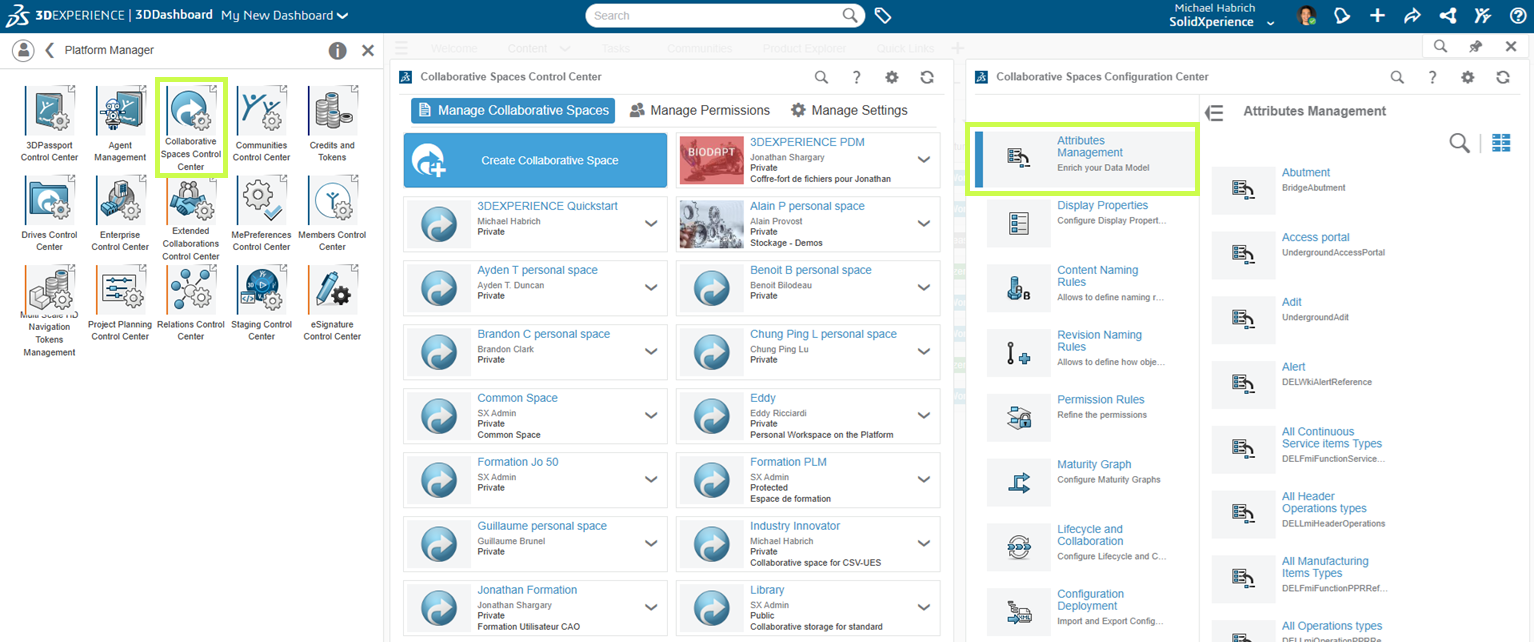
This is where all the customization magic happens.
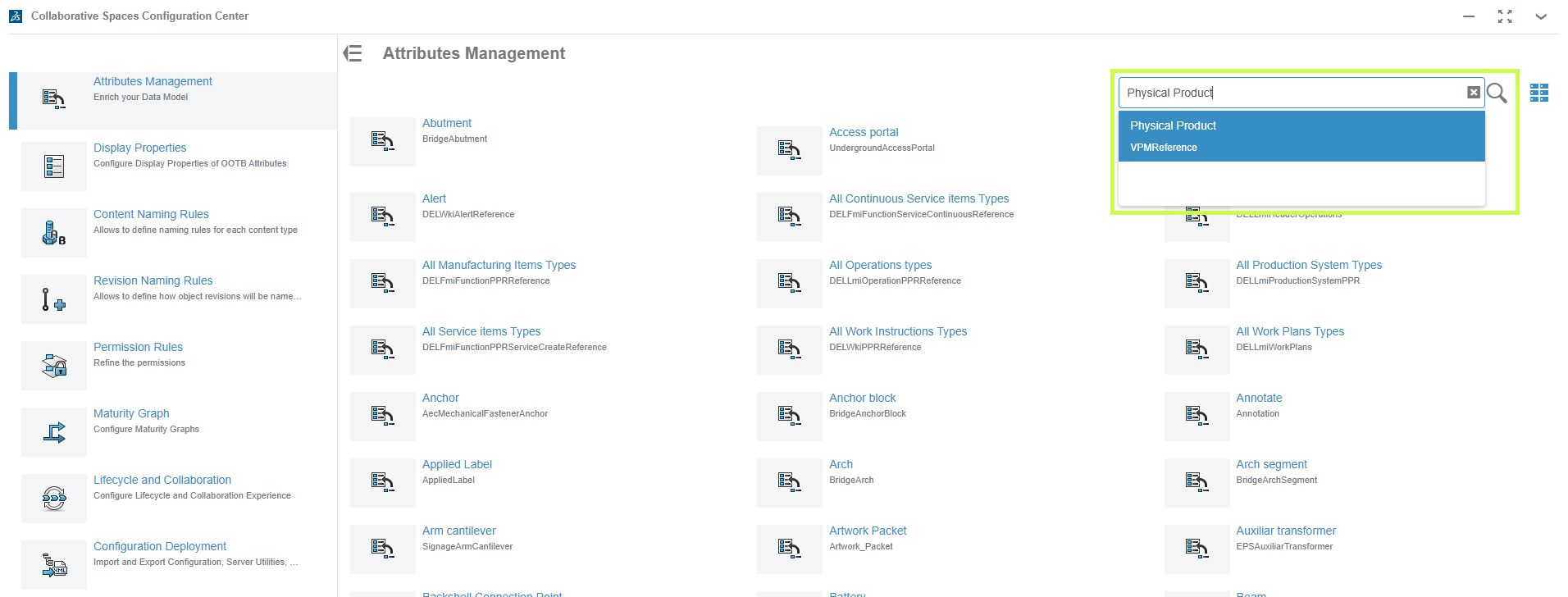
Step 2: Find Physical Product
In the search bar (click the little magnifying glass), type Physical Product.
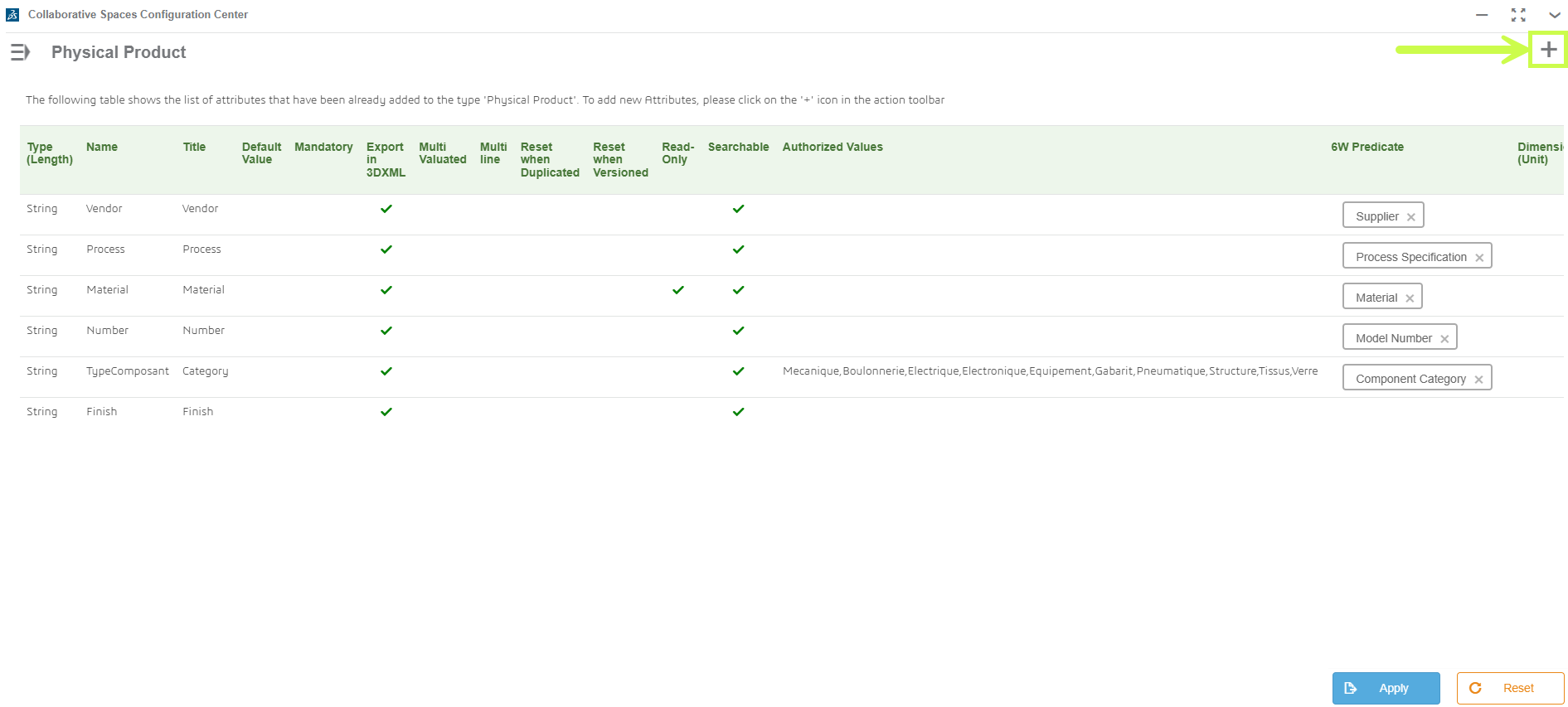
This is the object type where most custom attributes live, alongside built-ins like Material or Weight.
Step 3: Create Your Attribute
-
Click the plus sign in the top-right corner.
-
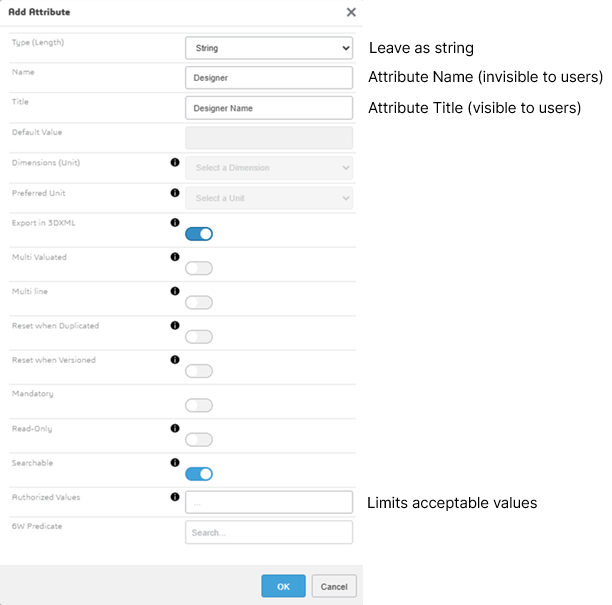
Choose a unique name (no duplicates, no special characters).
-
Hit OK and your new attribute will appear at the bottom of the Physical Product page.
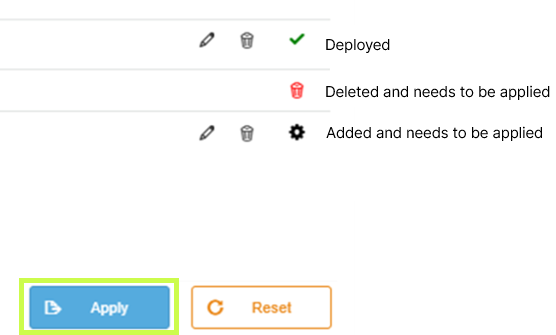
Pro tip: if you don’t see the green check mark, it means the attribute hasn’t been activated yet.
Step 4: Activate and Deploy
To make your new attribute usable:
-
Click Apply.
-
Go to the Collaborative Spaces Configuration Center.
-
Run Update Index Model and Reload Cache.
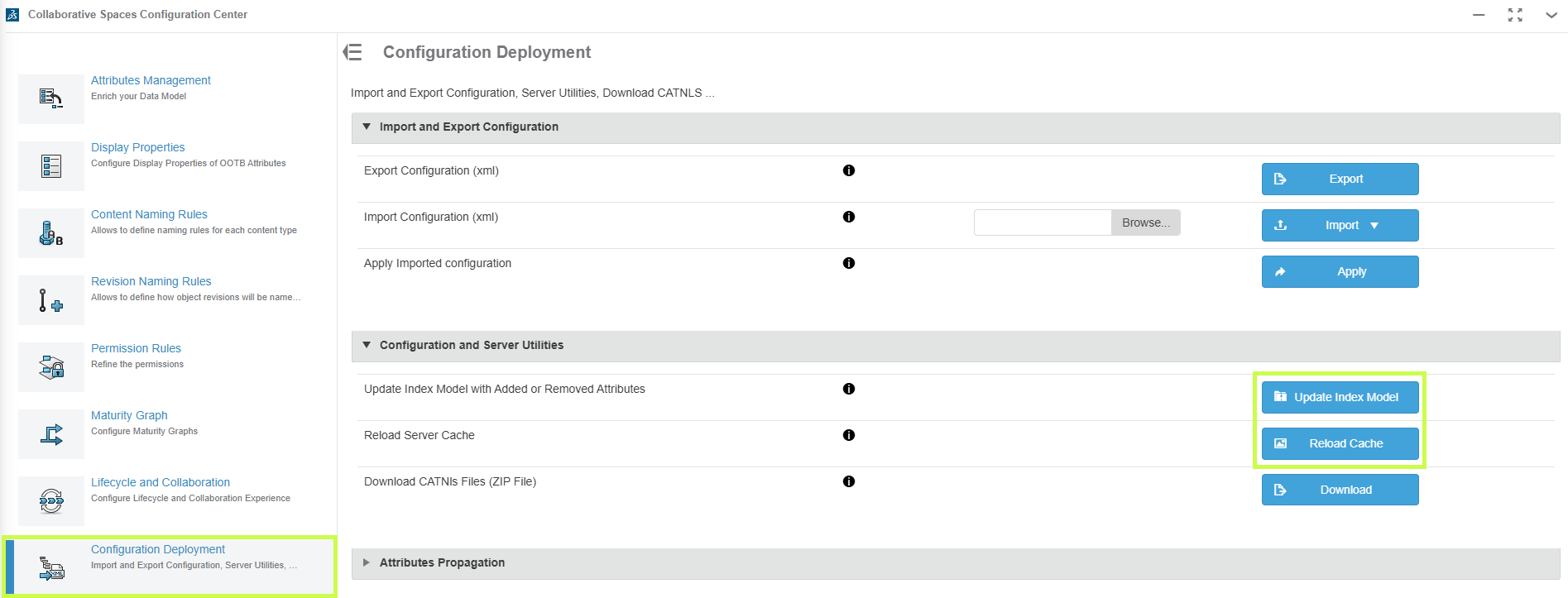
Heads-up: this part may take a few minutes. Be patient while the platform updates.
Step 5: Test It Out
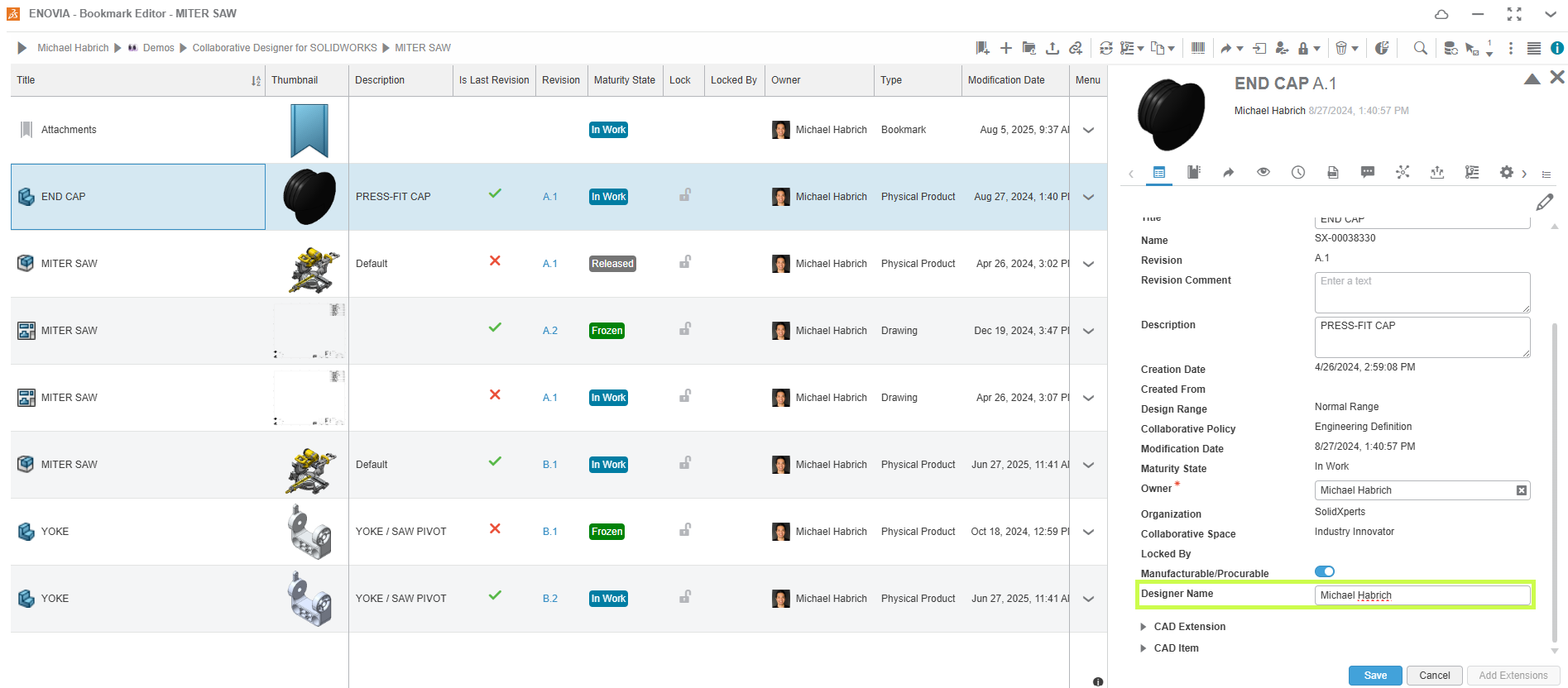
Open any saved 3D part, click the down arrow > Information, and scroll down. Your new custom attribute should now be visible and ready to use. Add a value to confirm everything’s working as expected.
Why Custom Attributes Matter
By creating custom attributes, you’re tailoring the 3DEXPERIENCE platform to fit your business. That means:
-
Better search results
-
Smarter organization
-
Easier categorization of your data
At Solidxperts, we’re all about helping you get the most out of your tools. Custom attributes are just one way to make your 3DEXPERIENCE platform work harder for you.
Need a hand setting them up? Our team can walk you through it and make sure your environment is optimized for your exact workflow.