3DSearch and 3DPlay: Design Exploration on the 3DEXPERIENCE

BLOG

3DSearch and 3DPlay: Design Exploration on the 3DEXPERIENCE

With tools like 3DSearch and 3DPlay, the 3DSwymer Role on the 3DEXPERIENCE platform transforms traditionally monotonous activities, like searching for parts or reviewing assemblies, into engaging, interactive experiences, for advanced simulation engineers and non-CAD users alike. These tools go beyond conventional CAD workflows by encouraging an exploratory mindset, making the pursuit of the best solution feel more like a hands-on adventure than a routine task.


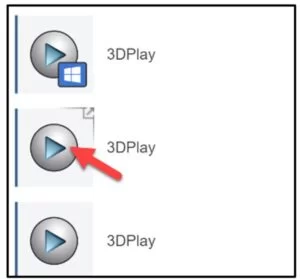
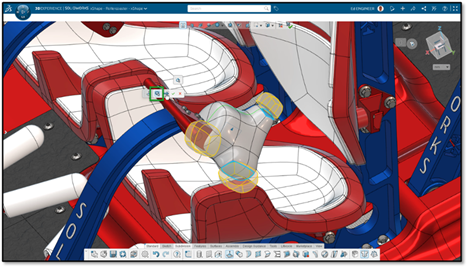
Screenshot showing three instances of the 3DPlay icon on the 3DEXPERIENCE platform, with a red arrow pointing to the middle icon, highlighting its selection.


Enhancing CAD Design Workflows with 3DSearch and 3DPlay

By framing design exploration on the 3DEXPERIENCE as an immersive experience, the 3DSearch and 3DPlay apps empower users to easily approach complex projects with a fresh perspective. The 3DEXPERIENCE platform creates an environment where finding the best design is not just about meeting requirements but also about exploring possibilities and discovering new opportunities for optimization. Whether it’s quickly searching for specific components or easily interacting with assemblies to assess performance, these tools offer a dynamic approach that reinvigorates the development process.


Design Exploration on the 3DEXPERIENCE: Bringing Ideas to Life

These tools make design exploration on the 3DEXPERIENCE platform more than just a technical task; they turn it into an opportunity for discovery and creativity. By combining the power of 3DSearch and 3DPlay, the platform ensures that ideas don’t just stay on paper—they are brought to life in the most seamless and innovative way possible.

With 3DSearch, users can locate parts, assemblies, and associated data quickly, making it easy to navigate even the most complex projects. 3DPlay enhances the experience further by offering an interactive way to review assemblies and configurations in real time.


What Makes 3DSearch a Powerful App?

3DSearch makes navigating a sea of 3D models intuitive and efficient. With CAD files, parametric design studies, and response variables all within reach, simulation engineers can easily explore any design space, allowing for quick and informed decisions. This app’s functionalities ensure that even complex parametric design exploration capabilities are just a few clicks away. It streamlines tasks that were once tedious, such as locating specific requirements or identifying parts for generative studies.


How Does 3DPlay Transform Design Review?

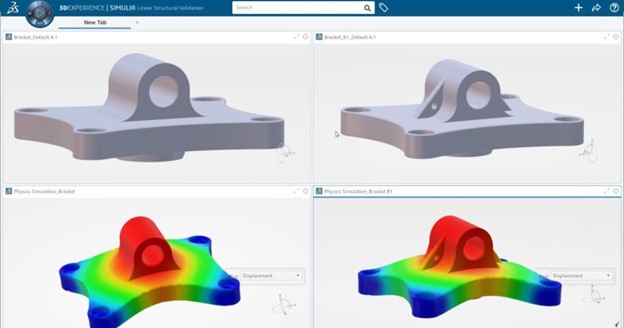
Traditionally, design reviews could be time-consuming. However, with 3DPlay, the process feels more like interacting in a “virtual playground” than critiquing your colleagues’ work. Using 3DPlay, structural performance engineers can visually assess topology optimization results, boundary conditions, and structural generative engineering challenges in real time. It turns tasks like reviewing assemblies into an interactive experience, making it easier to communicate changes and identify areas for improvement. This approach promotes hands-on exploration where ideas and requirements can be tested dynamically, all from within the same user-friendly digital environment.


What is the Importance of a Unified Design Platform?

Capabilities on 3DEXPERIENCE streamline design exploration by integrating tools and processes, enhancing collaboration, speeding up workflows, and promoting best practices across departments and locations in a single virtual environment. This simplifies reviews, making simulation integration and concept iteration more accessible for engineers and designers working on various projects.


Simulation, FEA, and Optimization

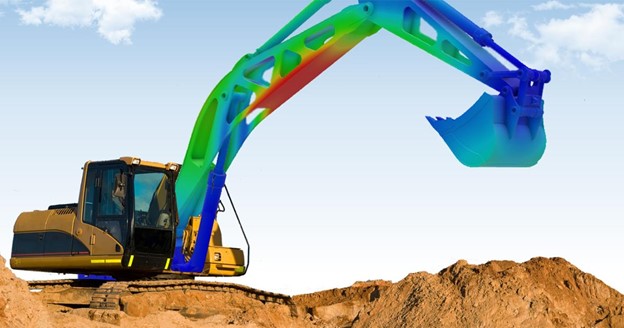
Diving deeper into the simulation and iteration processes, the 3DEXPERIENCE platform equips engineers with a powerful suite of tools to tackle complex challenges with confidence. From Finite Element Analysis (FEA) to advanced optimization techniques, these capabilities allow users to evaluate the performance, strength, and stiffness of their components under real-world conditions—all within that same virtual playground.

By integrating 3DSearch and 3DPlay with simulation tools, engineers can seamlessly review and refine ideas. This combination empowers teams to explore multiple scenarios, identify potential weaknesses, and iterate quickly to achieve the best possible outcomes. Whether it’s improving structural integrity or enhancing product performance, the platform ensures a streamlined workflow that prioritizes innovation and precision.


Unlocking the Potential of Your Virtual Design Playground

Finite Element Analysis (FEA) is a cornerstone of modern engineering, providing invaluable insights into how a product will perform before it’s built. On the 3DEXPERIENCE platform, FEA tools go beyond basic analysis by enabling early-stage validation of critical decisions. Engineers can test structural integrity, evaluate boundary conditions, and optimize products for both functionality and durability.


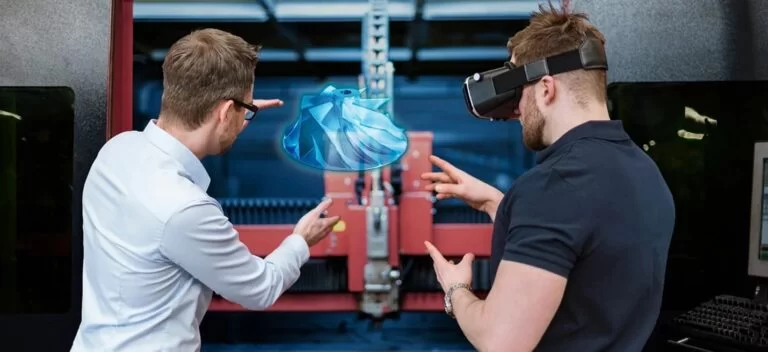
Two silhouetted engineers in a futuristic office space analyzing a glowing 3D hologram of a gear design with an FEA (Finite Element Analysis) overlay.


By integrating FEA into your iteration process, you can turn the platform into a virtual playground for experimentation. Diverse, multidisciplinary teams can test multiple configurations, refine concepts in real time, and ensure the final product is robust, efficient, and market-ready. This proactive approach not only saves time but also reduces the risk of costly errors.


SOLIDWORKS and CATIA: The Power of Connected Product Development

Furthermore, the integration of SOLIDWORKS or CATIA CAD solutions within the 3DEXPERIENCE platform offers unparalleled advantages for product development teams.


Two silhouetted engineers in a futuristic office space collaborating on a glowing 3D hologram of a mechanical design.


For instance, SOLIDWORKS excels in intuitive CAD modeling and rapid prototyping, making it a favorite for small-to-medium-sized product design tasks. On the other hand, CATIA shines in handling complex surfaces, large assemblies, and advanced simulations, often required in industries like aerospace and automotive.

When these tools work together with the 3DEXPERIENCE environment, teams gain the ability to collaborate on diverse aspects of a project without losing time transferring data through disconnected email chains, individual Teams chats, or worse, undocumented ‘watercooler conversations’. This level of connectivity transforms product development into a truly collaborative and efficient process, allowing engineers to focus on innovation rather than workflow hurdles.

The result? Better products, faster time-to-market, and a competitive edge in any industry.


CATIA and SOLIDWORKS Empowering Design Exploration on the 3DEXPERIENCE

Whether you’re a CATIA user conducting generative studies or a SOLIDWORKS engineer refining assemblies, the 3DEXPERIENCE platform provides the tools necessary to streamline and optimize the process. From parametric design exploration to structural performance evaluations, it offers unmatched flexibility for both engineers and non-CAD user stakeholders.


Final Thoughts

Embracing tools like 3DSearch and 3DPlay creates a virtual design playground on the 3DEXPERIENCE for all your team members. It simplifies finding parts, exploring design options, and conducting simulations. This innovative approach empowers all stakeholders to create more optimized, innovative, and structurally sound designs.

To learn more about the 3DEXPERIENCE platform and the solutions available, reach out to our team pf specialists today!

X_green_halo

Any questions? Need help? Ask one of our experts.

Whether you’re ready to get started or just have a few more questions, you can contact us toll-free:
    Elevate Your Business with Solidxperts Optimization Services

    BLOG

    Elevate Your Business with Solidxperts Optimization Services

    Maximizing the potential of your SOLIDWORKS CAD solutions starts with having the right partner by your side—someone who truly understands your unique design needs. That’s where we come in. Solidxperts optimization services aren’t just about technical fixes; they’re about finding solutions that work for you. We’ll help you streamline your engineering workflow, eliminate those frustrating traditional licensing hassles or SNL setup headaches, help you iron out your workflows, and boost your team’s collaboration capabilities with the latest tools and secure cloud solutions. No matter the size of your business or the complexity of your challenges, our tailored approach makes sure you get the most out of your 3D design solutions.

    Let’s work together to transform your operations, drive innovation, and take your designs to the next level!


    What Are Solidxperts Optimization Services?

    Solidxperts optimization services combine expert process and workflow consulting, streamlined IT administration, and cutting-edge tools like SOLIDWORKS CAD, PDM, and our full range of 3D printers to elevate your engineering workflow and product development cycle.


    Your Optimization Partner

    Our SOLIDWORKS certified specialists work directly within your company, conducting a thorough analysis of the working methods across each of your departments. Their detailed evaluation ensures that no aspect is overlooked, identifying opportunities for workflow streamlining, CAD technique improvements, and improved alignment between your processes and business objectives.


    A business professional in a suit interacts with a glowing network of interconnected icons representing processes, data, cloud storage, teamwork, and analytics, symbolizing workflow optimization, digital transformation, and technological innovation.


    Once the evaluation is complete, you’ll receive a detailed Recommendations Report, providing actionable insights to help you maximize the value of your 3D modeling and additive manufacturing investments. With this roadmap in hand, you’ll gain clarity on how to implement cutting-edge methodologies designed to improve your ROI and enhance overall operational performance.

    From improving product data management to providing new possibilities for design through additive manufacturing, experience streamlined engineering workflow and take your operations to the next level.


    What Makes Solidxperts Optimization Services a Convenient Option?

    Solidxperts provides a convenient option for businesses looking to avoid upfront complications and secure extra seats for growing teams. By eliminating the chaotic urgency often associated with implementing new tools and maximizing ROIs, we guarantee a smooth transition with minimal disruption to your workflows.


    How Does Solidxperts Support Businesses Across Canada and Beyond?

    With its main office in Montreal, Canada, and additional teams in Markham, Ontario, and Nashua, NH (USA), Solidxperts serves clients throughout North America. Whether you need help with network licenses, cloud services, or advanced 3D printing solutions, our team ensures a seamless design experience through personalized support and localized expertise.


    Welcome to a New Dimension of Design

    With the power of SOLIDWORKS CAD alongside our full suite of additive manufacturing solutions, you can revolutionize your entire design-to-manufacturing workflow. Imagine having the tools to move effortlessly from concept to production, reducing bottlenecks and enhancing efficiency at every step.


    From the first steps of design, where ideas take shape, to advanced prototyping and seamless iteration, our optimization services provide the support and expertise you need to bring your vision to life. Whether you’re refining a single product or scaling operations, our solutions ensure your designs transition smoothly from digital models to fully integrated, operational outputs. Together, we’ll transform your processes, allowing you to innovate faster, reduce costs, and stay ahead of the competition.


    Comprehensive Solutions: From SOLIDWORKS to PDM and Beyond

    We’re here to ensure our clients have access to the advantage of the comprehensive SOLIDWORKS suite. From secure cloud integration to reintegration processes, we provide robust tools that welcome easy deployment, promotion perks, and simplify complex workflows without the worry of backdating issues.


    Can Product Data Management Improve Engineering Workflows?

    Product data management (PDM) is essential for modern businesses aiming to optimize collaboration and reduce redundancies. Solidxperts’ PDM solutions and services enhance collaboration capabilities, streamline data access, and centralize information, ensuring efficient communication across teams and projects.


    Solidxperts for CAD Consulting

    At Solidxperts, we help you unlock the full potential of SOLIDWORKS with access to the latest tools, automatic updates, and expert consulting services, all backed by our industry-leading optimization solutions. From setting up secure cloud data management to ensuring easy deployment, we simplify your engineering workflow while easing the burden of IT administration, allowing you to focus on what matters most — designing and innovating.


    Why Businesses Across Canada Trust Solidxperts

    Across Canada, we are recognized for our dedication to providing reliable, innovative engineering solutions. Whether it’s SOLIDWORKS CAD, cloud services, or IT administration, we tailor our services to meet the unique needs of businesses of all sizes.


    From Nashua to Markham: Regional Expertise

    With teams in Nashua, NH, and Markham, Ontario, Solidxperts provides tailored, local support to clients. This proximity ensures quick responses, efficient service, and consistent access to SOLIDWORKS CAD expertise.


    Discover Our Promotions

    Looking to get the most out of your investment in engineering solutions? At Solidxperts, we offer a range of promotion discounts tailored to meet diverse business needs. Whether you’re acquiring new licenses or taking advantage of the promotion price for bundled solutions, we make it easy to enhance your operations. Simply submit a purchase order during a promotion period to unlock these benefits. Visit our Promotions Page to explore all available offers.


    Ready to Elevate Your Business?

    Whether you’re a team of SOLIDWORKS veterans or just starting your journey into 3D design, we’re here to help you unlock your full potential. Together, let’s enhance productivity and efficiency across your entire enterprise with tailored solutions that fit your unique business needs.

    Contact Solidxperts today, and together, we’ll create a smarter, more efficient future for your business.

    The Value of Cloud-Based Solutions

    Both SOLIDWORKS PDM and the 3DEXPERIENCE platform offer cloud-based options, enabling remote teams to collaborate seamlessly. By supporting mobile access and reducing the need for physical servers, cloud integration enhances team members’ ability to access the most current design data.


    Comparing Costs

    For smaller organizations, SOLIDWORKS PDM is a cost-effective solution, offering basic data management features that integrate with SOLIDWORKS. PLM requires a higher initial investment but pays off with lifecycle management of product data across departments, improving long-term productivity.


    Wrapping Up: Choosing the Right Solution

    Choosing between SOLIDWORKS PDM vs. PLM on the 3DEXPERIENCE platform depends on your organization’s specific needs. For CAD-centric teams, PDM provides a robust data management system. For teams needing product lifecycle management solutions that encompass every phase of the product development process, the 3DEXPERIENCE platform is an ideal solution.


    Ready to Get Started?

    SOLIDWORKS 2025 is packed with tools and enhancements to make your design process faster, smarter, and more collaborative. For a quick reference, download the enhancement flyer here and explore more demo videos on the official SOLIDWORKS webpage.

    Don’t wait—get ready to elevate your designs with SOLIDWORKS 2025!

    X_green_halo

    Any questions? Need help? Ask one of our experts.

    Whether you’re ready to get started or just have a few more questions, you can contact us toll-free:
      Revolutionizing Strength Testing with 3DEXPERIENCE Works: The Proteus Motion Story

      BLOG

      Revolutionizing Strength Testing with 3DEXPERIENCE Works: The Proteus Motion Story

      Proteus Motion, a leader in innovative physical training and strength-testing systems, is reshaping the way athletes, coaches, and rehabilitation specialists approach fitness. Their cutting-edge system captures all human movements in 3D, providing a unique, data-driven approach to strength testing and training. With the help of 3DEXPERIENCE solutions, Proteus Motion overcame the challenges of modern product development to create a groundbreaking solution that delivers unmatched performance and efficiency.


      The Challenge: Innovating Amidst a Pandemic

      Proteus Motion set out to design a revolutionary physical training system capable of replacing 20 pieces of traditional fitness equipment while incorporating all human movements in 3D. Their goals extended beyond innovation, requiring the system to meet strict manufacturing and safety standards, be affordable to produce, and allow seamless assembly for commercial deployment.


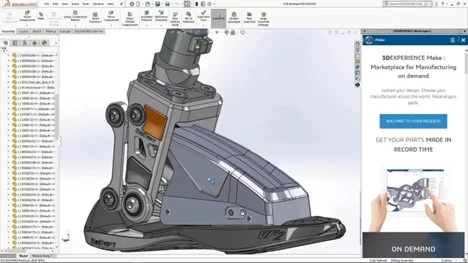
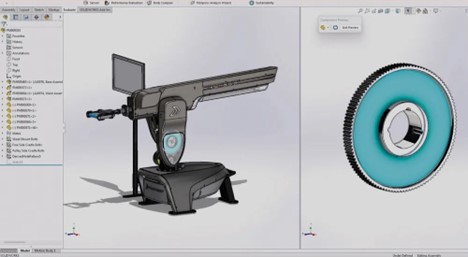
      A detailed 3D design model of the Proteus Motion training system displayed within SOLIDWORKS software.


      However, their journey to innovation coincided with the onset of the COVID-19 pandemic. Proteus Motion faced several key challenges:


      • Design Complexity: Achieving manufacturability, assembly, and cost efficiency while maintaining performance standards required advanced tools and techniques.
      • Stringent Safety Requirements: Adhering to ASTM International standards demanded extensive safety testing to ensure a 6X safety factor on structural components.
      • Prototyping Costs: Avoiding lengthy and expensive rounds of physical prototyping was crucial to keep the project on track and within budget.
      • Remote Collaboration: The pandemic necessitated a shift to remote work, making traditional development methods impractical.


      Beyond these challenges, Proteus Motion needed to deliver a system that not only worked but outperformed traditional equipment, replacing hours of training with a five-minute, data-driven workout. Faced with these obstacles, Proteus Motion turned to 3DEXPERIENCE Works solutions, which provided a cloud-based platform for collaboration, design, and innovation.


      The Solution: Cloud-Based Collaboration with 3DEXPERIENCE Works

      Proteus Motion implemented a suite of 3DEXPERIENCE Works tools, including 3DEXPERIENCE SOLIDWORKS Premium, 3DEXPERIENCE SOLIDWORKS Professional, 3D Creator, 3D Sculptor, and Collaborative Industry Innovator. These solutions not only met the technical requirements for design and simulation but also enabled seamless collaboration across remote teams.


      A dashboard view in the 3DEXPERIENCE platform showing the Proteus Motion design structure.


      The cloud-based 3DEXPERIENCE platform proved to be a game-changer for the company, allowing their design team to stay connected and productive despite lockdowns and office closures. It provided a single source of truth for their data, designs, and collaboration tools, ensuring nothing was lost in the transition to remote work.


      With the 3DEXPERIENCE platform, Proteus Motion achieved:

      • Faster Design Cycles: By leveraging cloud-based collaboration and advanced simulation tools, the team cut their design cycles by 50%.
      • Reduced Prototyping Costs: Virtual simulations replaced the need for two costly prototypes, saving approximately $20,000.
      • Optimized Manufacturing: By refining the bill of materials (BOM), Proteus Motion reduced production costs by a factor of four.
      • Streamlined Assembly: Innovations in design reduced assembly time from two weeks to just three hours.


      The Results: A Complete Sports Science Lab


      The Proteus Motion system redefines physical training and strength testing. By capturing all human movements in 3D, it sets a new standard in the fitness industry, replacing hours of traditional equipment use with just five minutes of its advanced system.


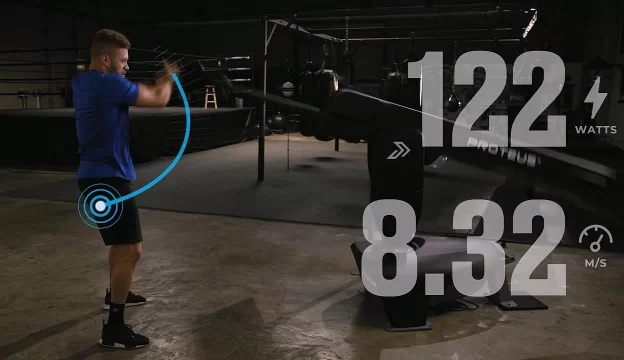
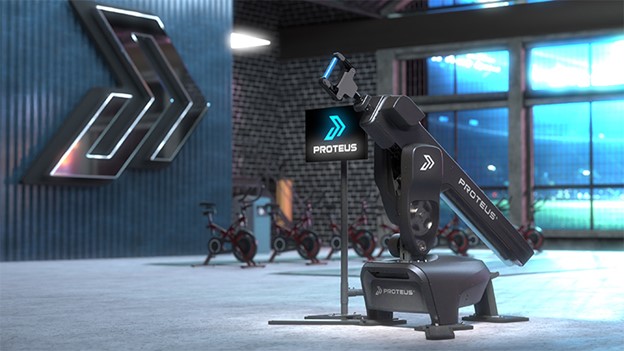
      A photorealistic rendering of the Proteus Motion system displayed in a modern gym environment.


      More than just a fitness machine, the system provides detailed insights into performance, making it an invaluable tool for trainers and rehabilitation specialists. Its ability to combine strength testing with motion analysis gives users a comprehensive picture of physical performance.

      The system has garnered widespread acclaim, earning innovation awards and being adopted by top athletes and organizations, including NFL star Patrick Mahomes and leading sports performance centers. According to Director of Hardware Engineering Paul Vizzio, the system is “a complete sports science lab in a box,” delivering unparalleled insights and capabilities to users.


      Why Proteus Motion Chose 3DEXPERIENCE Works

      Before adopting the 3DEXPERIENCE platform, Proteus Motion used a free CAD tool for initial concept development. However, as they moved toward commercialization, the limitations of their tools became apparent. They needed a professional-grade solution capable of handling the complexity of their project.

      The 3DEXPERIENCE platform provided:

      • Advanced Simulation Tools: Finite element analysis (FEA) simulations enabled the team to meet safety standards without excessive physical prototyping. These tools ensured the system could withstand the rigorous demands of real-world use.
      • Seamless Data Management: The platform’s built-in product lifecycle management (PLM) tools replaced the team’s outdated file hierarchy, enabling version control and simplifying collaboration.
      • Photorealistic Visuals: The rendering capabilities of 3DEXPERIENCE SOLIDWORKS Visualize allowed Proteus Motion to create animations and images for marketing, training, and internal design reviews.


      “The ROI [return on investment] that we’ve seen from 3DEXPERIENCE Works solutions has been huge,” Vizzio explained. “…Everything has just been sped up.”


      Safety First: Reducing Prototyping Cycles

      Safety was a critical consideration for Proteus Motion’s design. Adhering to ASTM International standards meant ensuring a 6X safety factor on all structural components. Traditional physical testing would have required numerous prototypes and significant resources, but the 3DEXPERIENCE platform offered a better way.

      Using SOLIDWORKS Simulation, the team conducted extensive virtual tests to evaluate materials, geometry, weld processes, and heat treatments. These simulations guided design decisions, enabling Proteus Motion to optimize their system for strength, cost, and build time.


      A Visual Edge: Enhancing Communication with Rendering Tools

      Proteus Motion leveraged 3DEXPERIENCE SOLIDWORKS Visualize to create photorealistic animations and videos that demonstrated how their system works. These visuals were instrumental in:

      • Marketing the product to potential customers.
      • Training users and technicians.
      • Explaining the system’s value to investors and stakeholders.


      What’s Next? Discover SOLIDWORKS 2025 and the Latest Enhancements to the 3DEXPERIENCE Platform

      Proteus Motion’s story highlights the transformative power of 3DEXPERIENCE Works solutions. Their ability to innovate quickly and efficiently showcases the potential for other businesses to do the same.


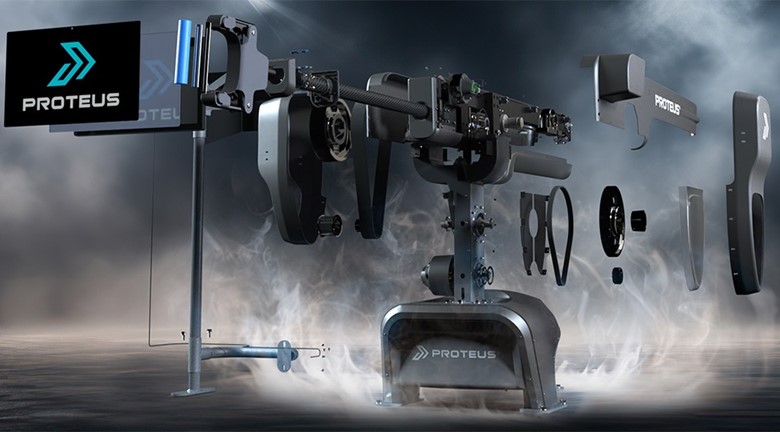
      An exploded view of the Proteus Motion system, showing its internal components arranged in a dramatic visual style with a smoky, industrial background.


      This success story aligns perfectly with the upcoming release of SOLIDWORKS 2025, which introduces cutting-edge enhancements to streamline design, collaboration, and innovation. By combining the latest features of SOLIDWORKS 2025 with the robust tools on the 3DEXPERIENCE platform, businesses can unlock new levels of productivity and creativity.


      Explore the Future of Innovation

      To learn more about these innovative solutions and to explore this year’s enhancements, join us at our SOLIDWORKS 2025 launch event. See how the latest tools can empower your team to innovate faster, collaborate seamlessly, and deliver outstanding results.

      Are you ready to elevate your workflow? Reach out to our dedicated experts today to get started on your next 3D creative journey!

      The Value of Cloud-Based Solutions

      Both SOLIDWORKS PDM and the 3DEXPERIENCE platform offer cloud-based options, enabling remote teams to collaborate seamlessly. By supporting mobile access and reducing the need for physical servers, cloud integration enhances team members’ ability to access the most current design data.


      Comparing Costs

      For smaller organizations, SOLIDWORKS PDM is a cost-effective solution, offering basic data management features that integrate with SOLIDWORKS. PLM requires a higher initial investment but pays off with lifecycle management of product data across departments, improving long-term productivity.


      Wrapping Up: Choosing the Right Solution

      Choosing between SOLIDWORKS PDM vs. PLM on the 3DEXPERIENCE platform depends on your organization’s specific needs. For CAD-centric teams, PDM provides a robust data management system. For teams needing product lifecycle management solutions that encompass every phase of the product development process, the 3DEXPERIENCE platform is an ideal solution.


      Ready to Get Started?

      SOLIDWORKS 2025 is packed with tools and enhancements to make your design process faster, smarter, and more collaborative. For a quick reference, download the enhancement flyer here and explore more demo videos on the official SOLIDWORKS webpage.

      Don’t wait—get ready to elevate your designs with SOLIDWORKS 2025!

      X_green_halo

      Any questions? Need help? Ask one of our experts.

      Whether you’re ready to get started or just have a few more questions, you can contact us toll-free:
        SOLIDWORKS PDM vs. PLM on the 3DEXPERIENCE Platform

        BLOG

        SOLIDWORKS PDM vs. PLM on the 3DEXPERIENCE Platform

        While Product Data Management (PDM) and Product Lifecycle Management (PLM) may sound similar, they serve different roles within the design journey. PDM focuses on managing and securing CAD files, making it easier for design teams to stay organized. PLM, on the other hand, supports full lifecycle management from concept through to production, bringing together departments like engineering, marketing, and manufacturing within a unified, cloud-based environment.

        In this article, we’ll explore SOLIDWORKS PDM vs. PLM on the 3DEXPERIENCE platform and how each addresses specific needs, from basic data management tools to a comprehensive framework for collaborative project management. By understanding the capabilities of each, your team can make an informed decision on which solution is the best fit.


        What Are PDM and PLM?

        Product Data Management and Product Lifecycle Management systems both offer essential solutions for organizing and managing information, but they serve different purposes within the product lifecycle. PDM focuses primarily on managing CAD files, while PLM provides a more comprehensive approach, supporting the full lifecycle management of products from initial design to production all the way through retirement. Let’s break down how these systems differ and how each benefits product design and engineering teams.


        Benefits for Data Control

        SOLIDWORKS PDM is an ideal solution for CAD environments. It provides a secure place to store files, ensuring safe concurrent designs among team members. Through features like version control, file locking, and workflows, you can maintain consistency across projects, making it a good choice for CAD-heavy teams that need to stay organized.


        How Does PLM Differ From PDM?

        While PDM is designed to manage CAD files and engineering information, PLM systems expand beyond the design department. PLM solutions, especially on the 3DEXPERIENCE platform, cover the product lifecycle management needs of various departments, supporting collaboration among project managers, marketing, manufacturing, and sales. With PLM, teams can track key milestones, dependencies, and delivery dates, ensuring everyone in the organization has visibility into the project planner.


        Can They Be Used Together?

        Absolutely, both system types can be complementary. Many organizations use SOLIDWORKS PDM for managing CAD-heavy data and PLM for broader lifecycle management of product data. This combination is especially valuable in complex projects where design data must seamlessly transition into the manufacturing process.


        SOLIDWORKS PDM vs. PLM on the 3DEXPERIENCE Platform: Which One Should You Choose?

        The choice between SOLIDWORKS PDM vs. PLM on the 3DEXPERIENCE platform depends on your organization’s needs. PDM is ideal for managing CAD files and design data among users who rely on SOLIDWORKS PDM Professional. On the other hand, PLM supports the lifecycle management of product data and is a better fit for organizations requiring a data management system that integrates every department involved in the manufacturing process.


        Licensing Options

        SOLIDWORKS PDM offers licensing based on the SOLIDWORKS subscription service model, which works well for smaller teams that need essential data management capabilities. The 3DEXPERIENCE platform provides scalable options, suitable for larger teams requiring collaboration across multiple roles, including project managers, engineers, and even remote teams.

        Feeling a little lost? We totally get it. But, fear not! We’re here to help, every step of the way. Reach out to our dedicated teams to know more, or to get personalized advice on how to implement your ideal data management solutions!


        PDM on the 3DEXPERIENCE Platform

        For SOLIDWORKS users who want to stay within a familiar environment, PDM on the 3DEXPERIENCE platform is a logical step. It supports file organization within a secure place, with version control and flexible workflows for enhanced collaboration. Accessible through a web browser, this setup allows for real-time interactions among team members, ensuring everyone works on the latest data.


        Enhancing Collaboration Beyond Design

        The 3DEXPERIENCE platform goes beyond traditional product data management by providing a collaborative data environment. With tools like the Collaborative Industry Innovator and Collaborative Business Innovator role, the platform enables teams to connect across departments. This environment fosters a collaborative experience for project managers, product release engineers, and team leaders alike, providing visibility into all aspects of the product development process.


        Key Advantages of 3DEXPERIENCE for Product Design Teams

        The 3DEXPERIENCE platform offers cloud-based data management tools that allow for real-time collaboration across team members. With dashboards for project tracking, workflows for approvals, and flexible server access, teams can work together efficiently, regardless of location.


        Why Consider Switching to PLM on the 3DEXPERIENCE Platform?

        Switching to the 3DEXPERIENCE platform can improve collaboration by creating an interconnected environment for product lifecycle management. This platform enhances the flow of collaborative data and integrates tools such as the Project Planner and Collaborative Industry Innovator, offering best practices for organizations looking to improve delivery dates and enhance visibility into projects.


        SOLIDWORKS PDM vs. PLM on 3DEXPERIENCE for Different Industries

        SOLIDWORKS PDM is particularly well-suited for small-to-medium engineering teams that prioritize CAD-focused file management, version control, and workflow automation within a secure environment. It enables these teams to streamline design processes and collaborate effectively on CAD data.

        On the other hand, PLM on the 3DEXPERIENCE platform extends beyond CAD data management, offering a comprehensive solution for industries like automotive and aerospace where complex project requirements demand robust collaboration and visibility across all departments.


        Does PLM Improve Product Lifecycle Traceability?

        Yes, PLM significantly enhances product lifecycle traceability by providing a centralized platform that connects all stages, from initial design through to production and beyond. Teams can monitor key milestones, dependencies, and revisions, enabling complete visibility over the product’s evolution. This comprehensive tracking helps stakeholders stay aligned on project goals, maintain version control, and ensure timely decisions. For industries with stringent regulatory requirements, PLM is invaluable as it consolidates compliance data, audit trails, and documentation, making it easier to meet standards and demonstrate accountability throughout the product lifecycle.


        What Role Does SOLIDWORKS or CATIA Play?

        Both SOLIDWORKS and CATIA play essential roles within Product Lifecycle Management by supporting detailed design and engineering processes. CATIA, as a core application on the 3DEXPERIENCE platform, is especially suited for industries like aerospace and automotive, where complex 3D modeling and simulation capabilities are critical.

        Meanwhile, SOLIDWORKS offers intuitive design tools that, when connected with PLM, empower teams to efficiently organize, share, and evolve their designs in line with project goals and regulatory requirements. Both solutions enrich your lifecycle environment by enhancing visibility and traceability throughout product development.

        For more information on CATIA or to get started on your next advanced engineering project, check out our sister-brand, Mecanica!

        The Value of Cloud-Based Solutions

        Both SOLIDWORKS PDM and the 3DEXPERIENCE platform offer cloud-based options, enabling remote teams to collaborate seamlessly. By supporting mobile access and reducing the need for physical servers, cloud integration enhances team members’ ability to access the most current design data.


        Comparing Costs

        For smaller organizations, SOLIDWORKS PDM is a cost-effective solution, offering basic data management features that integrate with SOLIDWORKS. PLM requires a higher initial investment but pays off with lifecycle management of product data across departments, improving long-term productivity.


        Wrapping Up: Choosing the Right Solution

        Choosing between SOLIDWORKS PDM vs. PLM on the 3DEXPERIENCE platform depends on your organization’s specific needs. For CAD-centric teams, PDM provides a robust data management system. For teams needing product lifecycle management solutions that encompass every phase of the product development process, the 3DEXPERIENCE platform is an ideal solution.

        X_green_halo

        Any questions? Need help? Ask one of our experts.

        Whether you’re ready to get started or just have a few more questions, you can contact us toll-free:
          Advanced 3DEXPERIENCE Training for Manufacturing Engineers

          BLOG

          Advanced 3DEXPERIENCE Training for Manufacturing Engineers

          With the constant evolution of the 3DEXPERIENCE platform, manufacturing engineers are continually presented with innovative tools and powerful capabilities, but little context. At Solidxperts, we understand the importance of staying on top of the latest features and best practices, which is why we offer advanced 3DEXPERIENCE training. Our specialized courses are designed to help engineers seamlessly integrate new skills, strengthen their understanding of best practices, and leverage the full power of the platform and SOLIDWORKS CAD solutions.


          Why Take Advanced 3DEXPERIENCE Solidxperts Training?

          Is basic knowledge of the 3DEXPERIENCE platform enough in today’s competitive landscape? Advanced 3DEXPERIENCE training for manufacturing goes beyond the fundamentals to dive deep into the latest catalog of apps, online services, and secure cloud data management features. Our trainers strive to give manufacturing engineers the confidence and skills to elevate their design capabilities, whether it’s exploring a new dimension of design with SOLIDWORKS CAD or navigating complex business processes with ease.


          An advanced digital training environment with rows of modern desks for professional students, subtle holographic interfaces, and a sleek, high-tech atmosphere.


          Did you know you can get to know your instructor’s expertise before your class? Check out the Solidxperts team on LinkedIn!


          How Does Advanced Training Differ from Entry-Level Courses?

          Solidxperts’ courses are designed to help professionals transition smoothly from foundational knowledge to expert-level proficiency on the 3DEXPERIENCE platform. Advanced sessions focus on leveraging collaboration capabilities, utilizing the latest tools, and mastering the reintegration process, which simplifies complex workflows for businesses of all sizes. These training courses offer a convenient option for engineers looking to gain instant platform access and upfront onboarding without traditional licensing hassles or new licenses troubleshooting.


          Custom CAD Training Solutions

          But, what’s the 3DEXPERIENCE platform without your trusted SOLIDWORKS?

          With additional custom CAD training options, Solidxperts offers tailored programs to meet your specific design and business needs. Unlike generic courses, these specialized sessions can include advanced topics like MEP integration, secure cloud data management, and seamless design experience.

          For more info on what we have available, check out our catalog of upcoming 3DEXPERIENCE, CAD, and design courses, here.


          The Power of SOLIDWORKS

          Advanced 3DEXPERIENCE courses at Solidxperts emphasize the power of SOLIDWORKS and its diverse applications across industries. Whether it’s SOLIDWORKS CAD for traditional design or additive manufacturing solutions for modern production, our training ensures that manufacturing professionals are equipped to use these tools efficiently, maximizing productivity and quality in their workflows.


          Stay Ahead with the Latest 3DEXPERENCE Apps

          Succeeding in the manufacturing field means staying current with the latest apps and tools. Solidxperts brings successive years of experience in supporting manufacturing engineers through their continuous learning journey, with access to the latest apps on the platform, reducing downtime and enabling an effortless transition from older software versions. Our courses ensure engineers take full advantage of the platform’s cloud services, giving them instant access to the latest updates and tools without worrying about backdating.


          Advanced Manufacturing Needs? Check Out Our Custom Solutions

          For professionals looking for more than the standard learning experience, Solidxperts offers custom CAD training solutions that address specific challenges. By integrating advanced features such as MEP, non-SOLIDWORKS CAD compatibility (Autodesk, Onshape, etc.), and cloud services, our programs ensure your team is equipped with the practical skills needed to handle complex projects effectively.


          Ready to Take on the 3DEXPERIENCE Platform?

          New cloud solutions can be overwhelming, even with a baseline knowledge of how they work. So, investing in advanced training isn’t just about expanding technical skills; it’s about creating a smooth transition to a more efficient, collaborative work environment, without losing urgency or project progress.


          Enhance Your Skills with Expert-Led Training

          Choosing Solidxperts means accessing knowledge from seasoned instructors who know the 3DEXPERIENCE platform inside and out. Our team of Xperts is here to guide you through the comprehensive learning experience platform that, depending on your needs and level of skill, can cover everything from SOLIDWORKS CAD, to cloud data management, to business processes on the platform.

          This isn’t just another boring webinar series—it’s a hands-on empowering journey designed to maximize your productivity and get you up and running as quickly as possible.


          Conclusion: Driving Success with Advanced 3DEXPERIENCE Training for Manufacturing

          Advanced 3DEXPERIENCE training for manufacturing engineers at Solidxperts offers a robust way to elevate industry skills and stay current with ever-evolving technology. With courses that prioritize seamless design experience, secure cloud data management, and the advantage of the comprehensive SOLIDWORKS suite, Solidxperts is your go-to partner in building lasting success in manufacturing.

          Not sure where to start? Reach out to our team today for personalized advice on how to get started on your advanced 3DEXPERIENCE training journey!

          X_green_halo

          Any questions? Need help? Ask one of our experts.

          Whether you’re ready to get started or just have a few more questions, you can contact us toll-free:
            Leveraging 3DEXPERIENCE for Sustainable Product Design

            BLOG

            Leveraging 3DEXPERIENCE for Sustainable Product Design

            As the world grapples with climate change and resource depletion, there is a growing urgency to adopt sustainable practices. For businesses involved in product development, this means rethinking how products are designed, manufactured, and managed throughout their life cycle. Integrating sustainability into the core of product design is not only a response to consumer demand for eco-friendly products but also a strategic move to meet regulatory requirements and achieve long-term business success.

            The 3DEXPERIENCE platform stands out as a comprehensive solution that empowers you and your business to embrace sustainable innovation. With tools for lifecycle assessment, virtual twin simulations, and real-time data analysis you can easily optimize your products’ overall environmental impact. Make informed decisions about materials, production methods, and energy consumption to significantly reduce environmental footprints. This approach helps businesses align with sustainability goals, such as zero carbon targets and circular economy principles, while also unlocking opportunities for cost savings and improved brand reputation.


            Why Choose 3DEXPERIENCE for Sustainable Product Design?

            Leveraging the 3DEXPERIENCE for sustainable product design empowers you to integrate lifecycle assessment directly into the product development process. Monitor a product’s environmental footprint every step of the way, from raw material extraction to the end of its life cycle, by embedding sustainability goals directly into your design principles.


            a silhouetted engineer walking across a lush green field with a stream of digital information representing green technology


            Reducing the Environmental Impact of Products

            The platform helps identify the environmental impact of your designs early in the design process. By simulating various factors such as energy consumption, water use, and waste generation in a virtual space you can make better-informed decisions to minimize the carbon footprint and land use associated with manufacturing processes, paving the way for more sustainable production practices.


            Leveraging Virtual Twins

            Virtual twin technology is a powerful feature of the 3DEXPERIENCE platform that allows you to create digital replicas of your products. By using virtual twins, teams can test different materials and manufacturing methods, reducing the need for physical prototypes and limiting waste generation.


            Designing for a More Sustainable World: Key Practices


            a factory with a smokestack that releases leaves and clean water, symbolizing eco-friendly industrial innovation


            Your teams can make products more sustainable by carefully choosing materials and implementing smart practices throughout the product development cycle. Gain real-time insights into the environmental conservation aspects of different design choices from directly within your 3DEXPERIENCE platform. This enables your teams to optimize material use and adopt greener design practices.


            How Does Advanced Digitalization Support Sustainable Innovation?

            The platform’s advanced digitalization capabilities provide you with innovative solutions to assess and improve product sustainability. By leveraging real-time data, you can monitor the environmental impact of your designs and make adjustments to support zero carbon goals. Create new products while ensuring production processes align with broader sustainability goals.


            Circular Economy and Sustainable Product Development

            Adopting circular economy principles is essential for sustainable development. Leveraging the 3DEXPERIENCE for sustainable product design supports a circular economy by empowering your business to design products with recyclability in mind. By optimizing the use of materials and considering the product’s life cycle from start to finish, the platform encourages the creation of environmentally friendly products that can be easily disassembled and reused, reducing overall waste and raw material consumption.


            Enhancing Lifecycle Assessment with a Single Platform

            3DEXPERIENCE streamlines the lifecycle assessment process by providing all necessary tools on a single platform. Teams can evaluate the product’s life cycle in detail, considering factors like energy consumption, land use, and water use, ensuring the manufacturing processes contribute positively toward a more sustainable future.


            A laptop sitting on a simple table in the middle of a bright, lush green field displaying a teardrop shaped leaf design


            Supporting the Entire Product Lifecycle with Sustainable Practices

            From the initial design phase to the end of the product’s life, 3DEXPERIENCE helps businesses incorporate sustainable practices into every step. The platform supports waste reduction, smart material use, and optimized production processes, ensuring that the entire product lifecycle supports sustainability goals.


            Can 3DEXPERIENCE Facilitate the Production of Environmentally Friendly Products?

            Yes, 3DEXPERIENCE facilitates the development of environmentally friendly products by offering tools that integrate sustainability into the entire value chain. With the ability to simulate various aspects of a product’s environmental footprint, such as energy consumption and waste generation, companies can ensure each product aligns with their sustainability goals.


            3DEXPERIENCE for a Greener Future

            Achieving sustainability requires more than intentions; it demands integrating eco-friendly practices into every step of product development. The 3DEXPERIENCE platform offers businesses the tools they need to design friendly products that meet sustainability goals, embrace circular economy principles, and reduce the environmental impact of production processes.

            By leveraging virtual twin technology, advanced digitalization, and real-time data, businesses can minimize waste, reduce energy consumption, and select sustainable materials, optimizing their manufacturing processes toward zero carbon goals. This approach leads to environmentally friendly products while providing business benefits such as cost savings, enhanced reputation, and regulatory compliance.


            Toward Zero Carbon Goals: A Commitment to Sustainability

            3DEXPERIENCE supports innovation by encouraging teams to consider waste reduction, sustainable materials use, and end-of-life management from the start. As companies strive for a greener future, the platform ensures sustainability becomes a core principle throughout the value chain.

            In a world where sustainability is a crucial differentiator, 3DEXPERIENCE offers a unified solution to drive responsible innovation. Adopting 3DEXPERIENCE for sustainable product design helps businesses create eco-friendly products and meet sustainability goals, paving the way for a future where environmental conservation is integral to product development.

            Want to know more? Want to get started on your sustainability journey? Reach out to our experts for advice on how to get started and to discover just how green the grass can be!

            X_green_halo

            Any questions? Need help? Ask one of our experts.

            Whether you’re ready to get started or just have a few more questions, you can contact us toll-free:
              3DEXPERIENCE xApps: Enhancing Your SOLIDWORKS Workflow

              BLOG

              3DEXPERIENCE xApps: Enhancing Your SOLIDWORKS Workflow

              3DEXPERIENCE xApps are cloud-based applications that bring cutting-edge capabilities to your SOLIDWORKS workflow, empowering users to complete projects with greater speed, accuracy, and collaboration. Whether you’re working on sheet metal design, molding, or simulation, these CAD apps are specifically tailored to help you tackle any specific task—and they’re accessible right from your browser.

              Purpose-built on the 3DEXPERIENCE platform, these apps expand the functionality of SOLIDWORKS while providing truly browser-based CAD. Whether you’re managing revisions on geometry, performing a draft analysis, or modeling complex enclosures and molds, these apps streamline your processes, ensuring efficiency and clear communication at every stage.

              Let’s explore how 3DEXPERIENCE xApps enhance your SOLIDWORKS workflow, with a focus on key benefits and best practices for integrating these powerful tools into your daily design operations.


              First, What Are the xApps?


              The 3DEXPERIENCE platform xApps hero banner


              xApps are cloud-based CAD apps that provide you with enhanced sheet metal design, draft analysis, molding, and simulation capabilities. Integrating SOLIDWORKS and the 3DEXPERIENCE platform, these roles and apps enable you to perform specific tasks faster and more effectively.

              xApps in the 3DEXPERIENCE platform provide a range of tools to meet various design needs. Below is a quick breakdown of each app and its core functionality:


              • xDesign: A flexible CAD tool that enables users to create, modify, and finalize designs directly in their browser, perfect for concept development and detailed modeling.
              • xShape: A powerful app focused on subdivision surface modeling, allowing users to craft complex, organic shapes for designs like enclosures and molds with ease.
              • xSheetMetal: Tailored for sheet metal design, this app offers intuitive features to create accurate sheet metal components while maintaining associative parametric sheet metal design capabilities.
              • xFrame: A structural design app that simplifies the creation of welded and bolted frames, making it ideal for projects requiring detailed frame modeling.
              • xGenerative Design: An innovative app that leverages simulation and algorithms to automatically generate optimized design solutions based on functional requirements and constraints.
              • xMold: Focuses on molding projects, enabling users to design and test injection mold parts with integrated simulation features to validate designs before production.


              Each of these apps integrates seamlessly with SOLIDWORKS and the 3DEXPERIENCE platform, allowing users to streamline their workflows across various design stages. For a more detailed look at how to use apps on the platform, check out our previous blog!


              Streamline Your SOLIDWORKS CAD Workflows with xApps

              xApps provide CAD designers with tools to complete complex tasks, from sheet metal to molding and simulation. By integrating SOLIDWORKS with these apps, you gain access to advanced tools that simplify your workflows and increase productivity.


              What Is the Creator Role?

              The creator role provides essential tools like xDesign and xShape, which allow designers to create advanced models and sketches. With these apps, designers can manipulate subdivision surfaces and achieve more fluid, organic shapes for enclosures, molds, or sheet metal projects.


              Why Should You Use These Apps in Your Browser?

              One of the standout features of 3DEXPERIENCE xApps is that they can be accessed directly from your browser. Whether you’re designing sheet metal parts or running simulation tests, you no longer need to install complex software locally. Working in the cloud makes collaboration with other SOLIDWORKS users faster and more efficient.

              When using 3DEXPERIENCE xApps, it’s important to follow best practices to ensure efficiency. Whether it’s using the PDM system to manage revisions or employing xDesign for accurate geometry creation, following guidelines ensures you get the most out of the tools available.


              Quick-Start Guide to 3DEXPERIENCE xApps

              Getting started with xApps is simple. This quick-start guide provides guidance for SOLIDWORKS users to begin integrating these apps into their daily workflows, ensuring you’re ready to tackle any specific task with ease.


              An engineer modifies the design of a mechanical part on a tablet displaying the 3DEXPERIENCE platform xApps.


              Using xApps for Molding and Simulation

              The 3DEXPERIENCE platform excels in simulation and molding applications, offering tools to test materials, designs, and processes virtually before going into production. This allows for a more streamlined approach to manufacturing, reducing errors and saving costs.


              The Power of PDM & PLM

              xApps also support PLM capabilities, helping you manage product data throughout the lifecycle. This is especially useful for managing PDM and PLM systems, ensuring that all product information is up-to-date and easily accessible to all team members.


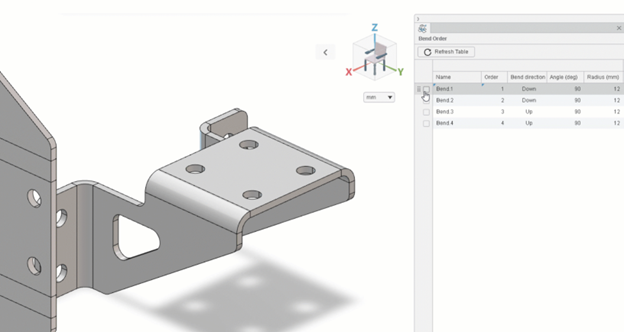
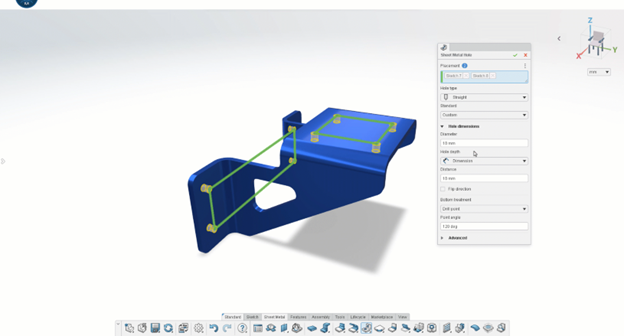
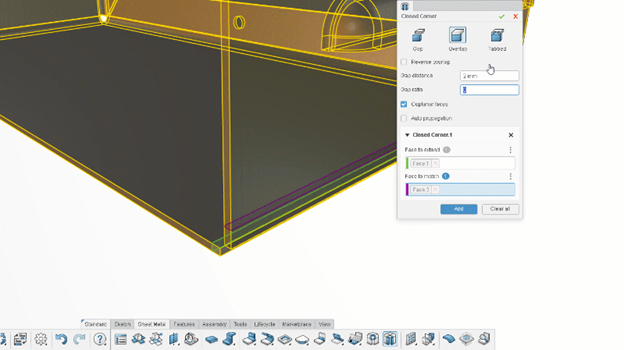
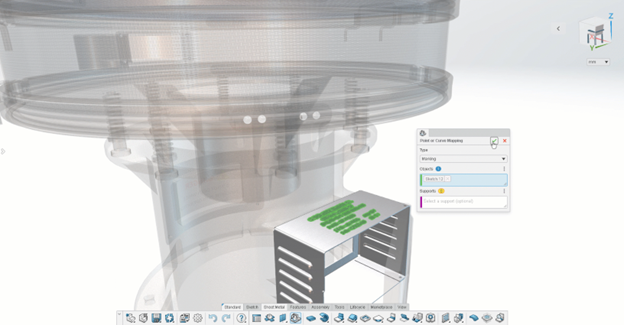
              How Can xApps Improve Your Sheetmetal and Mold Design?

              For anyone working with sheet metal, the 3DEXPERIENCE platform brings improved sheet metal design capabilities. These apps offer precise control over sheet metal features such as bends, cuts, and folds, making them an essential tool for anyone dealing with enclosures or complex mold designs.


              How Do xApps Enhance Geometry Creation and Modification?

              Creating and modifying complex geometry is a critical aspect of the design process, and these apps offer intuitive tools to streamline this task. Whether you’re designing intricate sheet metal components or organic forms for molding, apps like xDesign and xShape provide users with flexible modeling options. These tools enable designers to manipulate geometry in real-time, making adjustments with ease and precision. With associative parametric design capabilities, any changes to the geometry automatically update across the model, reducing errors and saving time in revisions.

              By leveraging these geometry tools within your SOLIDWORKS workflow, you can accelerate the design process while maintaining full control over the intricacies of your project.


              Conclusion

              By integrating 3DEXPERIENCE xApps into your SOLIDWORKS workflow, you unlock powerful tools for design, simulation, and collaboration, all accessible from any browser. Whether you’re working on sheet metal, moulding, or managing revisions, xApps streamline complex tasks and help boost productivity. With cloud-based functionality and intuitive interfaces, these apps empower designers and engineers to work smarter and more efficiently, making them an essential part of the modern CAD toolkit.

              X_green_halo

              Any questions? Need help? Ask one of our experts.

              Whether you’re ready to get started or just have a few more questions, you can contact us toll-free:
                3DEXPERIENCE for Designers: Streamlining Collaboration

                BLOG

                3DEXPERIENCE for Designers: Streamlining Collaboration

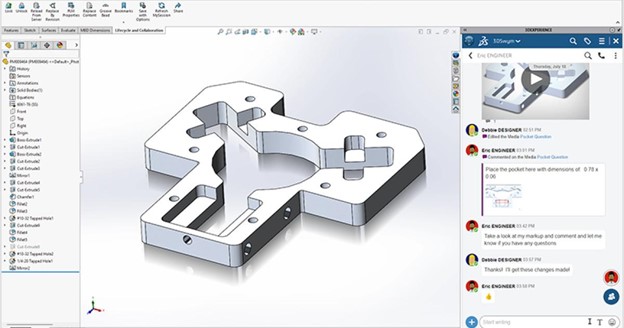
                The 3DEXPERIENCE offers a powerful, unified environment that goes beyond traditional tools, allowing for an integrated and collaborative approach to product development. By bringing together design, data management, and simulation in one place, the platform eliminates silos between teams, fostering more efficient communication and enabling real-time collaboration.

                Whether working on a simple or a large-scale projects, 3DEXPERIENCE ensures everyone stays connected. This platform not only enhances creativity but also improves productivity by simplifying workflows, accelerating iterations, and streamlining every aspect of the process.


                Collaborative Product Development Made Simple

                The platform provides a single source of truth for product development. Designers and engineers can work together on parametric designs or complex shapes, knowing that their updates are shared instantly with other stakeholders. This approach allows teams to avoid the bottlenecks often caused by siloed data management systems, leading to faster new designs and streamlined iterations.


                How Does 3DEXPERIENCE Improve Collaboration with SOLIDWORKS CAD?

                The integration between 3DEXPERIENCE and SOLIDWORKS CAD is designed to facilitate seamless collaboration between designers, engineers, and other team members. Collaborate on product design in real time, so you and your teams can manage complex workflows from ideation to production.


                Empowering Stakeholders by Streamlining Collaboration

                The platform enables stakeholders like project managers, clients, and suppliers to interact with designs and provide input without needing CAD expertise. This level of accessibility ensures that feedback is provided earlier in the process, improving the final product and reducing costly revisions.


                Can 3DEXPERIENCE Foster Better Communication with Stakeholders?

                By keeping all data in one place, 3DEXPERIENCE improves communication between stakeholders and designers. View, comment on, and provide feedback at any stage of the project! This real-time collaboration reduces misunderstandings and ensures that all team members are on the same page.


                How Can Designers Use Apps to Manage Data?

                With 3DEXPERIENCE, designers have access to a wide range of apps that support them every step of the way. From data visualization to simulation, these apps are tailored for product design and allow for real-time updates, ensuring that all stakeholders stay informed. Data management is simplified through cloud-based solutions, providing secure, centralized access to project files.


                How Can the Manufacturing Definition Creator Simplify the Design Process?

                The Manufacturing Definition Creator app on the 3DEXPERIENCE allows users to create specifications that other team members can easily understand and follow. This app provides designers with a structured approach to defining product features, saving time and reducing misunderstandings during the process.


                The Role of Simulation in Product Design

                Simulation plays a critical role in ensuring that designs meet performance criteria before physical prototypes are made. By using simulation within the platform, designers can test their designs under various conditions, leading to fewer costly revisions and more successful product launches.


                Simulation Excellence for Design Guidance

                Incorporating simulation early in the design phase is crucial for improving product performance. The platform offers simulation tools that provide design guidance and allow teams to test their products in virtual environments. By integrating simulation into the development cycle, designers can reduce physical prototyping and improve overall product quality.


                But, Why 3DEXPERIENCE for Designers?

                Choosing 3DEXPERIENCE ensures that your team has the tools they need to thrive in a competitive landscape. The platform’s collaborative nature enables designers to work in harmony, while its intuitive user interface helps users of all skill levels quickly adopt the technology. Moreover, the ability to access the platform via a web browser makes it versatile for on-the-go usage.


                Streamlining Ideation for New Designs

                From concept to creation, the platform enables smooth transitions between ideation and execution. The platform supports various design methods, including parametric design, and helps teams refine their ideas before moving into full-scale product development. This streamlined approach leads to more innovative new designs and quicker market launches.


                Enhancing Design Excellence with 3DEXPERIENCE

                Achieving excellence in design requires robust tools and seamless teamwork. The platform empowers design teams by connecting their workflows and ensuring that the best practices are followed throughout the product development lifecycle. This emphasis on collaboration helps teams deliver high-quality designs efficiently.


                Complex Product Design

                For projects requiring complex shapes and intricate designs, 3DEXPERIENCE offers powerful tools that simplify the process. Whether working on multi-part assemblies or intricate geometries in industries like automotive and aerospace, designers benefit from parametric design and flexible modeling features. The platform’s apps handle large-scale projects with ease, allowing designers to bring innovative ideas to life while maintaining precision. Real-time collaboration keeps teams aligned, ensuring seamless updates and iterations. By streamlining the creation of complex designs, the platform enhances efficiency and helps push the boundaries of product development.


                Optimizing Product Development with 3DEXPERIENCE for Designers

                The platform optimizes every step of the product development cycle. By offering tools for simulation, parametric design, and data management, the platform ensures that designers have everything they need to succeed. The collaborative nature of the platform also means that stakeholders are always in the loop, reducing the time it takes to get products to market.


                Achieve Design Excellence with 3DEXPERIENCE

                Whether you’re a seasoned designer or new to SOLIDWORKS CAD, the platform helps elevate your design skills. With an array of tools and a focus on collaborative workflows, 3DEXPERIENCE fosters excellence and improves product development outcomes.

                To keep learning about what the platform can do for your workflows, read through our blog series that explores some basic functions and features to help get you started:


                Conclusions & Final Thoughts

                The 3DEXPERIENCE for designers is game-changing, offering a seamless, collaborative environment where product development becomes more efficient. By integrating powerful tools for parametric design, simulation, and data management, the platform not only enhances quality but reduces the time and costs associated with traditional workflows.

                Designers using 3DEXPERIENCE can enjoy an intuitive user interface, access to a wide variety of apps, and real-time updates that keep all stakeholders aligned throughout the process. Whether it’s creating complex shapes or refining new designs, the platform supports innovation and facilitates better communication across teams.

                With its seamless integration into SOLIDWORKS CAD, 3DEXPERIENCE extends the capabilities of traditional design tools, allowing for more efficient project management and quicker time to market.

                X_green_halo

                Any questions? Need help? Ask one of our experts.

                Whether you’re ready to get started or just have a few more questions, you can contact us toll-free:
                  Advanced Solutions: 3D Printing for Custom Automotive Parts

                  BLOG

                  Advanced Solutions: 3D Printing for Custom Automotive Parts

                  The automotive industry has seen a surge in customization demands as drivers seek personalized solutions for their vehicles. 3D printing for custom automotive parts has revolutionized how performance and aftermarket upgrades are created, offering new possibilities for car enthusiasts, mechanics, and small businesses alike.


                  What Types of Parts Can You Print?

                  The limit is your imagination! Print brake rotors or trailer hitches, or custom car parts like air vents and acceleration pedals. Plus, exterior accessories can be rapidly prototyped and adjusted just as easily. You can even print car body parts or specialized fixtures that cater to unique styles.


                  Custom 3D Printed Car Parts & Prototypes

                  Prototyping is faster and more cost-effective with 3D printing for custom automotive parts. The ability to quickly iterate designs for automotive applications, whether for exterior accessories or brake rotors, gives designers a competitive edge.


                  Custom designed, carbon fiber GoPro mount attached to the dashboard of a Solidxperts Nissan 370z racecar.

                  At Solidxperts, our printers help automotive businesses develop prototypes that precisely meet their specific needs.


                  Nylon and ABS: Durability Meets Functionality

                  The combination of nylon and ABS offers a strong, durable option for automotive applications. These materials are excellent for ducts and fixtures that need to withstand high heat or mechanical stress. Prints made from these materials are often indistinguishable from those that are traditionally manufactured, in terms of functionality.


                  Can You Save on Production Costs?

                  With 3D printing, a.k.a. additive manufacturing, production costs are significantly reduced. Traditional manufacturing methods require expensive molds and tooling, but FDM and fusion-based processes bypass these, allowing for fast prototyping and production. This benefit is particularly useful for small businesses offering aftermarket upgrades.


                  How Does 3D Printing Improve Aftermarket Customization?

                  3D printed car parts are a popular choice for creating custom exterior accessories, from car body pieces to brake rotors. Unlike traditional manufacturing methods, 3D printing offers flexibility and precision for these specific needs.


                  Enhance Performance with Custom Accessories

                  Additive manufacturing allows you to create custom car accessories tailored to your vehicle’s exact specifications. From flat surface panels to knobs and interior components, printed accessories ensure that you get the perfect fit and functionality for your aftermarket upgrades.


                  Why is Nylon a Game-Changer in Automotive 3D Printing?

                  Materials like nylon and carbon fiber have made a significant impact in automotive applications. These materials offer durable solutions for pieces that require strength, such as trailer hitches or knobs. Nylon is often paired with carbon fiber for even stronger automotive applications, increasing functionality and longevity.


                  Nylon vs. TPU

                  Choosing the right material can make all the difference in aftermarket upgrades. Nylon offers high strength, while TPU provides flexibility, ideal for custom pieces like knobs or exterior accessories. The versatility of these materials opens doors for pieces that perfectly match a vehicle’s performance requirements.


                  Considering 3D Printing for Custom Automotive Parts?

                  When it comes to 3D printing for custom automotive parts, precision and reliability are paramount. At Solidxperts, we provide FDM printers specifically designed for automotive applications, offering advanced features such as heated chambers and large build volumes. These features are crucial for producing strong, durable components like carbon fiber-reinforced nylon parts that meet the rigorous demands of the automotive industry.

                  Whether you’re creating prototypes to fine-tune designs or manufacturing final products, Solidxperts’ 3D printing solutions ensure superior quality and functionality. Our printers excel at delivering high-performance parts, from exterior accessories and fixtures to critical performance parts, all while reducing production costs and allowing for rapid iteration.

                  With Solidxperts’ advanced 3D printing technology, you can produce custom car parts that not only meet but exceed expectations.


                  Do You Need a Heated Chamber?

                  A heated chamber is crucial in maintaining consistent material temperatures during the printing process. This feature ensures that car body pieces, especially those requiring a smooth, flat surface, maintain quality throughout production.


                  Durable, Custom Car Parts from Your Desktop

                  Solidxperts offers desktop 3D printers capable of producing high-quality custom car pieces right from your workspace. Some of the printers in our lineup are designed to handle advanced materials like carbon fiber and ABS, making them perfect for manufacturing durable fixtures, nozzles, and more.


                  Performance enhancing Nissan 370z custom designed air intake duct fitting on a Markforged desktop 3D printer.


                  Precision and Functionality with Markforged

                  Markforged industry-leading printers are designed to handle a wide range of materials, from carbon fiber and nylon to TPU and ABS, ensuring high strength and durability.

                  You can produce car parts with reinforced carbon fiber filaments, delivering strength comparable to metal while significantly reducing weight—perfect for automotive applications where both strength and lightness are crucial. Whether you’re working on brake rotors, ducts, or structural performance parts, the precision of Markforged printers ensures accuracy down to the finest details.

                  Additionally, Markforged’s heated chambers and cloud-based software, Eiger, optimize print performance and streamline the process, lowering production costs and shortening turnaround times.

                  With these cutting-edge technologies, Solidxperts empowers clients to achieve remarkable results, making additive manufacturing a cost-effective and highly functional solution for any automotive customization project.

                  Custom-fit carbon fiber air intake duct installed on a Nissan 370z.


                  Conclusion

                  3D printing has transformed the way we approach custom automotive parts, offering unmatched flexibility, speed, and precision in manufacturing. Whether you’re a small business looking to reduce production costs or a car enthusiast seeking unique aftermarket upgrades, 3D printing is the key to unlocking endless possibilities. From performance parts to interior accessories and fixtures, the ability to tailor each component to your vehicle’s specific needs is now more accessible than ever.

                  With nylon, carbon fiber, TPU, and other advanced materials available, you can produce durable, high-quality prints that not only perform well but also last longer. For everything from prototypes to ducts to finishing with flat surfaces, Solidxperts’ range of 3D printers ensures precise and functional results for any automotive application. As the demand for customization grows, now is the perfect time to explore how 3D printing can revolutionize your approach to automotive manufacturing.

                  X_green_halo

                  Any questions? Need help? Ask one of our experts.

                  Whether you’re ready to get started or just have a few more questions, you can contact us toll-free:

                    Streamlining Project Management: A Comprehensive Guide to Manage and Control on the 3DEXPERIENCE Platform

                    BLOG

                    Streamlining Project Management: A Comprehensive Guide to Manage and Control on the 3DEXPERIENCE Platform

                    Welcome to our in-depth tutorial on how to effectively leverage Manage and Control, the powerful project management and workflow tool within the 3DEXPERIENCE platform. Designed for teams navigating complex projects, Manage and Control ensures seamless task management, robust workflow automation, and precise access control, all within a unified environment. This guide will walk you through the steps to enhance efficiency, maintain control over your projects, and achieve consistent, high-quality results.


                    Table of Contents

                    • Introduction to Manage and Control
                    • Enabling Manage and Control
                    • Setting Up Your Workspace
                    • Managing Tasks and Workflows
                    • Controlling Access and Permissions
                    • Tracking Project Progress
                    • Use Cases


                    Introduction to Manage and Control

                    In today’s fast-paced engineering and design environments, managing projects efficiently is more critical than ever. Projects often involve multiple teams, departments, and stakeholders, each with their unique requirements and timelines. This complexity necessitates a tool that can not only organize and track tasks but also automate processes and ensure that all team members have the information they need, precisely when they need it.

                    Manage and Control on the 3DEXPERIENCE platform is the answer to these challenges. It provides a comprehensive set of tools that allow you to manage every aspect of your project, from assigning tasks and controlling access to tracking progress and automating workflows. This integration into a single platform streamlines communication and ensures that everyone involved in the project is aligned, reducing the risk of errors and delays.


                    Enabling Manage and Control

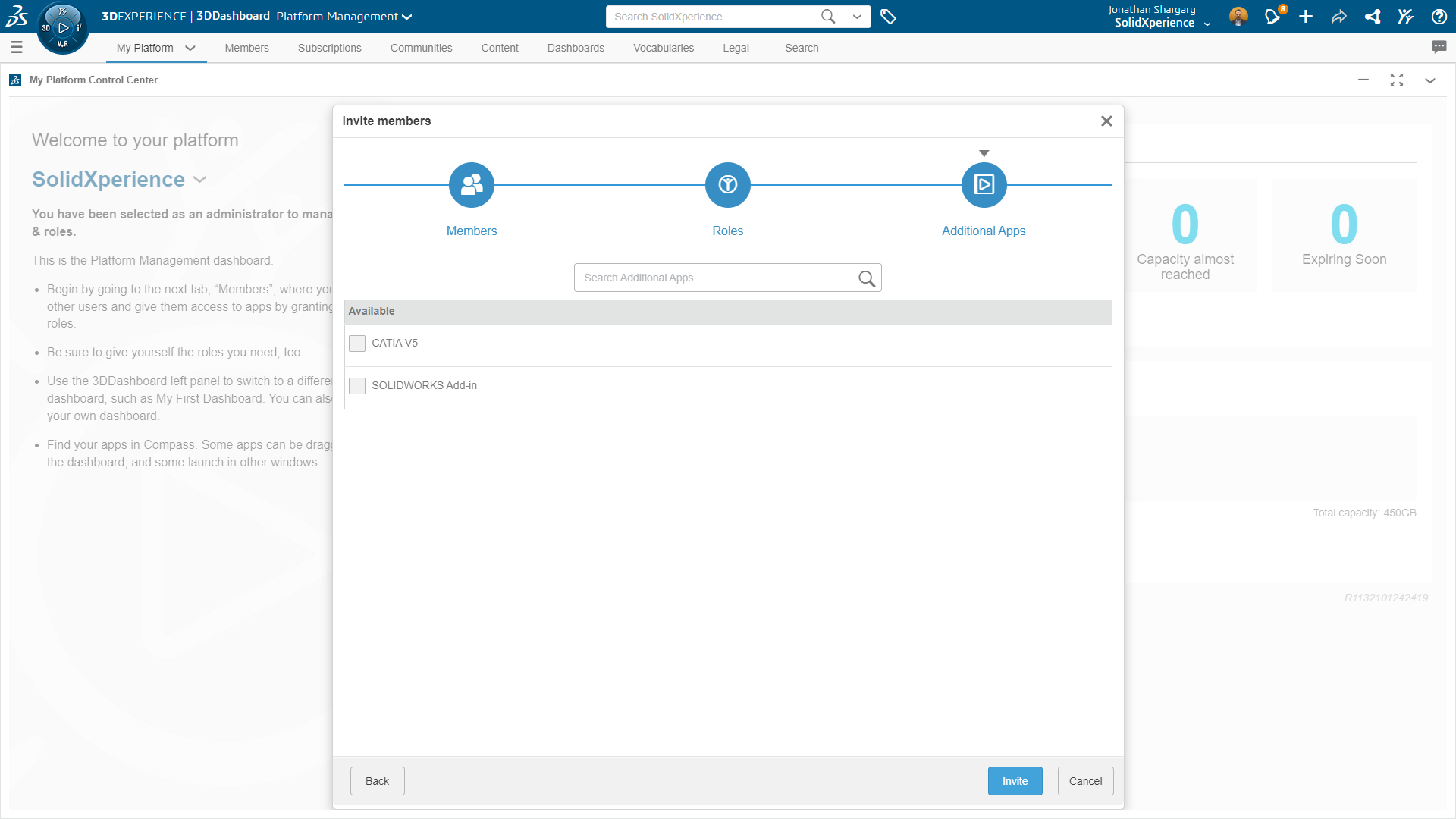
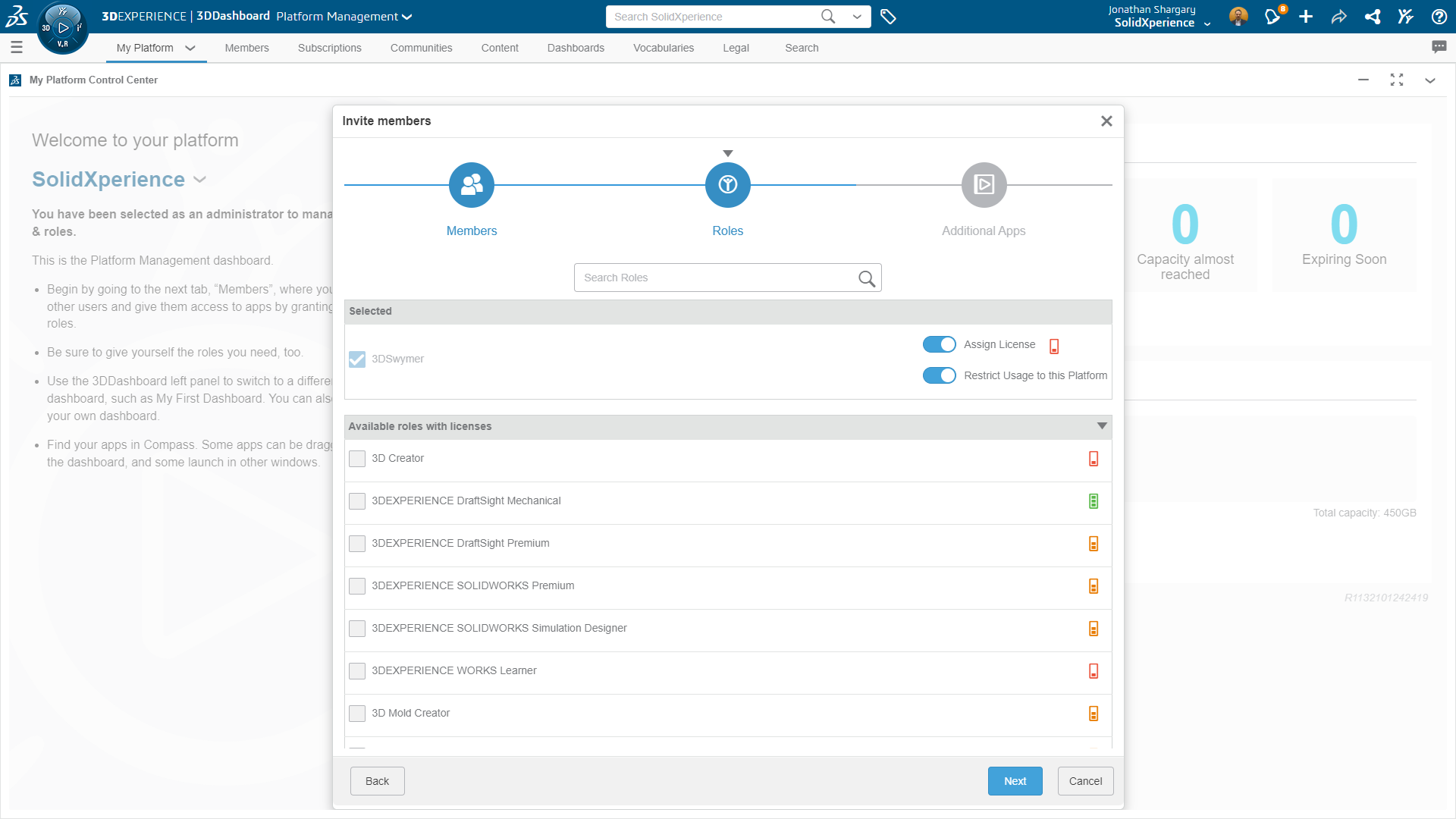
                    Before diving into the features of Manage and Control, it’s essential to ensure that your platform is set up correctly. The first step is to verify that your platform administrator has enabled the necessary permissions for managing tasks, workflows, and access controls. These settings are typically configured in the Platform Management dialog, where administrators can set up roles, permissions, and access levels for different users.

                    Once the appropriate permissions are in place, your team can fully utilize the Manage and Control features, from creating tasks to automating complex workflows. Ensuring these settings are correctly configured from the outset will save time and prevent potential access issues as your project progresses.


                    Setting Up Your Workspace

                    The foundation of effective project management lies in a well-organized workspace. On the 3DEXPERIENCE platform, setting up your workspace involves defining your project structure, which includes creating folders, tasks, and subtasks, as well as assigning roles and responsibilities.


                    Defining Your Project Structure

                    Start by outlining the main goals of your project and breaking them down into manageable components. This often involves creating a hierarchical structure where larger tasks are divided into smaller, more specific subtasks. Each task should have a clear objective and be assigned to a team member responsible for its completion.

                    For example, if you’re managing a product development project, you might have high-level tasks such as “Design Phase,” “Prototyping,” and “Testing.” Each of these tasks can be further divided into subtasks like “CAD Modeling,” “Material Selection,” “3D Printing,” and “User Testing.” This breakdown helps ensure that no part of the project is overlooked and that all team members know their specific responsibilities.


                    Assigning Roles and Responsibilities

                    Once your tasks are defined, assign them to the appropriate team members. The 3DEXPERIENCE platform allows you to assign roles that reflect the actual responsibilities of each team member, such as “Designer,” “Project Manager,” “Engineer,” or “Quality Assurance.” Assigning these roles helps to clarify expectations and ensures that each team member knows who to contact for specific issues or approvals.

                    In addition to individual task assignments, consider setting up teams or groups for larger projects. This grouping allows for more efficient management of tasks and communication, as team members can easily collaborate within their assigned group while still having visibility into the broader project.


                    Managing Tasks and Workflows

                    With your workspace set up, you can begin managing tasks and automating workflows. Effective task management and workflow automation are at the heart of the Manage and Control feature, allowing you to keep your project on track and ensure that all tasks are completed in a timely manner.


                    Task Management

                    Task management on the 3DEXPERIENCE platform is straightforward yet powerful. After creating tasks and subtasks, you can assign due dates, set priorities, and add detailed descriptions or attachments. The platform also allows you to link tasks together, creating dependencies that ensure tasks are completed in the correct order. For example, the “User Testing” task cannot begin until the “Prototyping” task is complete. This logical linking of tasks helps prevent bottlenecks and ensures that your project progresses smoothly.

                    As tasks are completed, team members can update their status, allowing project managers to track progress in real-time. The platform’s intuitive interface makes it easy to see which tasks are on schedule, which are delayed, and which have been completed, providing you with a clear overview of your project at all times.


                    Workflow Automation

                    Workflow automation is one of the most powerful features of Manage and Control. By setting up automated workflows, you can streamline repetitive tasks, ensure that approvals are obtained promptly, and reduce the risk of human error.

                    For example, you can create a workflow that automatically routes a completed CAD model to the quality assurance team for review, and then to the project manager for final approval. If any issues are found during the quality assurance review, the workflow can automatically send the model back to the designer with detailed feedback, ensuring that revisions are made before the project can move forward.

                    These automated workflows can be customized to fit the unique needs of your project, whether it’s a simple approval process or a complex series of interdependent tasks. By automating these processes, you free up your team to focus on more critical tasks, improving overall efficiency and reducing the time it takes to complete your project.


                    Controlling Access and Permissions

                    In any project, controlling access to information is crucial. The 3DEXPERIENCE platform provides robust access control features that allow you to manage who can view, edit, or approve documents and tasks.


                    Defining Access Levels

                    Access control on the 3DEXPERIENCE platform is highly customizable. You can define access levels for individual users or groups, specifying who can view, edit, or approve each task or document. For example, you might allow designers to edit CAD models but restrict them from approving final designs, a role reserved for the project manager.

                    These access controls help ensure that only authorized team members can make changes to critical documents, reducing the risk of unauthorized edits or accidental deletions. It also simplifies the approval process, as only those with the appropriate permissions can approve or reject tasks.


                    Regularly Reviewing Permissions

                    As your project evolves, so too might the roles and responsibilities of your team members. It’s essential to regularly review and update access permissions to reflect any changes in team structure or project scope. This ongoing review ensures that access to critical information is always limited to those who need it, helping to maintain the security and integrity of your project.


                    Tracking Project Progress

                    One of the key benefits of using Manage and Control is the ability to track your project’s progress in real-time. The 3DEXPERIENCE platform provides several tools that allow you to monitor task completion, identify potential bottlenecks, and ensure that your project stays on schedule.


                    Visualizing Progress

                    The platform offers multiple ways to visualize your project’s progress, including Gantt charts, Kanban boards, and project dashboards. These tools provide an at-a-glance view of where your project stands, highlighting completed tasks, tasks in progress, and any that are overdue.

                    Gantt charts are particularly useful for complex projects, as they allow you to see the dependencies between tasks and how delays in one area might impact the overall project timeline. Kanban boards, on the other hand, provide a more straightforward, task-based view, making it easy to see what tasks are currently being worked on and what’s up next.


                    Generating Reports

                    In addition to visual tools, the 3DEXPERIENCE platform allows you to generate detailed reports on various aspects of your project. These reports can include information on task completion rates, project milestones, resource allocation, and more. Regularly reviewing these reports can help you identify trends, spot potential issues before they become problems, and make informed decisions about how to proceed with your project.


                    Use Cases

                    Manage and Control on the 3DEXPERIENCE platform is versatile enough to be used in various industries and project types. Here are a few examples of how different teams can benefit from this powerful tool:


                    • Complex Project Management: For large, multi-team projects, Manage and Control ensures that all tasks are clearly defined, assigned, and tracked. This capability is particularly valuable in industries like aerospace, automotive, and industrial design, where projects often involve numerous stakeholders and tight deadlines.


                    • Compliance Management: In regulated industries such as pharmaceuticals or construction, managing compliance-related tasks is critical. Manage and Control allows you to set up workflows that ensure all necessary steps are completed, documented, and approved, helping you stay compliant with industry regulations.


                    • Collaboration Across Teams: Whether your teams are located in different offices or working remotely, Manage and Control facilitates seamless collaboration. All team members can access the same tasks, updates, and documents, ensuring that everyone stays on the same page, regardless of their location.


                    Conclusion

                    Manage and Control is an indispensable tool for any team looking to streamline project management, automate workflows, and maintain control over their projects. By using this powerful feature within the 3DEXPERIENCE platform, you can ensure that your projects are completed on time, within budget, and to the highest quality standards.

                    If you have any questions or need assistance getting started with Manage and Control, don’t hesitate to reach out to us. Our Xperts are here to help you make the most of this powerful tool for your project management needs.


                    Discover more about Manage & Control on the 3DEXPERIENCE!


                    Compete your 3DEXPERIENCE knowledge. Read through our blogs on Share and Markup, and Store and Revise.

                    X_green_halo

                    Any questions? Need help? Ask one of our experts.

                    Whether you’re ready to get started or just have a few more questions, you can contact us toll-free:

                        Download

                          Download

                            Download

                            All search results