SWOOD and Material Management: From Design to Wood Manufacturing

BLOG

SWOOD and Material Management: From Design to Wood Manufacturing

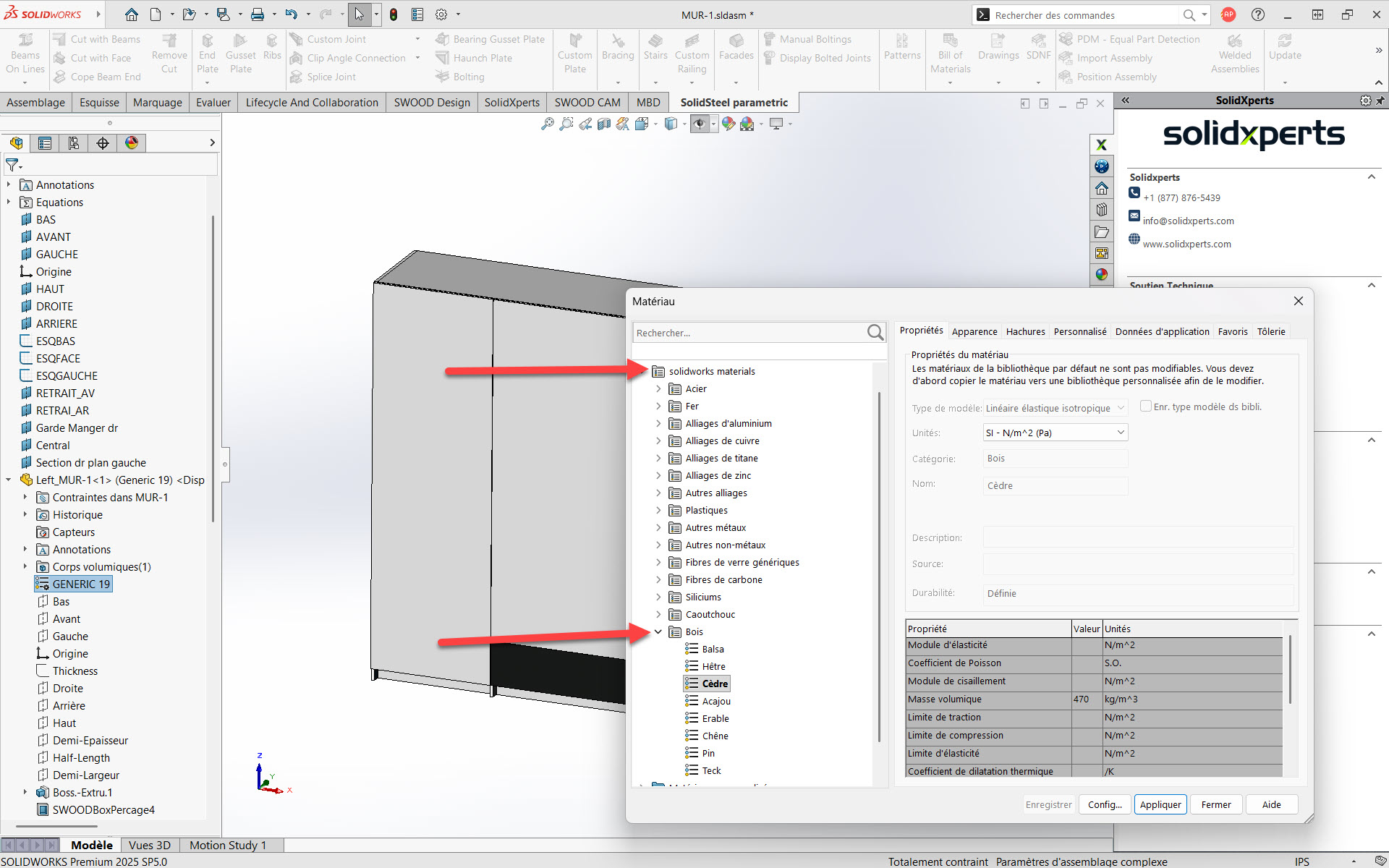
Material is More Than Just a Visual Appearance

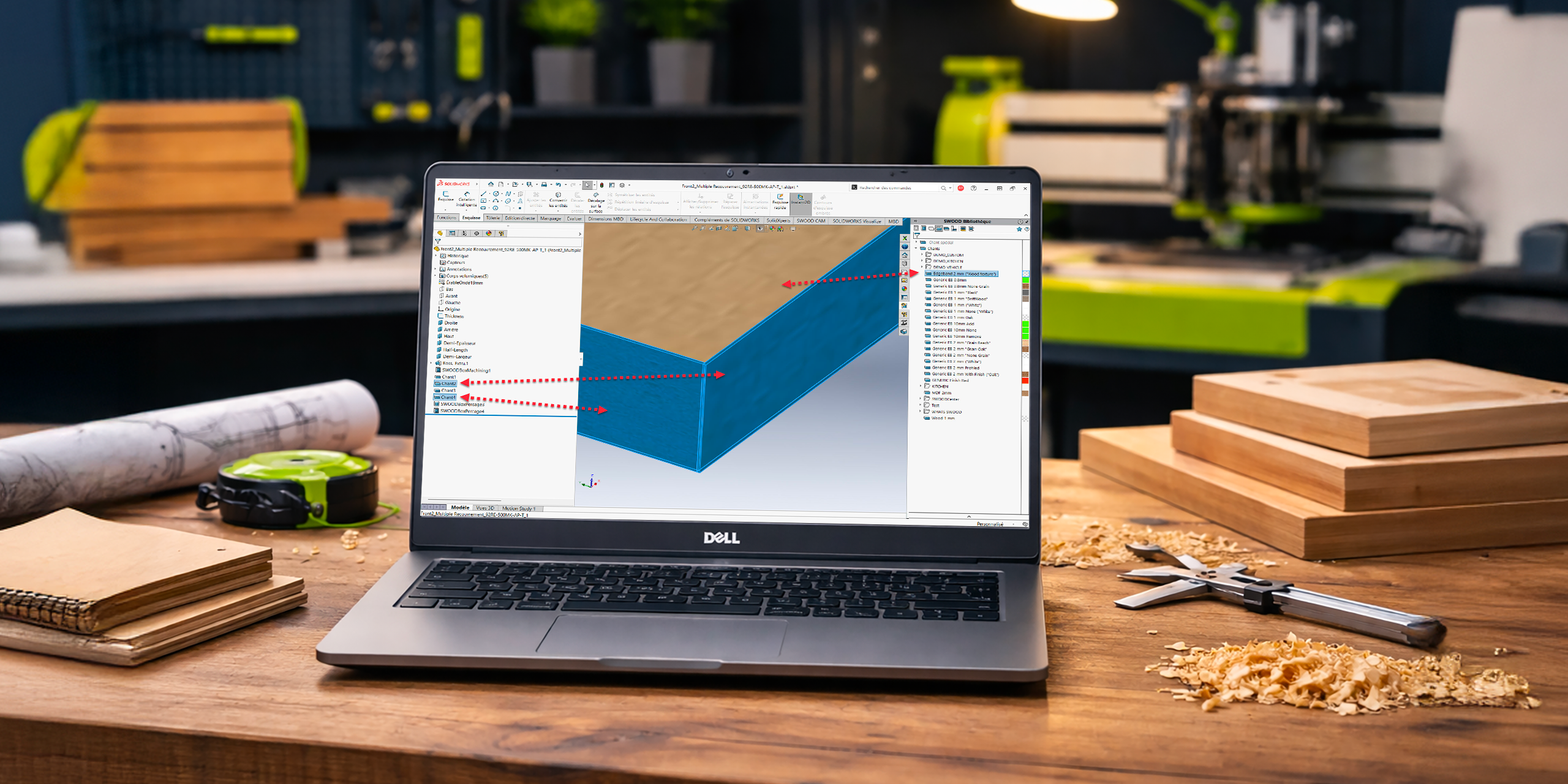
In the furniture, cabinetry, and commercial millwork industries, material selection plays a critical role. It impacts not only product aesthetics, but also manufacturability, cost control, quality, and production repeatability. Yet, in many organizations, material management is still treated as a secondary concern, often limited to a visual texture or a late-stage production note.

As a result, this approach frequently leads to well-known issues. Designers and production teams may face inconsistencies between design and the shop floor, incorrect panel selection, edge banding errors, material waste, and costly rework. In addition, standardizing internal processes becomes much more difficult.

At a time when companies are striving to improve operational efficiency and production reliability, these issues can quickly turn into costly bottlenecks.

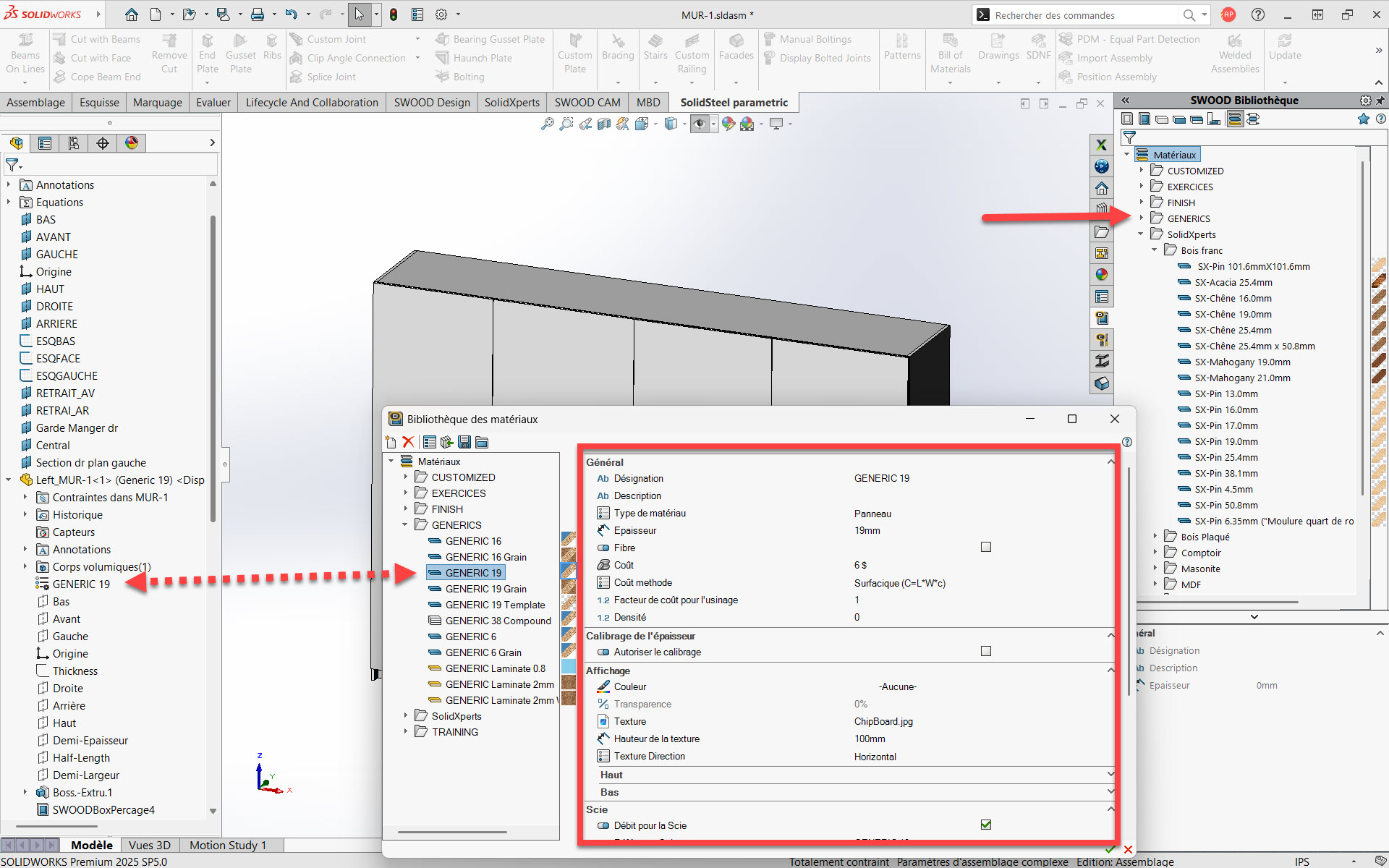
This is where the combination of SOLIDWORKS and SWOOD makes a real difference. By integrating intelligent material management directly into the design phase, SWOOD transforms materials into structured, manufacturing-ready data. As a result, this information remains consistent throughout the entire digital workflow.

The Limitations of Material Management in SOLIDWORKS

SOLIDWORKS is a powerful and flexible CAD platform, widely recognized for its robustness and parametric capabilities. In addition, it offers advanced material handling for mechanical design, including physical properties, mass calculations, and rendering. However, when applied to wood-based design, certain limitations quickly emerge.

In fact, native SOLIDWORKS materials are primarily intended for mechanical applications. As a result, they do not fully address the realities of wood manufacturing, such as:

  • engineered wood panels,

  • commercial panel thicknesses,

  • wood grain direction,

  • supplier-specific decors,

  • edge banding compatibility,

  • or CNC manufacturing constraints.

As a result, designers often rely on generic materials and manual adjustments. This information remains disconnected from manufacturing processes, forcing production teams to reinterpret design intent. The lack of continuity increases error risks and severely limits automation.

Why Material Management Is Critical in Wood Design?

In wood design, materials are never neutral. A panel is not simply a thickness and a color. Instead, it represents a supplier, a finish, compatible edge banding, machining rules, and cost implications.

Without proper material definition, several issues can arise. For example, poor material management can lead to:

  • incorrect panel usage in production,

  • edge banding mismatches,

  • nesting inefficiencies,

  • inaccurate material cost estimates,

  • and inconsistencies across similar projects.

On the other hand, structured material management allows companies to:

  • ensure design-to-production consistency,

  • reduce manual data entry,

  • improve communication between departments,

  • and secure manufacturing outcomes early in the design process.

In this context, materials become a strategic data asset, just as critical as dimensions or tolerances.

How SWOOD Structures Material Management?

Material Libraries Designed for the Wood Industry

SWOOD introduces material libraries specifically developed for cabinetry, furniture, and millwork professionals. Unlike generic CAD materials, these libraries are designed to reflect real manufacturing requirements. As a result, SWOOD materials include production-relevant parameters such as:

  • actual panel thickness,

  • material type (MDF, melamine, plywood, solid wood, etc.),

  • grain direction,

  • tolerances,

  • and attributes required for bills of materials and cut lists.

These libraries can be standardized company-wide, ensuring consistent practices across all projects and designers.

Direct Link Between Materials and CNC Manufacturing

One of SWOOD’s key strengths is the direct connection between materials and manufacturing processes. Because of this, materials are no longer used only for visualization. Instead, they actively drive CNC machining behavior.

Based on the selected material, SWOOD can:

  • adapt machining strategies,

  • select appropriate tools,

  • control cutting depths,

  • and automatically prepare data for production.

This significantly reduces manual adjustments on the shop floor and improves manufacturing reliability, even for highly customized projects.


Edge Banding and Decor Management

Edge banding is a critical aspect of wood manufacturing. SWOOD enables intelligent associations between panels and compatible edge banding materials.

Decors are not used solely for visualization. They are also embedded into:

  • bills of materials,

  • cut lists,

  • nesting data,

  • and shop floor documentation.

By automating these relationships, SWOOD minimizes human error and ensures consistent data from design through production.

From Design to Manufacturing: A Controlled Digital Continuity

SWOOD is built around the concept of digital continuity. Data defined during design is the same data used for manufacturing, without re-entry or reinterpretation.

A typical workflow includes:

  1. Designing furniture or millwork in SOLIDWORKS with SWOOD Design.

  2. Applying structured, manufacturing-ready materials.

  3. Transferring data directly to SWOOD CAM and SWOOD Nesting.

  4. CNC production driven by consistent and reliable information.

This approach improves traceability, reduces lead times, and increases overall production confidence.

The Impact on Costs and Industrial Performance

Effective material management directly impacts business performance. By integrating materials early in the design phase, companies can:

  • improve material cost estimation accuracy,

  • reduce waste and scrap,

  • optimize panel nesting,

  • standardize internal workflows,

  • and accelerate onboarding of new employees.

These benefits are especially valuable for growing organizations that need scalable and repeatable processes.

Which Companies Benefit Most from SWOOD Material Management?

SWOOD material management is particularly valuable for:

  • furniture manufacturers,

  • commercial millwork companies,

  • industrial cabinet makers,

  • CNC woodworking shops,

  • and organizations seeking to structure or automate their design-to-production workflows.

Regardless of company size, this approach increases reliability, productivity, and competitiveness.

Why SWOOD Is the Best Solution for Wood Design in SOLIDWORKS

SWOOD does not replace SOLIDWORKS, it enhances it. It adds a critical industry-specific layer tailored to wood manufacturing requirements. By combining SOLIDWORKS’ parametric power with SWOOD’s manufacturing intelligence, companies gain a coherent, scalable, and production-oriented environment.

This integration unlocks the full potential of the digital manufacturing chain, from design through CNC production.

Material as a Core Element of the Digital Wood Workflow

In modern wood manufacturing, materials can no longer be treated as simple visual properties. Instead, they must be managed as essential design and manufacturing data that supports the entire production process.

When material management is structured properly, companies gain much better control over their operations. With SWOOD, wood manufacturers can reduce errors, better control material costs, and improve overall production reliability.

Ultimately, integrating materials early in the design phase helps create a more consistent and efficient workflow from design to manufacturing.

Looking to improve your material management and secure your digital workflow from design to production? Solidxperts helps wood manufacturing companies implement SWOOD, train their teams, and optimize their design-to-production processes.

FAQ

What are the financial benefits of materials management with SWOOD?

Materials management with SWOOD reduces manufacturing errors, rework, and material waste. By standardizing materials from the design stage, companies improve the accuracy of cost estimates, optimize nesting, and reduce scrap, generating a measurable return on investment from the very first projects.

How does SWOOD contribute to reducing production errors?

SWOOD eliminates information gaps between the design office and the shop floor. Materials defined during the design phase are used directly in CNC manufacturing, without re-entry. This digital continuity significantly reduces errors related to incorrect panels, incompatible edges, or incorrect machining parameters.

Does SWOOD improve the productivity of the design office?

Yes. By using standardized material libraries, designers spend less time checking or correcting material information. Projects are faster to design, more consistent, and easier to reuse, improving overall engineering productivity.

What is the impact of SWOOD on time to market?

By reducing manual approvals and last-minute adjustments, SWOOD accelerates the transition from design to manufacturing. With reliable data from the design stage, time to market is shortened and bottlenecks between departments are reduced.

Does managing materials with SWOOD facilitate company growth?

Yes. SWOOD helps structure internal processes, which is essential for supporting growth. Standardized practices, reduced reliance on key experts, and faster onboarding of new employees allow the company to grow without a proportional increase in operational risks.

How can the ROI be concretely measured after implementing SWOOD?

ROI can be measured through several indicators: reduced scrap, shorter design time, fewer production errors, improved panel utilization, and shorter delivery times. These indicators are easily observable before and after implementation.

Is SWOOD profitable for a wood industry SME?

SWOOD is particularly well-suited to SMEs. The gains from reduced errors, optimized material usage, and improved productivity quickly offset the initial investment. Many SMEs see a return on investment within a few months, especially when producing diverse or custom projects.

Does SWOOD help secure internal knowledge and standards?

Yes. SWOOD’s material libraries and design rules allow for the formalization of company standards. This reduces reliance on individual knowledge and safeguards expertise, even in the event of staff turnover.


Alain

Alain Provost

Senior Technical Sales Executive

X_green_halo

Any questions? Need help? Ask one of our experts.

Whether you’re ready to get started or just have a few more questions, you can contact us toll-free:


    Artificial Intelligence in Engineering: Automation Without Losing the Human Touch

    BLOG

    Artificial Intelligence in Engineering: Automation Without Losing the Human Touch

    Artificial intelligence (AI) is playing an increasingly important role in engineering processes, particularly when it comes to automating repetitive tasks and accelerating the production of technical documentation. However, its role remains fundamentally complementary to that of engineers. Creativity, domain expertise, and decision-making responsibility remain human.

    In this article, we explore:

    • what AI concretely brings to engineering

    • which tasks remain (and will remain) human

    • how to organize an effective human–machine collaboration

    • and what this means for the engineering profession

    1. What AI concretely brings to engineering

    1.1 Automating repetitive, low-value tasks

    The daily work of engineering teams is filled with essential but repetitive tasks that consume a great deal of time without fully leveraging engineers’ expertise. This is precisely where AI excels.

    A typical example is generating technical drawings from 3D models.

    Traditionally, producing technical drawings involves:

    • manually creating the different views (front, section, detail views)

    • applying dimensioning and tolerancing standards

    • reusing elements from previous projects, often manually

    • performing successive checks for consistency and compliance

    With AI, a large portion of this work can be:

    • automated: generating technical drawings directly from 3D designs

    • contextualized: taking into account company history, internal standards, and previously validated models

    The result: fewer repetitive clicks and more time for analysis and improvement.

    1.2 Measurable efficiency gains

    The operational impact is far from marginal.

    Where dozens of people were previously needed to produce, adjust, and verify detailed drawings, organizations can now concentrate human work within a smaller team of reviewers responsible for:

    • correcting the remaining inconsistencies

    • validating compliance

    • managing special cases not covered by the models

    AI handles the repetitive heavy lifting. Humans focus on quality, reliability, and exception management.

    2. Tasks that remain (and will remain) human

    Despite these gains, certain activities remain difficult to automate and may remain so in the short and medium term.

    2.1 Creative design and early project phases

    The early stages of a project, when the architecture of a product and the major technical choices are defined, rely on:

    • creativity

    • accumulated domain expertise

    • the ability to integrate sometimes ambiguous constraints (real-world usage, environment, maintenance, ergonomics)

    • complex decision-making that affects overall product performance

    These activities require systemic understanding, multi-criteria trade-offs, and a form of intuition that current AI models cannot replicate.

    2.2 Safety, compliance, and responsibility

    A clear example is the design of powerful machinery.

    Engineers must:

    • integrate safety factors to protect users

    • sometimes introduce additional margins based on experience or real-world conditions that are difficult to simulate

    These decisions directly affect safety, regulatory compliance, and legal responsibility.

    Today, these types of decisions cannot be delegated to AI.
    Decision-making responsibility remains with humans, not algorithms.

    3. Toward intelligent human–machine collaboration

    The key question is therefore not whether AI will replace engineers, but how to organize an effective collaboration between the two.

    3.1 AI as a copilot during design

    During the design process, AI can act as a copilot or technical assistant. For example, it can:

    • propose lighter materials that still meet strength requirements

    • suggest geometric variations to reduce weight or improve rigidity

    • quickly analyze the impact of small design changes on overall performance

    In practice, engineers can ask AI questions such as:

    • “Which materials meet these strength and weight constraints?”

    • “What geometric alternatives could reduce the mass by 10 percent?”

    However, final validation, trade-off decisions, and system integration remain the responsibility of the engineer.

    3.2 AI as an analyst for standardized tasks

    For more standardized analytical tasks, AI becomes a particularly useful engineering assistant. It can support:

    • the processing and structuring of large volumes of data

    • the automatic generation of variants for comparative studies

    • consistency checks across large sets of technical documentation

    This allows teams to explore more possibilities in less time, without removing the engineer from the decision-making process.

    4. Should engineers fear being replaced by AI?

    The fear of being replaced by machines is real and understandable, especially in technical professions.

    4.1 Vulnerable jobs vs resilient jobs

    A job is more exposed to automation when its tasks are:

    • repetitive

    • highly standardized

    • not very creative

    • associated with limited decision-making

    In contrast, a job is more resilient when it involves:

    • significant creativity

    • a global understanding of complex systems

    • multi-criteria trade-offs (cost, performance, risk, environmental impact)

    • strong responsibility for safety, compliance, or performance

    In engineering, activities such as:

    • defining a product’s overall architecture

    • breakthrough innovation

    • high-impact technical decisions

    • field responsibility

    remain firmly within the human domain.

    4.2 A change in role rather than disappearance

    Consider the example of technical documentation.

    Yes, AI can generate documents based on validated models or historical data.

    No, it does not replace engineers when it comes to:

    • critical decision-making

    • technical trade-offs

    • creative innovation

    What changes most is how time is allocated:

    • less manual and repetitive production work

    • more design, analysis, validation, and innovation

    Toward augmented engineering, not automated engineering

    Artificial intelligence brings real value to engineering by:

    • automating repetitive, low-value tasks

    • accelerating the generation of drawings and technical documentation

    • assisting engineers in exploring design alternatives and performing analysis

    However, creativity, domain expertise, and responsibility remain central to the engineer’s role.

    The goal is not to replace humans, but to build intelligent collaboration:

    • letting AI handle what it does best (speed, repetition, scale)

    • preserving what defines engineering expertise: inventing, evaluating trade-offs, and taking responsibility for decisions

    The future of engineering will not be “human or AI,” but clearly human + AI: augmented engineering that is more efficient, safer, and more focused on innovation.


    Benoit Bilodeau

    Senior Solutions Architect

    X_green_halo

    Any questions? Need help? Ask one of our experts.

    Whether you’re ready to get started or just have a few more questions, you can contact us toll-free:
      3DEXPERIENCE World 2026: Big Ideas, Real Innovation, and a Community That Inspires

      BLOG

      3DEXPERIENCE World 2026: Big Ideas, Real Innovation, and a Community That Inspires

      This year’s 3DEXPERIENCE World 2026 in Houston brought together the global SOLIDWORKS community. Designers, engineers, students, educators, makers, and executives from all over the world gathered for three days of inspiration, learning, and connection. From powerful keynotes to cutting-edge tech announcements, here’s a highlight reel you’ll want to read.

      Day One: Vision, AI, and the Future of Engineering

      Day One kicked off with a high-energy General Session that set the tone for the entire event: innovation powered by people and amplified by the right tools. Thousands of attendees gathered to hear leadership from the industry share bold perspectives on where product development is heading.

      A major theme throughout the day was artificial intelligence (AI). SOLIDWORKS leadership made it clear that AI isn’t a gimmick, it’s already reshaping workflows and helping teams accelerate insight, design, and validation. We saw a live demo of new AI assistants: Aura, Leo, and Marie. Three virtual companions that work together to streamline everything from knowledge context and engineering reasoning to scientific rigor.

      • Aura orchestrates requirements, projects, and changes.

      • Leo brings engineering reasoning to life (mechanics, motion, simulation), think Leonardo da Vinci.

      • Marie applies scientific and regulatory insight, think Marie Curie.

      These assistants are designed as companions, not autopilots. They’re tools that let engineers stay in control and design with confidence rather than guesswork.

      3DXWorld 2026 - Day 1

      Later, attendees heard from Pascal Daloz and Gian Paolo Bassi on how a combination of human creativity and connected technology fuels progress faster than ever. One standout message? “Success shouldn’t be judged by speed alone, but by time to value”, meaning design outcomes that are reliable, meaningful, and innovative.

      Day One wrapped with a keynote from futurist Pablos Holman, reminding us that the real power of technology lies in solving real world problems, from healthcare to space exploration. His message was forward-looking, inspiring, and grounded in practical impact.

      Day Two: Engineering Partnerships and AI in Action

      Day Two turned the spotlight to how industry partnerships and technology collaboration are reshaping the way we work. The session opened with Dassault Systèmes CEO Pascal Daloz discussing how a strong engineering community combined with strategic technology partnerships creates innovation that scales.

      We heard from Jensen Huang, Founder and CEO of NVIDIA, about the long-standing collaboration between NVIDIA and Dassault Systèmes. Their work emphasizes science-driven AI and virtual twins, paired with high-performance computing to give engineers tools that can handle truly complex systems in simulation and design at scale.

      3DXWorld 2026 - Day 2

      SOLIDWORKS CEO Manish Kumar also joined the stage to outline how AI is being embedded into real design workflows, not as a theory, but as a practical productivity boost. This includes contextual AI tools that help reduce repetitive tasks, free up time for innovation, and bring deeper insight into design decisions.

      One of the most exciting themes of Day Two was this: “AI isn’t here to replace engineers; it exists to empower them.” By putting smart tools into your hands, you get faster iteration cycles, fewer errors, and a stronger connection between your design intent and your final product.

      Day Three: Community Celebration and the Next Generation

      The final day of 3DEXPERIENCE World 2026 was all about community, the people who make this ecosystem special. Whether you’re a seasoned pro, an educator, a student, or a maker, this day celebrated the connections that make innovation possible.

      Suchit Jain, VP of Strategy and Business Development, kicked things off by highlighting how collaboration across industry, education, and local innovation hubs builds the workforce of tomorrow. There were strong messages about supporting emerging talent, integrating real-world problem solving into education, and making sure SOLIDWORKS continues to be accessible to innovators of all backgrounds.

      3DXWorld 2026 - Day 3

      Day Three also spotlighted how regional and global communities are using SOLIDWORKS tools to solve real problems, whether that’s in manufacturing, healthcare, education, or startup growth. It was a reminder that technology only reaches its potential when it’s put to work by passionate people.

      The final sessions included inspiring competition recaps, community-driven breakout sessions, and previews of what’s coming next, including early looks at SOLIDWORKS 2027 features that continue the theme of smarter workflows and tighter collaboration between design, simulation, and data.

      What This Means for You

      Across all three days of 3DEXPERIENCE World 2026, a few themes stood out loud and clear:

      1. Innovation grows when humans and tools work together.
        AI companions are here, but they’re companions. They help you work smarter, not replace your expertise. AND the best part, they come with SOLIDWORKS with Cloud Services.

      2. Connected ecosystems :  partnerships + community to accelerate progress.
        Whether it’s NVIDIA, startups, educators, or global manufacturers, connection drives insight at scale.

      3. The next generation of designers is in focus.
        Programs, hubs, and community efforts are investing in future creators, ensuring SOLIDWORKS tools remain integral to how engineering gets done in the years ahead.

      3DEXPERIENCE World 2026 wasn’t just a conference, it was a reminder of why we design, why we connect, and why we build communities around shared purpose, problem solving, and progress.

      We’re already looking forward to 3DEXPERIENCE World 2027!

      3DX World 2027 - Save the date

      If you want to know more about how SOLIDWORKS users can begin to leverage AI in 2026, call us, or visit at 2650 Avenue Marie-Curie, QC.


      Michael Habrich

      3DEXPERIENCE Specialist

      X_green_halo

      Any questions? Need help? Ask one of our experts.

      Whether you’re ready to get started or just have a few more questions, you can contact us toll-free:
        What’s New in SOLIDWORKS 2026? Part 2 – Collaboration and Data Management

        BLOG

        What’s New in SOLIDWORKS 2026? Part 2 – Collaboration and Data Management

        SOLIDWORKS 2026 delivers a wave of powerful enhancements designed to accelerate collaboration, streamline data management, and strengthen connectivity across design teams. From AI-driven support to enterprise-grade approval workflows, every improvement empowers engineers, designers, and manufacturers to work faster, smarter, and more seamlessly together.

        Top 10 Enhancements You Need to Know

        1. AURA Integration in 3DSwym

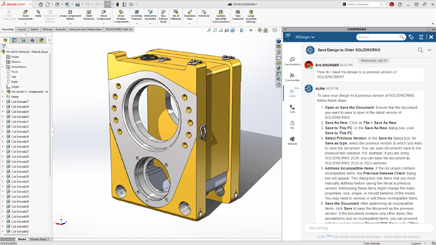
        AI meets collaboration. With AURA integrated directly into 3DSwym, users can instantly summarize posts, wikis, and Q&As or pull in insights from entire discussions to drive smarter conversations.

        What's new in SOLIDWORKS? P. 2.1
        These enhancements deliver faster insights and more informed collaboration with less manual searching.

        2. Collaboration Directly Inside SOLIDWORKS

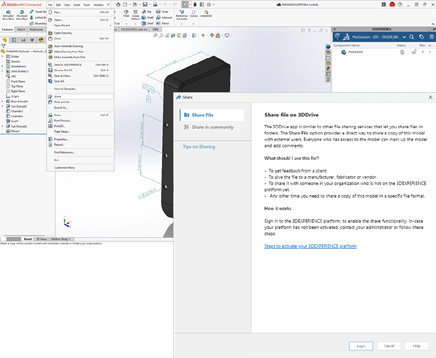
        Work together without ever leaving your design space. Collaborate through the SOLIDWORKS User Forum, share files via 3DDrive and 3DSwym, and eliminate the need for conversions or third-party tools.

        What's new in SOLIDWORKS? P. 2.2
        These enhancements deliver smoother teamwork and more efficient communication with less switching between tools.

        3. Drawing Stamping with Maturity Status

        Simplify change management with automatic maturity status stamps. User names and emails are embedded in drawings for full traceability and accountability throughout the design lifecycle.

        What's new in SOLIDWORKS? P. 2.3
        These enhancements deliver clearer documentation and more reliable approvals with less manual tracking.

        4. Cut List Management on the 3DEXPERIENCE Platform

        Cut list data can now be fully managed on the platform, enabling tighter integration between EBOM and MBOM.

        What's new in SOLIDWORKS? P. 2.4
        These enhancements deliver better alignment between design and manufacturing with less data re-entry.

        5. Recent Files by Active Tenant

        For teams managing multiple tenants, SOLIDWORKS 2026 now filters your recent files to show only those from the active tenant.

        What's new in SOLIDWORKS? P. 2.5
        These enhancements deliver cleaner organization and faster access with less confusion.

        6. Excel File Management for Design Tables

        Design table management is now more reliable thanks to Excel file support on the 3DEXPERIENCE platform. This ensures version consistency, better automation, and stronger data integrity.

        What's new in SOLIDWORKS? P. 2.6
        These enhancements deliver greater consistency and more reliable design automation with less manual version control.

        7. Support for Deformable Components

        Easily switch between rigid and deformed part states in assemblies for improved accuracy and flexibility.

        What's new in SOLIDWORKS? P. 2.7
        These enhancements deliver faster detailing and more accurate assemblies with less manual effort.

        8. Automatic Bookmark Content Updates

        Bookmarks now update automatically each session, ensuring you always access the latest design data, no manual refresh needed.

        What's new in SOLIDWORKS? P. 2.8
        These enhancements deliver up-to-date project information with less time spent managing data.

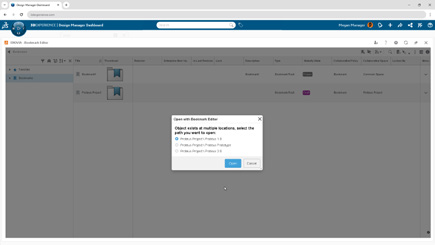
        9. Enhanced Bookmark Editor

        A redesigned Bookmark Editor delivers faster navigation and smarter selection when multiple bookmarks exist.

        What's new in SOLIDWORKS? P. 2.9
        These enhancements deliver clearer navigation and more accurate project organization with less manual searching.

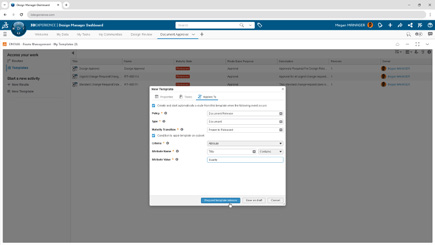
        10. Enterprise Document Maturity Routing & Approval

        Large organizations gain new governance power with automated approval workflows tied to document maturity. Predefined routes trigger automatically for consistent, traceable, and compliant approvals.

        What's new in SOLIDWORKS? P. 2.10
        These enhancements deliver stronger governance and more reliable approvals with less administrative overhead.

        A New Standard for Collaboration and Data Management

        SOLIDWORKS 2026 builds on its legacy of innovation with a sharper focus on collaboration, automation, and traceability. These ten enhancements don’t just make design faster, they make teamwork more intelligent, connected, and efficient across every stage of product development.

        Join our official SOLIDWORKS 2026 launch to see these new features in action and get your questions answered by our experts!


        Michael Habrich

        3DEXPERIENCE Specialist

        LinkedIn

        X_green_halo

        Any questions? Need help? Ask one of our experts.

        Whether you’re ready to get started or just have a few more questions, you can contact us toll-free:
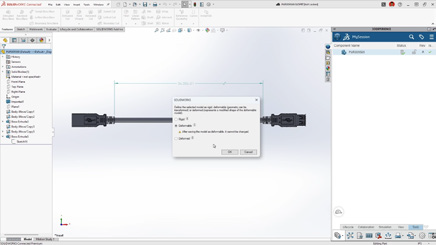
          What’s New in SOLIDWORKS 2026? Part 1 – Design

          BLOG

          What’s New in SOLIDWORKS 2026? Part 1 – Design

          SOLIDWORKS 2026 continues the trend of making design faster, smarter, and more connected. With AI-powered tools, streamlined workflows, and deeper collaboration features, this release is all about helping engineers and designers work more efficiently while maintaining accuracy and flexibility.

          Here are the Top 10 Enhancements you need to know:

          1. AI-Powered Design and Detailing

          Artificial intelligence is making a real impact in everyday CAD workflows:

          • Automated drawing creation with AI-driven views, hole callouts, dimensioning, detailing, and even sheet format selection.

          • AI assembly recognition can now automatically detect and insert fastener-like components (nuts, bolts, washers), reducing repetitive tasks and improving assembly accuracy.

          These enhancements deliver faster detailing and more accurate assemblies with less manual effort.

          What's New in SOLIDWORKS 2026 - Design 1

          2. Large Assembly Performance

          Large assemblies are now easier to manage:

          • Open massive designs faster by filtering only what you need from the 3DEXPERIENCE platform.

          • Skip rebuilds when only cosmetic changes are made.

          • Disable auto-resolve for lightweight components to improve responsiveness.

          Together, these updates create smarter workflows that keep even the largest projects running smoothly.

          What's New in SOLIDWORKS 2026 - Design 2

          3. Improved User Experience

          • Offline mode ensures uninterrupted productivity during internet disruptions.

          • A redesigned UI highlights common commands, helping new users get up to speed quickly.

          • Command Search now includes an expanded, customizable set of keywords.

          The result is a smoother learning curve and less frustration for both new and experienced users.

          What's New in SOLIDWORKS 2026 - Design 3

          4. Streamlined Part Design

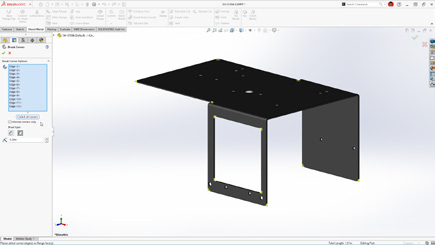
          • Define a custom start point for sheet metal base flanges.

          • Break internal corners on folded geometry.

          • Quickly create square sketch geometry in one click.

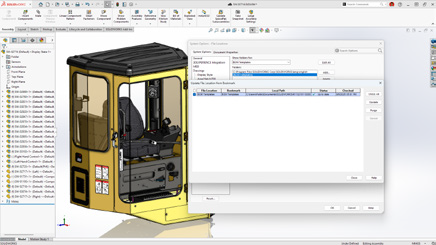
          • Track maturity changes and drawing history with Evaluated Attributes.

          These improvements enable faster sketching and greater flexibility in sheet metal design.

          What's New in SOLIDWORKS 2026 - Design 4

          5. Collaboration & Data Management

          • Share designs directly via 3DDrive and 3DSwym.

          • Update files to the latest version on the 3DEXPERIENCE platform with a single action.

          • Access the SOLIDWORKS User Forum from within the software.

          With these tools, staying in sync with your team and your data has never been easier.

          What's New in SOLIDWORKS 2026 - Design 5

          6. Drawing Detailing & MBD

          • Insert Family Tables into drawings for configuration details.

          • Use magnetic lines to align not just balloons, but notes, weld symbols, and other annotations.

          • Propagate DimXpert dimensions to library features and selectively manage annotation visibility.

           This gives designers more control and clarity when documenting their designs.

          What's New in SOLIDWORKS 2026 - Design 6

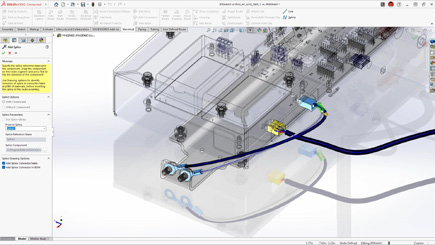
          7. Routing, Electrical, and Piping

          • Combine routing BOMs across subassemblies for a clearer overall materials list.

          • Place clips, mounts, and hangers directly in assemblies for flexible routing.

          • Visual indicators help guide splice placement in harnesses and wire bundles.

          This gives designers more control and clarity when documenting their designs.

          What's New in SOLIDWORKS 2026 - Design 7

          8. Rendering Enhancements

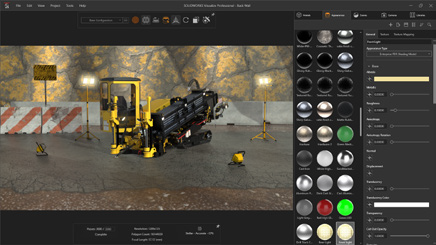
          • Control tessellation for a balance of geometry quality and performance.

          • Improved denoising in CPU mode reduces render noise in fewer passes.

          • Expanded format support with PBR materials in USDZ and glTF.

           This gives designers more control and clarity when documenting their designs.

          What's New in SOLIDWORKS 2026 - Design 8

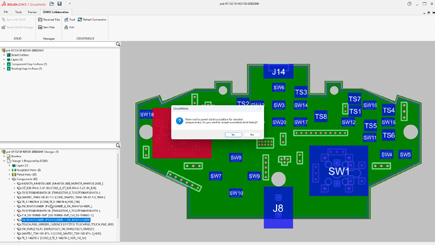
          9. ECAD/MCAD Collaboration

          • Track parent/child PCB data like keep-in, keep-out, plated and non-plated holes.

          • Use CircuitWorks™ with IDX 3.0 support to review and even undo MCAD changes before final ECAD updates.

           This gives designers more control and clarity when documenting their designs.

          What's New in SOLIDWORKS 2026 - Design 9

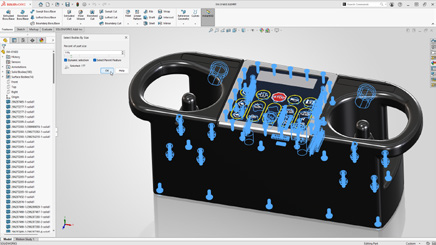
          10. Import/Export

          • Simplify complex multibody parts faster by using advanced selection tools to efficiently isolate and manage bodies based on similarity or size.

          • Share assemblies saved on the 3DEXPERIENCE platform using the Export as Package option in the Share dialog box.

          • Streamline exports by choosing whether to include drawings in your package, for greater control.

           This gives designers more control and clarity when documenting their designs.

          What's New in SOLIDWORKS 2026 - Design 10

          Final Thoughts

          With AI-powered automation, large assembly improvements, smarter part tools, and seamless collaboration, SOLIDWORKS 2026 makes it easier than ever to move from concept to finished product. Whether you’re creating complex assemblies, detailing drawings, or collaborating across disciplines, this release delivers tools to help you work smarter, faster, and with greater confidence.

          Take your designs to the next level with SOLIDWORKS 2026. Contact us today to unlock smarter, faster, AI-powered engineering.


          Michael Habrich

          3DEXPERIENCE Specialist

          LinkedIn

          X_green_halo

          Any questions? Need help? Ask one of our experts.

          Whether you’re ready to get started or just have a few more questions, you can contact us toll-free:
            SOLIDWORKS AI: The Future of CAD is Already Here

            BLOG

            SOLIDWORKS AI: The Future of CAD is Already Here

            When we talk about AI, certain fears arise: could AI replace the engineer or the designer? The answer is no. Dassault Systèmes’ philosophy is very clear: AI does not replace, it enhances. After 11 years at S0lidxperts and more than 15 years of using SOLIDWORKS, I am well aware of this fact.

            SOLIDWORKS, one of the most trusted CAD platforms globally, has already begun integrating AI-driven tools that assist engineers in reducing repetitive tasks, improving design quality, and accelerating time-to-market. Through the 3DEXPERIENCE platform, Dassault Systèmes is also paving the way for AI-powered collaboration and predictive design in the cloud.

            In this article, we’ll explore how AI is shaping the present and future of SOLIDWORKS, highlight the business benefits, and share how Solidxperts, over 40 years in the industry and more than 25 years as a SOLIDWORKS partner, supports companies in embracing this transformation.

            1. AI in SOLIDWORKS: An Engineer’s New Ally

            Dassault Systèmes’ vision has always been clear: AI does not replace engineers. It enhances their capabilities. For decades, SOLIDWORKS has incorporated automation features designed to simplify CAD workflows:

            • Smart Mates for automatic assembly constraints.

            • Command Prediction suggesting the most likely next tool.

            These were early steps toward intelligent CAD. Today, SOLIDWORKS goes further with AI-driven assistants like Design Assistant, and cloud-based tools powered by machine learning through the 3DEXPERIENCE platform.

            The philosophy is simple: let AI handle the repetitive and time-consuming tasks, so engineers can focus on innovation, creativity, and solving real engineering challenges.

            2. Current AI-Driven Features in SOLIDWORKS

            a) Design Assistant

            • Mate Helper and Selection Helper: automatically detects similar components and applies constraints, drastically reducing clicks in large assemblies.

            • Example: When assembling dozens of fasteners, Design Assistant identifies similar geometry and instantly applies consistent mates.

            b) Automatic Drawings (SOLIDWORKS 2025)

            • Automatically generates 2D drawings from 3D models.

            • Ensures compliance with drawing standards.

            • Saves significant time in documentation, especially for design offices managing large projects.

            c) Fastener Recognition (FD03)

            • Automatically detects standard fasteners in assemblies.

            • Applies appropriate mates without manual intervention.

            • Direct impact: reduced errors, fewer repetitive operations.

            d) AURA: The Conversational AI Assistant

            • Integrated into the 3DEXPERIENCE platform.

            • Provides contextual guidance to users, learns from workflows, and offers predictive insights.

            • Example: guiding new users through advanced features or assisting with design standards.

            3. The Future of AI in SOLIDWORKS: A Roadmap

            Dassault Systèmes continues to push boundaries, and the AI roadmap promises groundbreaking advancements:

            • Mesh to Parametric Conversion (Reverse Engineering): AI will streamline converting mesh files into fully parametric models, accelerating reverse engineering processes.

            • AI-Optimized Assemblies: Automatic detection of redundant constraints, performance optimization, and manufacturability checks.

            • AI-Generated Photorealistic Renders: Leveraging generative AI to instantly create marketing-ready visuals without lengthy manual rendering.

            • xDesign and Cloud-Ready AI: The 3DEXPERIENCE xDesign app represents the next generation of CAD: cloud-based, AI-enhanced, and fully collaborative.

            • Vision: Predictive, Collaborative CAD: An environment where the system anticipates design intent, suggests optimizations, and improves with each project.

            4. Strategic Benefits for Companies

            Adopting AI in SOLIDWORKS is not just about convenience—it drives measurable business impact:

            • Productivity: Significant time savings through automation of repetitive tasks.

            • Quality: Consistent designs, fewer human errors, and adherence to standards.

            • Innovation: Engineers gain more time to focus on R&D and creative problem-solving.

            • Competitiveness: Faster time-to-market and optimized workflows lead to a competitive edge.

            Use Cases:

            • Design offices managing large assemblies save hours on constraints.

            • Manufacturers preparing technical documentation see accelerated drawing creation.

            • Teams leveraging AURA gain training efficiency and reduced onboarding time.

            5. Data Security and Confidentiality

            AI adoption often raises concerns about data protection. Dassault Systèmes has addressed this head-on:

            • Your proprietary data is not shared or trained externally without explicit consent.

            • Companies can configure private AI models trained on their own part libraries and workflows.

            • This ensures both innovation and confidentiality which is critical for SMEs and global enterprises alike.

            6. Solidxperts: 40 Years of Experience, Always Evolving with AI

            The evolution of Solidxperts over the past four decades reflects the same philosophy as SOLIDWORKS: constant growth, adaptation, and customer focus.

            • 1998: Solidxperts opened its main office in Montreal, introducing clients to SOLIDWORKS back then, delivered on physical CDs.

            • Today: Solidxperts delivers the full Dassault Systèmes portfolio, from SOLIDWORKS to the cloud-based 3DEXPERIENCE platform, supporting every step of the design-to-manufacturing journey.

            • Values: transparency, dedication to customer success, and a personalized approach embedded in every interaction.

            • Expansion: with offices in Quebec City (QC) and Nashua (NH), Solidxperts serves engineers and businesses across Eastern Canada and New England.

            This long-term experience positions Solidxperts as the partner of choice for companies looking to adopt AI-powered CAD and manufacturing solutions.

            The Future is Now with SOLIDWORKS AI

            Artificial Intelligence is no longer an abstract concept. Iit is already part of the tools engineers use daily in SOLIDWORKS. From automated mates to predictive design and cloud collaboration, AI is redefining the engineering experience.

            For businesses, embracing AI in SOLIDWORKS means:

            • Faster workflows

            • Fewer errors

            • More time for innovation

            • Stronger market competitiveness

            At Solidxperts, we’ve supported thousands of engineers and companies for over 25 years with SOLIDWORKS, and we are ready to help you take the next step: integrating AI into your design and manufacturing workflows.

            Contact our experts today to schedule a personalized demo and discover how AI in SOLIDWORKS can transform your business.


            Alain

            Alain Provost

            Senior Technical Sales Executive

            X_green_halo

            Any questions? Need help? Ask one of our experts.

            Whether you’re ready to get started or just have a few more questions, you can contact us toll-free:
              Eiger Simulation: Predicting the Performance of 3D Printed Parts

              BLOG

              Eiger Simulation: Predicting the Performance of 3D Printed Parts

              Marketing Hype or True Industry Revolution?

              Since the dawn of engineering, predicting how a part behaves under load has always been a challenge for designers. Today, we have advanced simulation methods built on decades of research and development. Yet, simulating a 3D-printed part remains complex.

              Most modeling software still doesn’t account for the anisotropic properties of 3D printing, especially when it comes to continuous fiber reinforcements like those offered by Markforged.

              Additive manufacturing, with its fast iteration cycles, does allow multiple versions of a part to be printed and tested in order to converge on an acceptable solution. But this approach has its limits: some problems are long and costly to solve, both in time and in material.

              This is where Eiger comes in. Markforged’s software integrates a simulation and optimization module designed to bring the printed part’s real-world performance closer to the design goals, right from the first print.

              So, what is this software really worth? Just marketing fluff, or a genuine game changer for the industry? Let’s dig deeper.

              1. Access to Simulation

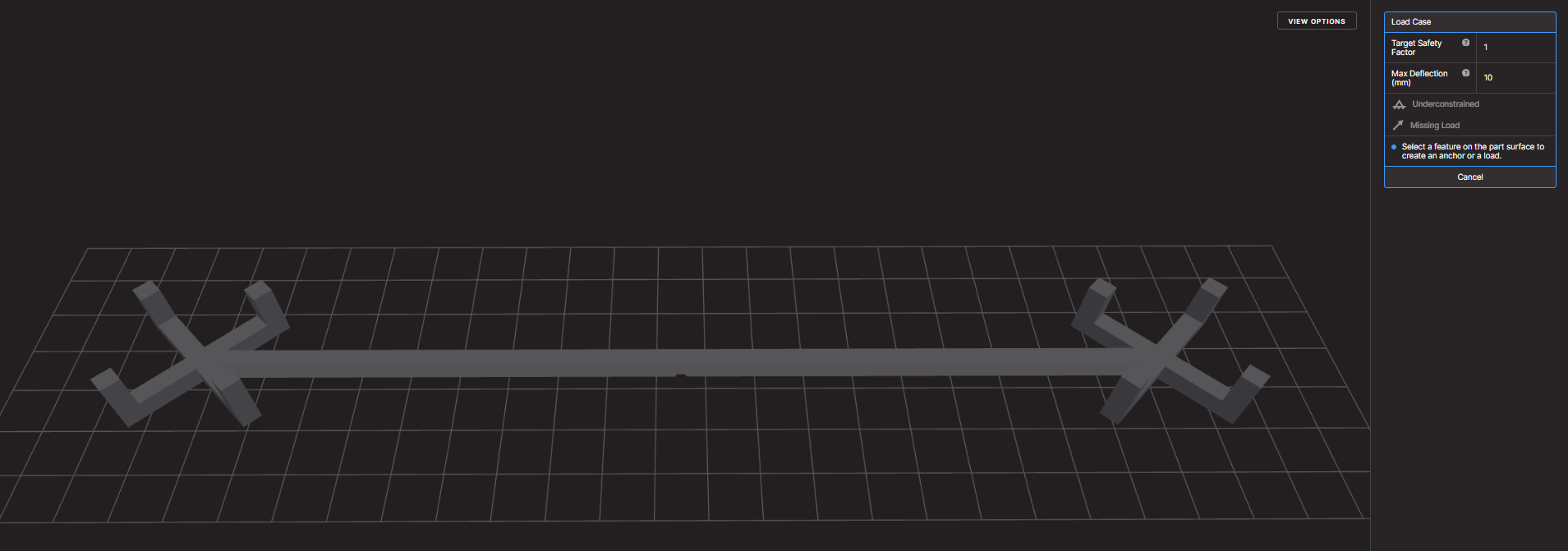
              Simulation is only available with the Advanced Digital Forge plan. Once activated, you simply import a part into Eiger, define the printing parameters, and head to the SIM tab.

              Advanced Eiger Plan Digital Forge

              Want to learn more about the Advanced Digital Forge plan, get a personalized demo, or even test your own part optimizations? Contact us, we’ll be happy to help.

              You’ll then see a 3D view of the part along with a panel for setting up the simulation conditions:

              • applied loads,

              • fixed surfaces or regions,

              • desired safety factor,

              • maximum allowable deflection.

              For this article, we used the example of a beam subjected to a bending force.

              Under flexion

              2. Defining and Running a Load Case

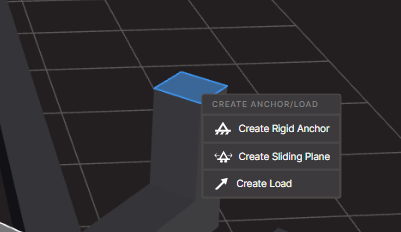
              Each scenario is defined by selecting the relevant surfaces (for example, sliding planes or fixed supports) and applying a given force.

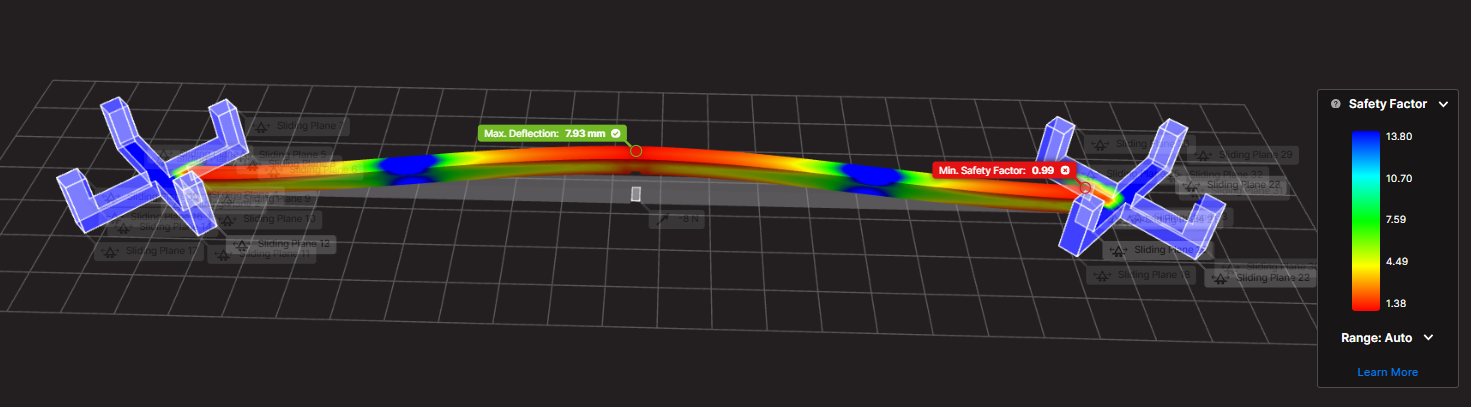
              In our test, a force of 7.7 N was applied.

              The simulation runs in the cloud, which eliminates the need to dedicate local resources or a separate server. While the calculation is running, you can continue working and return once the results are ready.

              3. Simulation Results

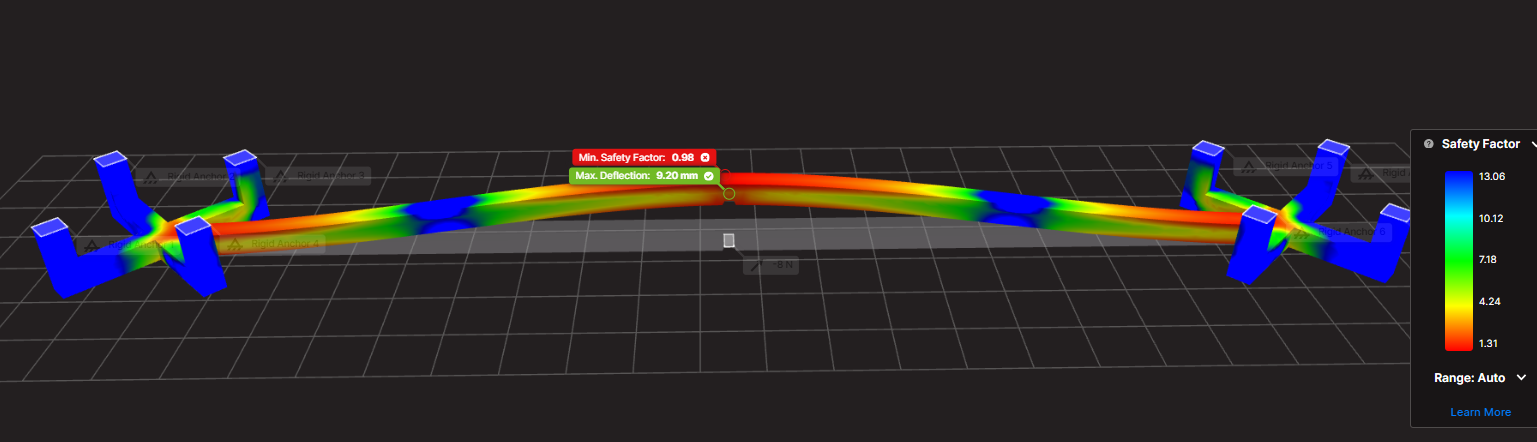
              The module then generates a color-coded 3D rendering highlighting:

              • the safety factor (stress vs. strength),

              • the maximum deflection.

              Example:

              • With a 7.7 N load, the safety factor was 0.99 → failure expected.

              • The maximum deflection measured was 7.93 mm.

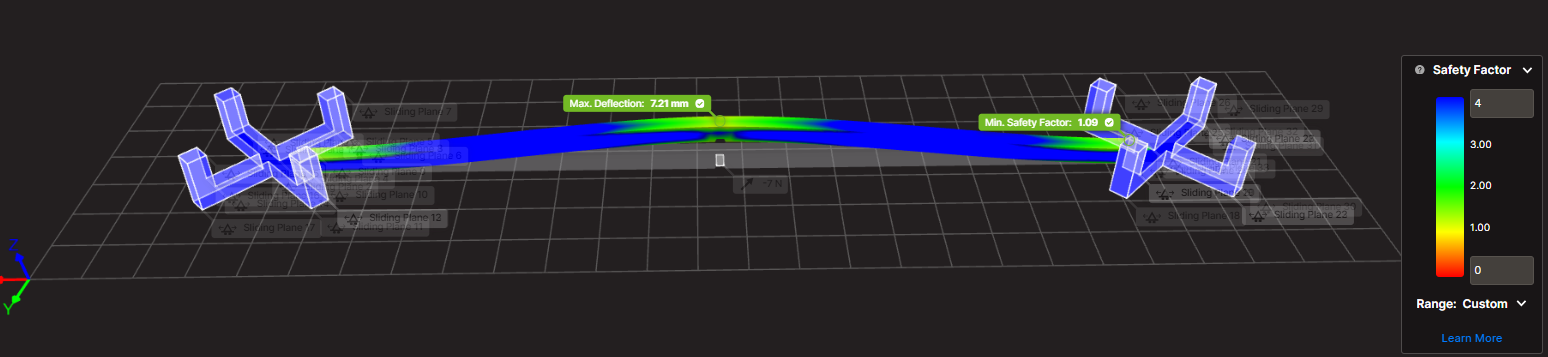
              • With a 7 N load, the safety factor rose above 1, meaning the beam could withstand the force but would fail around 7.7 N.

              4. Limits and Interpretation

              Like any simulation software, Eiger is based on an idealized model of the part, with theoretical load and constraint conditions. This means that results may vary depending on how the case is defined.

              For example, for the same beam subjected to the same load, choosing between sliding planes or fixed supports can lead to two equally realistic simulations. The overall stress zones remain similar, but the location of the maximum stress changes.

              This underlines a key rule: you can’t just take the raw results at face value, you need to analyze and interpret them carefully. The tool’s true value lies not only in calculation accuracy but also in the engineer’s ability to understand what the results mean for the design.

              Fortunately, thanks to the color visualization and customizable table, critical areas are easy to spot. In our test, three clear stress concentration zones were identified, allowing the designer to anticipate issues and reinforce the part at the design stage.

              From Theory to Practice: Eiger as an Innovation Accelerator

              Eiger is more than just a slicer for Markforged printers, it’s a design tool. It enables simulation of multiple designs, performance forecasting, and significant time savings before the first physical test.

              In our next article, we’ll look at strategies for optimizing a part after simulation and compare the virtual results with real-world testing to validate failure thresholds.

              Want to go further? Reach out to our team to explore the Advanced Digital Forge plan, schedule a demo, or benefit from a personalized analysis of your parts.


              Lilian

              Lilian Beatrix

              Additive Manufacturing Specialist

              X_green_halo

              Any questions? Need help? Ask one of our experts.

              Whether you’re ready to get started or just have a few more questions, you can contact us toll-free:
                SOLIDWORKS and SWOOD: The ideal duo for carpentry design and wood manufacturing optimization

                BLOG

                SOLIDWORKS and SWOOD: The ideal duo for carpentry design and wood manufacturing optimization

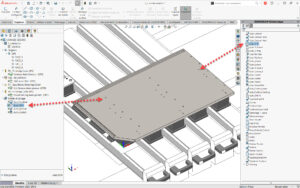
                SOLIDWORKS is the gold standard for 3D CAD. Yet, when used in many industries, including mechanical engineering and product design. However, as a timber design software, it has certain limitations in terms of 3D timber modelling and timber production optimisation. As a result, when it comes to wood design and manufacturing, these limitations can make the process less efficient and more error prone. Therefore, to address this challenge, this is where SWOOD, a supplement specially designed for cabinetry, carpentry, interior design, and even the current trend VanLife! comes into play. This solution brings features specific to the wood trade that perfectly complement SOLIDWORKS, facilitating the transition from design to production.

                In this article, we’ll explore in detail why SWOOD is a strategic choice for optimizing your wood designs in SOLIDWORKS, highlighting its benefits, features, and impact on the productivity and profitability of companies in the industry.

                SOLIDWORKS: A Powerful but Generalist Foundation

                SOLIDWORKS is widely recognized for its flexibility in mechanical and industrial design. Key strengths include:

                • An intuitive, parametric 3D environment facilitating the design of complex parts and assemblies

                • Moreover, extensive integration with analysis and simulation tools (material strength, airflow, kinematics, etc.)

                • In addition, advanced management of assemblies and drawings for production

                • Finally, a rich ecosystem of plugins and third-party solutions to extend its capabilities according to the user’s needs

                However, SOLIDWORKS remains a general-purpose software. In the context of wood design, several limitations are felt:

                • Firstly, lack of native management of panels and wood-based materials (MDF, laminate, plywood, etc.)

                • Secondly, complexity of creating specific connections (grooves, mortise and tenons, lamellos, etc.)

                • Another limitation is the lack of bookcases suitable for hardware components commonly used in layout and millwork

                • Finally, the need to develop macros or scripts to automate certain recurring tasks. Consequently, it is in this context that SWOOD brings considerable added value.

                SWOOD: Ideal complement for wood design

                SWOOD is a set of modules developed specifically for the wood sector, offering a complete solution tailored to the needs of carpenters and furniture manufacturers. Unlike other generalist software, SWOOD stands out for its dedicated approach, integrating a wood CAD plugin that automates the design and assembly of panels, hardware and specific machining. Through woodworking automation, SWOOD helps significantly reduce errors, optimize material usage, and speed up the transition from design to manufacturing, making the process smoother, more cost-effective, and designed to integrate seamlessly with SOLIDWORKS. In other words, it offers dedicated tools that simplify the design and production of wooden furniture, fixtures and structures.

                The main modules of SWOOD

                SWOOD Design

                • Advanced panel management, with automated creation of cutouts and assemblies

                • Smart libraries of hardware and standard elements (hinges, slides, fasteners, etc.)

                • Generation of detailed bills of materials to optimize purchasing and production

                • Automation of wood assemblies and constraints

                SWOOD CAM

                • Machining module for generating CNC programs adapted to machines in the woodworking sector

                • Automatic recognition of drilling and machining

                • Machining simulation to detect possible errors before production

                • Support for 3, 4 and 5 axis machines

                SWOOD Nesting

                • Optimization of the placement of parts on the panels to limit falls and reduce costs

                • Advanced management of formats and machining priorities

                • Management of facades and grouping of items by blank slabs

                SWOOD Center

                • Product configurator for the wood industry

                • SWOOD Center is an advanced solution for configuring tailor-made products in the world of wood and fittings. Integrated with SOLIDWORKS, this configurator optimizes process design, production, and automation.

                Why choose SWOOD Center?

                • Advanced customization

                • Parametric configuration of furniture and layouts

                • Managing product variants and options

                • Dynamic visualization of changes

                • Workflow automation

                • Automatic generation of production files (drawings, bills of materials, CNC programs)

                • Integration with SWOOD Design and SWOOD CAM

                • Material optimization and error reduction

                • Time saving and efficiency

                • Reduced design time

                • Simplifying processes for technical and business teams

                • Improved responsiveness to customer requests

                • An ideal solution for manufacturers and fitters

                Thanks to SWOOD Center, wood professionals can standardize their designs while offering tailor-made solutions to their customers. This configurator is particularly suitable for carpenters, fitters, kitchen designers and furniture manufacturers who want to modernize their design and manufacturing process.

                By integrating SWOOD Center into your workflow, you can accelerate your product time-to-market while ensuring a reliable and accurate design.

                The Benefits of an Integrated SOLIDWORKS + SWOOD Solution

                By combining both solutions, using SOLIDWORKS and SWOOD together provides many benefits, including:

                • Time saving: Automation of repetitive tasks such as inserting fasteners, managing panels and exporting files for production

                • Reduction of errors: Consideration of the specificities of the wood from the design stage, thus limiting corrections during the manufacturing phase

                • Full shop floor compatibility: Ability to generate CNC files that can be used directly by machine tools

                • Cost optimization: Less scrap, better management of raw materials and reduction of production times

                • Improved collaboration: Easier integration with other departments in the company, including production and purchasing teams

                Altogether, these advantages allow manufacturers to gain in competitiveness while guaranteeing optimal quality to their customers.

                With SWOOD, companies can streamline their design processes, reduce human error, and maximize shop floor efficiency. As a result, manufacturers can confidently move from design to production.

                SWOOD Testimonial: Reviews and Case Studies

                For instance, many carpentry and layout companies have successfully adopted SWOOD. Here is a concrete example:

                A concrete example is Groupe Beaubois which faced the challenge of improving the efficiency of its project and streamlining its operations. To achieve this, he needed to embrace technological advancements and integrate automation and robotization into his factory. However, he quickly realized that his design software played a vital role in facilitating the flow of information on his equipment. That’s when he discovered the SWOOD solution, which was specially designed for the wood industry.

                Text: Groupe Beaubois boosts efficiency and growth thanks to SWOOD

                Return on investment and development prospects

                From a business perspective, investing in SWOOD represents an initial cost that is quickly amortized thanks to productivity gains. Here are a few things to consider:

                • Learning time: Quick training is often enough to master the basics of the software

                • Material savings: Better cutting management and reduced errors

                • Valuation of internal skills: Designers gain autonomy and efficiency

                In the future, the integration of SWOOD with technologies like artificial intelligence and 3D printing could further improve the performance of the industry.

                From Design to Production Without Limits

                In conclusion, if your processes are disconnected and your work seems to be in silos! Whether you’re switching from one solution to another to get your production up and running, the SOLIDWORKS + SWOOD combination is a powerful, comprehensive solution that’s perfect for you. It helps optimize design, improve accuracy, and increase efficiency, while reducing costs and errors. By integrating SWOOD into your workflow, you ensure better control of your production and increased competitiveness in the market.

                Therefore, if you’d like to learn more about SWOOD and its integration with SOLIDWORKS, request a demo of SWOOD for wood design today and learn how to optimize your woodworking and layout projects! Contact us or request a demo today!


                Alain

                Alain Provost

                Senior Technical Sales Executive

                X_green_halo

                Any questions? Need help? Ask one of our experts.

                Whether you’re ready to get started or just have a few more questions, you can contact us toll-free:
                  SolidSteel for SOLIDWORKS: The Ultimate Add-On for Steel Design

                  BLOG

                  SolidSteel for SOLIDWORKS: The Ultimate Add-On for Steel Design

                  In the field of industrial design and steel construction, efficiency, precision, and seamless integration of design tools are key success factors. Industry professionals face technical, economic, and time-related challenges that require high-performance software solutions. SolidSteel for SOLIDWORKS stands out as a parametric 3D modeling solution dedicated to steel construction within SOLIDWORKS. This innovative tool allows engineers and designers to save valuable time while meeting industry standards and optimizing the design process from initial sketches to fabrication.

                  Target Market for SolidSteel for SOLIDWORKS

                  SolidSteel for SOLIDWORKS is primarily aimed at engineering firms, civil engineers, steel fabricators, manufacturers of steel structures, and any company specializing in steel construction. It is especially useful for businesses that work on complex structural projects such as industrial walkways, frames, or structures for specialized machinery. Its deep integration with SOLIDWORKS makes it a natural choice for users already familiar with this widely adopted CAD platform in the industrial sector.

                  This product is also ideal for manufacturing companies equipped with CNC production workshops, as data export in the DSTV format facilitates the transition from digital design to physical fabrication. The target market is therefore broad, ranging from SMEs to large international companies in construction, energy, transportation, or heavy manufacturing industries.

                  Added Value and Problems Solved with SolidSteel

                  While designing steel structures in SOLIDWORKS is possible, it can quickly become tedious and time-consuming using only standard tools. SolidSteel for SOLIDWORKS fills this gap by providing features specifically tailored to steel construction:

                  • Automatic generation of standard profiles according to DIN, EN, ASTM, and other norms

                  • Automated connections (welds, bolts, base plates, etc.)

                  • Calculation and management of cuts, notches, and complex angles

                  • Fast creation of fabrication drawings and part lists

                  • Integration of manufacturing and assembly constraints at the design stage

                  • Libraries of standard components to save time on repetitive projects

                  • Generation of complex assemblies with interference management

                  Thanks to these features, SolidSteel for SOLIDWORKS eliminates human errors, shortens design timelines, and improves the overall quality of metal structure projects. It also enables companies to be more competitive by allowing them to respond quickly to tenders with accurate designs, automated quotes, and realistic planning.

                  Seamless Integration into SOLIDWORKS

                  One of the major strengths of SolidSteel for SOLIDWORKS is its native integration within the SOLIDWORKS interface. Unlike external software solutions, SolidSteel functions as a natural extension of the engineer’s daily work environment. Users benefit from a consistent ergonomic experience without needing to learn new software or change their existing workflow.

                  With bidirectional integration with other SOLIDWORKS modules, users can combine SolidSteel for SOLIDWORKS with structural simulation (SOLIDWORKS Simulation), stress analysis, or technical documentation generation (SOLIDWORKS Composer), thus enhancing efficiency and precision throughout the entire process.

                  This integration also allows users to leverage all the powerful features of SOLIDWORKS (assemblies, configurations, drawings, simulation, etc.) while adding specialized tools for steel design. This synergy ensures a smooth workflow from design to production.

                  Competitive Advantages of SolidSteel

                  SolidSteel for SOLIDWORKS offers several advantages that set it apart from the competition:

                  • Intuitive interface tailored to SOLIDWORKS users

                  • Advanced customization of connection templates

                  • Fast modeling with intelligent placement tools

                  • Compatibility with international standards

                  • Automated documentation and traceability features

                  • Scalable solution based on client needs

                  These benefits help companies standardize their design processes while maintaining the flexibility needed to meet specific project requirements. SolidSteel for SOLIDWORKS is therefore a strategic tool for digital transformation in the steel industry.

                  Training Offered by Solidxperts on SolidSteel for SOLIDWORKS

                  To help professionals get the most out of SolidSteel for SOLIDWORKS, Solidxperts—an expert SOLIDWORKS solutions partner—offers a comprehensive range of training programs tailored to various needs. These training sessions cover the different SolidSteel modules:

                  • SolidSteel Parametric for accurate and parametric 3D design of complex steel structures

                  • SolidSteel Frame for rapid creation of steel frames and structures

                  • SolidSteel Manufacturing for fabrication preparation, including production drawings and assembly management

                  Training includes:

                  • Hands-on sessions with each module in the SOLIDWORKS environment

                  • Best practices for modeling steel structures

                  • Creation of smart and customizable connections

                  • Automatic generation of drawings and BOMs

                  • Production process optimization

                  • Export to DSTV format for automated machining of profiles in the workshop (crucial for interoperability with CNC production lines in the steel construction industry)

                  • Automation of technical documentation and bill of materials

                  Solidxperts offers flexible training formats: online, in-person, onsite at the client’s location, or at their own facilities. In addition, personalized post-training support is provided to ensure proper integration of SolidSteel for SOLIDWORKS into the team’s daily operations. Advanced workshops can also be arranged on topics such as connection optimization, BIM export, or project revision management.

                  Use Cases and Customer Feedback on SolidSteel for SOLIDWORKS

                  Several companies that have adopted SolidSteel for SOLIDWORKS report significant gains in productivity and quality. For example, a steel construction firm reduced its complex structure design time by 40% thanks to automatic connection and drawing generation. Another company integrated DSTV files directly into its CNC machines, eliminating intermediate reprogramming steps.

                  These success stories highlight the tangible impact SolidSteel for SOLIDWORKS has on project profitability. It’s not just a design assistant. It’s a true catalyst for efficiency and innovation.

                  The Future of Steel Design with SolidSteel for SOLIDWORKS

                  SolidSteel for SOLIDWORKS is much more than just a plugin: it’s a comprehensive solution that transforms how steel structures are designed, documented, and manufactured. With its seamless integration, powerful tools, and specialized training offered by Solidxperts, professionals gain a strategic edge in both efficiency and quality.

                  By combining technical performance, industry compatibility, and human support, SolidSteel for SOLIDWORKS empowers companies of all sizes to advance their digital transformation. For any business looking to streamline steel design while relying on the reliability of SOLIDWORKS, SolidSteel is the obvious choice.

                  Whether you’re an engineer, drafter, project manager, or workshop supervisor, SolidSteel for SOLIDWORKS helps you tackle the challenges of modern steel construction with precision, speed, and confidence.

                  Ready to take your steel design process to the next level? Contact Solidxperts today to learn how SolidSteel for SOLIDWORKS can transform your projects.

                  X_green_halo

                  Any questions? Need help? Ask one of our experts.

                  Whether you’re ready to get started or just have a few more questions, you can contact us toll-free:

                    What’s New in SWOOD 2025?

                    BLOG

                    What’s New in SWOOD 2025?

                    We are pleased to announce the upcoming arrival of the updated version of SWOOD 2025 solutions, eagerly awaited by professionals working with wood, both in cabinets, architectural cabinetry, and any type of layout. In fact, the new SOLIDWORKS, SWOOD innovations are attracting lots of interest.

                    Moreover, the updated version, which will be available soon, includes several notable improvements to the SWOOD software suite. Here is a summary of the main advances, structured around the three pillars of the new SWOOD 2025 products.

                    This is an overview of what’s new. Contact us for more details, as each new feature can have several aspects.

                    The 3 Pillars of SWOOD 2025

                    • Design
                    • Manufacturing
                    • Automation

                    Pillar 1: Design

                    Panel Cutting Improvements SWOOD 2025Panel Cutting Improvements

                    Panel cutting was introduced with SWOOD 2024 and has undergone some improvements this year. For example, improvements around the user experience by adding for example a help button, it is now possible to pin the function and therefore to chain the different cuts. Finally, the highlighting of interference has been added.


                    Edge Banding Length Feature

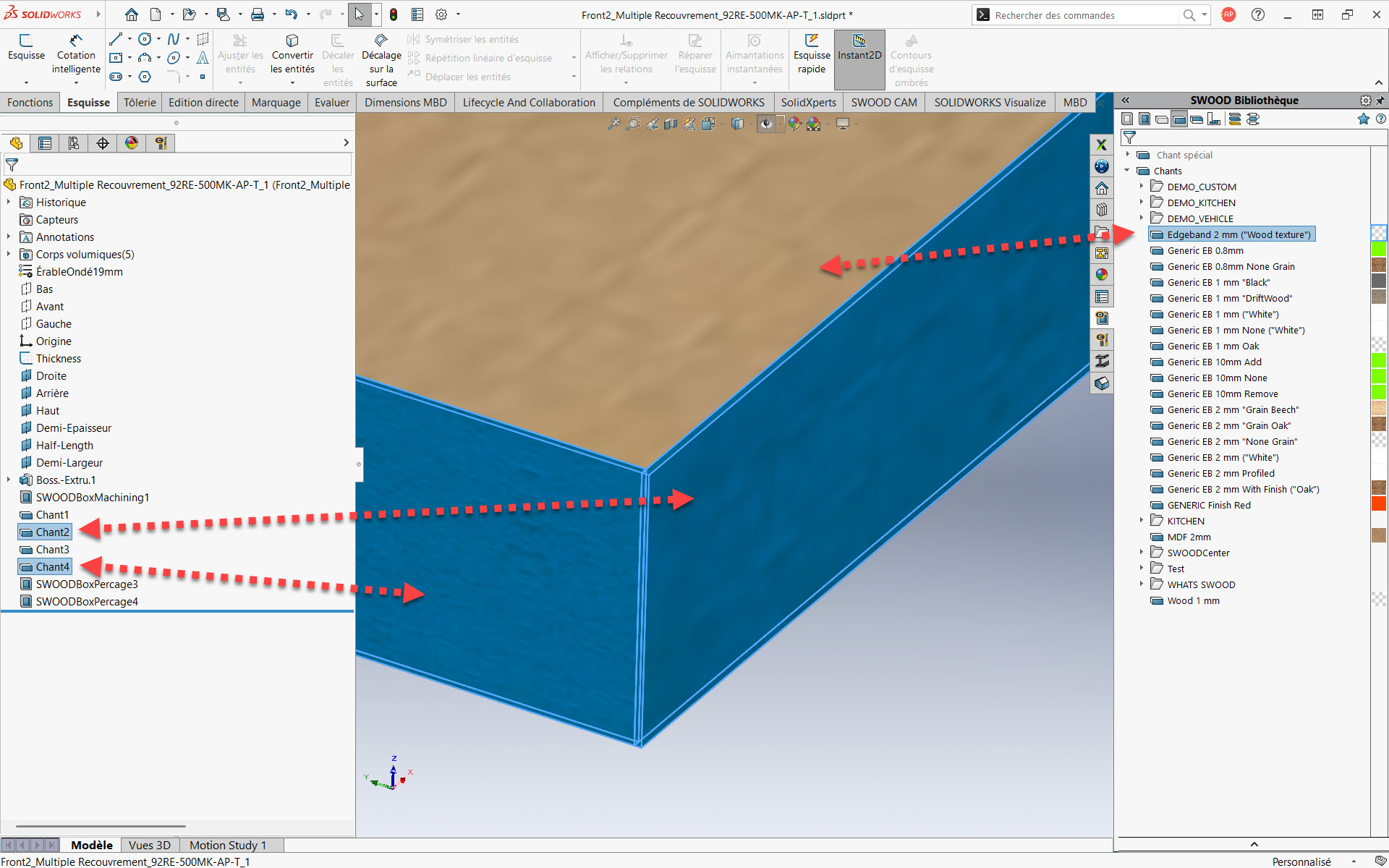
                    From the Edge Library or, from the Edge function, in the Design Tree, you will have the choice to set an over-field length. This overlength is going to be mostly used in the report or the total length in the report. As a result, you will have a reliable estimate.

                    Easy Customization of SWOODBox

                    Thanks to the library installer you have access to links too! For example, hinges, inserting default settings allows you to quickly create SWOODBox! Therefore, you can save them to your SWOODBox library and quickly reuse them.

                    Improved User Experience

                    Right-clicking allows you to collapse folder contents, reducing the number of clicks and making navigation faster and more intuitive. This also eliminates the need for endless scrolling when searching for the right folder.

                    Additionally, to further streamline navigation and enhance your overall experience, you can also make use of filters.

                    Performance Improvements

                    Significant enhancements have been made across multiple areas. PDM now handles copy operations more efficiently, while deletion states in SWOODBox have been optimized for smoother workflows. Texture and appearance management has also been improved, ensuring greater consistency. Finally, reporting has been streamlined for faster, more reliable results.

                    Order Manager Improvements

                    Similarly, the order managers, so SWOOD design and SWOOD Cam. What was done was to bring the SWOOD design and SWOOD Cam tools directly into these managers. This makes them more manageable and can even be reset to default if needed.

                    Library Installer in SWOOD 2025Library Installer Updates

                    The next Library installer that will arrive so there are about new features once a month, an update once every 2 weeks with new hardware and new elements. Furthermore, speaking of new elements, well, let’s move on to the SWOOD 2025 improvements.

                    Liaisons were something that was missing. And now? Well, we will have the possibility to download links from the free installer.

                    In addition, another new feature is that the elements that you are going to download are going to be blocked, but if you want to modify them, you will just need to duplicate them, copy them and then you can modify them according to your needs.

                    Panel Manager Enhancements

                    In particular, the panel manager is a tool developed a little over five years ago, with a first version released in 2020. Its main purpose is to add SWOOD data to existing CAD files, whether they are models designed only with SOLIDWORKS (especially before the introduction of SWOOD), multibody parts exported to assemblies or files imported in STEP format. The workflows and features of this tool have been fine-tuned to allow the manufacture of models that were not originally created with SWOOD.

                    New Conditional Filter Tool in SWOOD 2025!

                    These conditional filters will be found a little bit everywhere in the software. This will simply allow us to start from a list. Well, to set of, variables, parameters to filter a list.

                    Most importantly, the advantage is that these filters are intelligent so that they can be found in a library of materials or fields, for example.

                    Pillar 2: Manufacturing

                    CAM Copy Tool

                    Its accessibility has been simplified. We will find it directly from the Command manager so we will have easy access to it.

                    We will find 2 modes, the mode, the first mode is the copy mode or from the source strategy, we will be able to take this strategy, define either an assembly, a part or even a folder! to stick this strategy to the selections.

                    On the other hand, the second mode will allow us to duplicate from a nesting file to be able to duplicate them to a new post processor and so, for example, if we have several CNCs and Well, we will be able to duplicate all these elements, all these nesting sheets to a new machine.

                    Input and Output Machining Speed

                    The management of machining inputs and outputs will define how the tool will enter the material, we will be able to define a specific speed to avoid splinters and have a better rendering, for example. These are often parameters that are not necessarily available, so here we will have the possibility to do it directly with SWOOD cam and encode it on the machine.

                    3D Finishing Enhancements

                    In concrete terms, this is how it works: on this part, a new 3D finish is defined by selecting the relevant surfaces. Then, all the necessary options are chosen, for example by specifying that the tool should be positioned horizontally and then adjusting the appropriate angle. It is not possible in some cases to access certain areas. However, with the new undercut option, it becomes possible to treat these parts, along with a release option to ensure the safety of tool outlets. Simulation of the toolpath allows you to visualize these steps, and this feature opens up more possibilities for the manufacture of complex parts.

                    Nesting Improvements with the Auto Flip Detection

                    From a 3D file, SWOOD automatically detects parts that require flipping. Users can change this list if needed. When recalculating based on set parameters such as offset, flip direction, or reference corner, SWOOD finds which sheets have parts requiring reversal. This reduces unnecessary flips by grouping compatible parts on the same sheet.

                    SWOOD 2025 introduces the new Nesting from CSV

                    Let’s continue with the nesting feature that allows you to import data from a CSV file. Remember that the system report offers the possibility of exporting lists in CSV format. By simply specifying the file path and the desired quantity for one or more projects, we can export this CSV and then import it into the nesting module; it is possible to work with one or more CSV files. This flow automatically redefines the sources and their quantities, whether it’s an assembly or a part. A simple recalculation then allows the best nesting result to be obtained quickly. As a result, the transition from design to manufacturing is just a few clicks away, easing more correct production management without the need to manually search for the right files.

                    5 New Tilting Types in SWOOD 2025New Tilt Types in SWOOD 2025!

                    Five additional tilt angle configurations are now supported for more refined tool orientation control during 3D operations.

                    Pillar 3: Automation

                    General System Report Enhancements

                    • Data Export: Data export has been improved with SWR format stabilization, a standalone viewer, and lighter data files that can now be created in just milliseconds. In addition, cutting patterns and board estimations have been refined for greater accuracy.
                    • System Report: The new standard data export allows you to export all project data with multiple levels of detail (parts, panels, materials, hardware, programs, etc.). A project report history is also available for easy tracking.
                    • Customize Data Views: You can now hide or show data levels, filter data views, display columns, export table views to CSV, and choose your preferred print layouts and much more.
                    • Customize Views: Enhanced customization options make navigation easier: you can open documents directly from folder access, group data by variables, and add a calculation line (sum, count, average, min, max, etc.). In addition, you can now save your settings by creating profiles.

                    New SWOOD 2025 Data Sharing Method

                    This updated version offers a multitude of features, mainly focused on data sharing and collaboration within the company. It offers precise access management, whether online or offline.

                    About automation, significant improvements have been made to the system report. It is now possible to easily share all data and documents, without having to install more software, simply via a link accessible to the entire organization.

                    It’s Now Your Turn to Discover the Power of SWOOD 2025

                    SWOOD 2025 represents a major leap forward in woodworking design, manufacturing, and automation. The new features and enhancements covered here are only a glimpse of what the latest version has to offer. Indeed, whether you are optimizing your workflows, improving accuracy, or streamlining collaboration, SWOOD 2025 provides powerful tools to help you achieve more.

                    To fully explore how SWOOD 2025 can transform your projects, contact us today for personalized guidance and demonstrations.


                    Alain

                    Alain Provost

                    Senior Technical Sales Executive

                    X_green_halo

                    Any questions? Need help? Ask one of our experts.

                    Whether you’re ready to get started or just have a few more questions, you can contact us toll-free:

                        Download

                          Download

                            Download

                            All search results