Unlocking 3D Creativity: Designing Complex Shapes Made Easy

BLOG

Unlocking 3D Creativity: Designing Complex Shapes Made Easy

Introduction

When it comes to the creative process, the 3D Sculptor and 3D Creator roles on the 3DEXPERIENCE platform provide a user-friendly interface that allows you to easily manipulate and shape complex parts. These tools offer a streamlined workflow and powerful CAD capabilities, making the design process more efficient and intuitive. With x3D Sculptor and 3D Creator at your fingertips, the art of crafting intricate shapes becomes a seamless journey.


3D Sculptor, 3D Creator, and the 3DEXPERIENCE Platform

The 3DEXPERIENCE platform roles 3D Sculptor and 3D Creator revolutionize the way designers and engineers approach complex shape design. By harnessing the power of these browser-based functionalities, you can break down intricate concepts into manageable steps, starting with basic shapes and gradually evolving them into sophisticated designs. This streamlined workflow not only enhances design flexibility but also enables quick iteration and realization of creative ideas. With advanced features tailored for various industries, 3D Sculptor and 3D Creator are paving the way for unlocking limitless creativity.


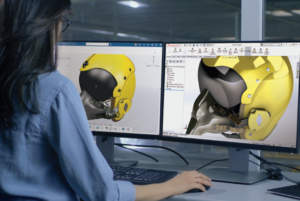
3D Sculptor Enhances Design FlexibilityA person seated in front of two computer monitors displaying 3D Sculptor and a 3D model

The 3D Sculptor role simplifies the creation of complex parts by starting from basic shapes and using advanced tools for intricate designs. It allows easy manipulation of compound shapes and complex geometries, ensuring your creative vision is realized. Additionally, access to a variety of Sub-D tools within the xShape app enhances your ability to refine and perfect designs with precision and flexibility. These capabilities empower you to push the boundaries of design, achieving higher levels of complexity and detail.


  • Create complex parts using basic shapes
  • Use advanced features for working with compound shapes
  • Easily manipulate and shape complex geometries
  • Access additional Sub-D tools in the xShape app


Explore the free xShape Master Class to hone your skills!


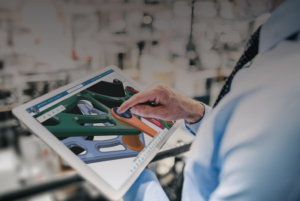
A person holding a tablet displaying 3D Creator and a colorful 3D model of a mechanical part3D Creator Streamlines Your Design Workflow

With 3D Creator, on the other hand, the focus is on streamlining the design process. This tool provides traditional parametric modeling tools in its xDesign app, allowing you to easily create and modify designs using curves and surfaces. The combination of Sub-D modeling in 3D Sculptor and parametric modeling in 3D Creator gives you the flexibility to mix and match tools as needed, ensuring that you have the right tools for the job.


  • Provides traditional parametric modeling
  • Allows for easy creation and modification of designs using curves and surfaces
  • Offers a seamless workflow with 3D Sculptor


3D Sculptor and 3D Creator for Complex Shapes

The advantages of using 3D Sculptor and 3D Creator for complex shapes are numerous. These tools not only enhance design flexibility but also streamline the design process, saving you time and effort. With their intuitive interfaces and powerful capabilities, you can easily create and modify complex geometries, whether you’re starting from basic shapes or working with compound parts. Additionally, these tools facilitate collaboration in design projects, allowing team members to work together seamlessly and share their ideas.


Simplifying the Creation of Complex Geometries

Creating complex geometries can be a challenging task, but with 3D Sculptor and 3D Creator, it becomes much simpler. These tools provide a range of features and tools specifically designed to simplify the creation of complex shapes, including the use of simple shapes as building blocks. Whether you’re working with compound shapes or intricate parts, you’ll find that these tools offer the flexibility and precision needed to bring your designs to life. By starting with basic shapes and gradually building up the complexity, you can create unique and innovative designs without the limitations of traditional tools.


Enhancing Collaboration in Design Projects

Collaboration is a vital aspect of any design project, and 3D Sculptor and 3D Creator make it easier than ever to work together seamlessly. With these tools, team members can collaborate in real-time, sharing their ideas and making modifications on the fly. This not only speeds up the creative process but also ensures that everyone’s input is taken into account. Whether you’re working on a design project with colleagues or collaborating with clients, 3D Sculptor and 3D Creator provide the necessary tools to enhance collaboration and bring your designs to life.


Step-by-Step Guide to Designing with 3D Sculptor

Designing with 3D Sculptor is a straightforward process that allows you to unleash your creativity and create complex shapes with ease. Here is a step-by-step guide to help you get started:


  1. Start by launching the 3D Sculptor app in your browser.
  2. Choose a basic shape to serve as the foundation for your design.
  3. Use the push and pull technique to manipulate the shape and create the desired complex geometry.
  4. Access additional Sub-D tools in the xShape app to refine and fine-tune your design.
  5. Save your design and export it for further use or collaboration.


Starting Your First Project: Tips and Tricks

To set yourself up for success, start by selecting a basic shape that closely resembles your final design. This simplifies the process and provides a solid base upon which to build. From here, you can push and pull your base to manipulate the shape, adding layers of complexity and detail.

As you progress, don’t hesitate to experiment with different Sub-D tools. These tools are invaluable for refining and perfecting your design, allowing you to achieve the intricate details that will make your project stand out.


  • Begin with a clear idea of the complex shape you want to create
  • Start with a basic shape that closely resembles the final design
  • Utilize the push and pull technique to manipulate the shape and add complexity
  • Experiment with different Sub-D tools to refine and perfect your design


Advanced Techniques for Refining Your Designs

Once you’ve mastered the basics, it’s time to elevate your designs with advanced techniques. Combining parametric modeling techniques with Sub-D modeling can offer added flexibility and control. Experiment with different surface finishes and textures and discover unique effects that add depth and character to your creations. This hybrid approach allows you to fine-tune your designs with mathematical precision while retaining the creative freedom of Sub-D modeling.


  • Use advanced Sub-D tools to add intricate details to your design
  • Combine parametric modeling techniques with Sub-D modeling for added flexibility
  • Experiment with different surface finishes and textures to enhance the visual appeal of your design
  • Take advantage of the collaboration features to gather feedback and make adjustments

Frequently Asked Questions

What is a Role on the 3DEXPERIENCE platform?

A Role on the 3DEXPERIENCE platform refers to a set of permissions and capabilities assigned to a user, determining what actions they can perform within the software. Each role is tailored to specific functions or responsibilities, ensuring that users have access only to the tools and features necessary for their tasks. By assigning roles appropriately, organizations can optimize workflow efficiency and data security within the platform.

What are some techniques for designing complex shapes in 3D modeling?

Designing complex shapes requires a combination of creativity and technical skills. Some techniques include starting with basic shapes and gradually building up complexity, using Sub-D modeling tools for organic shapes, and leveraging parametric modeling for precise control over dimensions and features.

How do you ensure manufacturability when designing complex shapes?

When designing complex shapes, it is important to consider manufacturability. By utilizing tools like Manufacturing Definition Creator, you can create 3D and 2D definitions that ensure your design can be manufactured correctly. This helps eliminate potential issues and ensures a smooth transition from design to production.

What software tools are commonly used for designing complex shapes?

There are several software tools commonly used for designing complex shapes, with 3D Sculptor and 3D Creator being popular choices. These browser-based tools offer powerful CAD capabilities and streamlined workflows, making them ideal for tackling the challenges of complex designs and organic shapes.

What are the challenges faced when designing intricate geometries?

Designing intricate geometries can present several challenges. These include maintaining the integrity of the design while adding complexity, ensuring the manufacturability of the final product, and managing the interdependencies between various features and dimensions. However, with the right tools and techniques, these challenges can be overcome.

What role does parametric design play in creating complex shapes?

Parametric design allows designers to manipulate basic shapes and explore different possibilities in creating complex shapes. It provides the flexibility to modify dimensions, curves, and surfaces, making it easier to iterate and refine designs. The parametric approach streamlines the creative process and enables designers to achieve complex shapes efficiently.

X_green_halo

Any questions? Need help? Ask one of our experts.

Whether you’re ready to get started or just have a few more questions, you can contact us toll-free:

    Why Material Matters: Choosing the Best 3D Printing Filament

    BLOG

    Why Material Matters: Choosing the Best 3D Printing Filament

    The Basics of FDM 3D Printing Materials

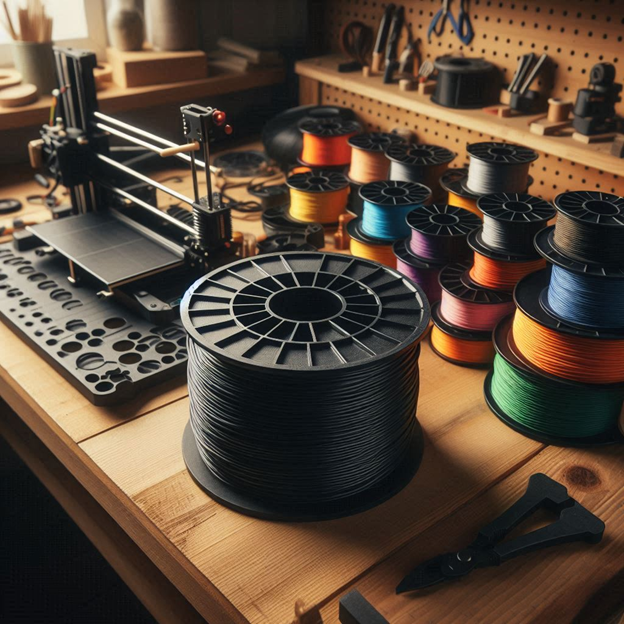
    When it comes to 3D printing, the material you choose is just as important as the printer itself. Filament is the thermoplastic feedstock used in fused deposition modeling (FDM) 3D printers. It is a continuous slender plastic thread spooled into a reel, with diameters ranging from 1.75 mm to 2.85 mm. Filament comes in various types, each with its own unique properties.


    3D printers use different mechanisms to extrude the filament and build up layers to create your final model.


    How Filament Choice Impacts Your 3D Printing Project

    The choice of 3D printing filament can have a significant impact on the outcome of your 3D printing project. Different filaments have different properties, such as strength, flexibility, and temperature resistance. Understanding these properties and how they relate to your project is crucial for achieving the desired results.


    For example, if you’re printing functional parts that require strength and durability, ABS or PETG would be suitable choices. On the other hand, if you’re creating decorative or artistic pieces, PLA or specialty filaments like wood or even metal may be more appropriate.


    Exploring Just a Few Types of Available 3D Printer Filaments

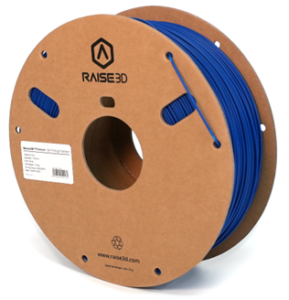
    PLA (Polylactic Acid)Spool of blue Raise3D PLA 3D printing filament

    PLA is one of the most popular filaments for 3D printing. It is a biodegradable and environmentally friendly filament that is derived from renewable resources such as cornstarch or sugarcane. PLA is easy to print with and offers good dimensional accuracy. It is known for its vibrant colors and smooth surface finish. PLA is commonly used for prototyping, hobbyist projects, and decorative prints. It is compatible with most commercially available FDM printers and can be printed at lower temperatures compared to other filaments.


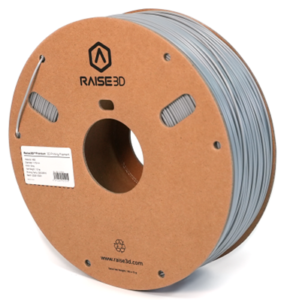
    Raise3D grey ABS 3D printing filament spoolABS (Acrylonitrile Butadiene Styrene)

    ABS is a popular filament known for its durability and impact resistance. It has a higher melting temperature compared to PLA, making it suitable for functional parts that require strength and toughness. ABS is commonly used in applications such as automotive parts, electronic enclosures, and industrial prototypes. It can be challenging to print with due to its tendency to warp and emit strong fumes during printing. However, with proper printer settings and a heated bed, ABS can produce high-quality prints with excellent mechanical properties.


    PET (Polyethylene terephthalate)Spool of Raise3D PET 3D printing filament in black

    PET is a popular 3D printing filament known for its strength and flexibility. Its durability and impact resistance ensure long-lasting printed objects, while its flexibility allows for complex shapes without cracking. Additionally, it offers excellent chemical resistance and is food-safe, making it suitable for kitchen items. PET is easy to print with a lower risk of warping and can be used on most standard 3D printers. Being recyclable, it also provides an eco-friendly option for various 3D printing projects.


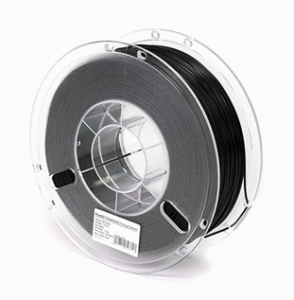
    Spool of Raise3D PETG 3D printing filament in blackPETG (Polyethylene terephthalate glycol)

    PETG is a variation of PET that offers improved impact resistance and chemical resistance. It’s a versatile filament known for its balance of strength, flexibility, and temperature resistance. It is commonly used for functional parts, mechanical components, and consumer products that require durability and impact resistance. PETG has excellent layer adhesion, making it ideal for strong and durable prints. Additionally, it is FDA-approved for food contact, making it a popular choice for printing kitchen utensils and containers.


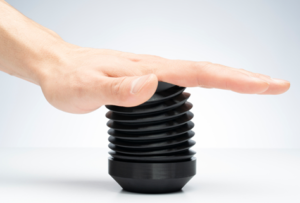
    TPU (Thermoplastic polyurethane)A 3D printed TPU part being compressed by hand

    TPU is a flexible filament that is widely used for creating elastic parts and prototypes. It offers excellent resistance to abrasion, chemicals, and oils, making it suitable for applications that require flexibility and durability. TPU is commonly used in industries such as automotive, footwear, and prosthetics. It can be printed with ease on most FDM printers and does not require a heated bed. TPU is available in various shore hardness ratings, allowing for different levels of flexibility and elasticity in prints.


    Specialized 3D Printing Filaments

    In addition to the common filaments used in 3D printing, there are specialized filaments that offer unique properties for specific applications. These filaments are often infused with different materials to enhance their properties. Some examples of specialized filaments include carbon fiber-infused filaments, which offer high strength and rigidity, and metal-infused filaments, which allow for the printing of metal-like objects. These specialized filaments are commonly used in industries such as aerospace, automotive, and jewelry.


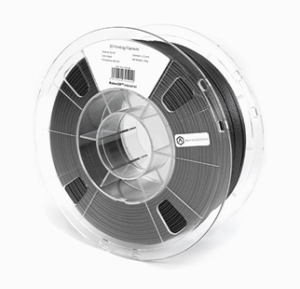
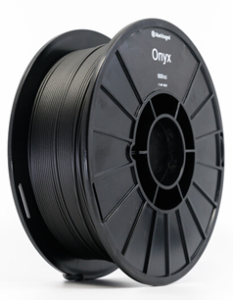
    Spool of Markforged Onyx 3D printing filamentOnyx by Markforged: High Performance Carbon Fiber

    Onyx is a high-performance carbon fiber filament developed by Markforged. It combines the strength and rigidity of carbon fiber with the ease of printing with nylon. Onyx is known for its excellent dimensional stability, high strength-to-weight ratio and resistance to heat and chemicals. It is commonly used in industries such as aerospace, automotive, and defense for applications that require lightweight yet strong parts. Onyx can be printed on Markforged 3D printers, which are specifically designed to handle the unique properties of this filament.


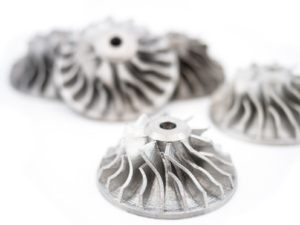
    Metal 3D Printing: Stainless Steel, Copper, and moreSteel engine impeller 3D printed on the Markforged Metal X

    3D printing with metal filaments allows for the creation of metal-like objects without the need for traditional metalworking processes. These filaments are composed of a mixture of metal powder and a binding agent. After printing, the object can be further processed to remove the binding agent and sinter the metal particles together, resulting in a solid metal part.

    While an expensive and infrastructure-heavy investment, 3D printing with metal filaments offers the ability to create complex geometries and customized metal parts with good mechanical properties.


    Factors to Consider When Selecting a Filament

    When choosing a filament for your 3D printing project, consider factors like strength, durability, flexibility, temperature resistance, and printer compatibility. Filaments such as ABS, PETG, or carbon fiber are suitable for strength, while TPU works well for flexibility. For high temperatures, consider polycarbonate. Always remember to check compatibility with your printer’s settings!


    Assessing the Strength and Durability Needs of Your Project

    When selecting a filament for your 3D printing project, it is essential to assess the strength and durability needs of your project. Consider the intended use of the printed object and the level of stress it will be subjected to. If you require high strength and impact resistance, filaments like ABS, PETG, or carbon fiber-infused filaments may be suitable. These filaments offer excellent mechanical properties and can withstand heavy loads and impacts.


    Considering Flexibility and Elasticity for Functional Parts

    For functional parts that require flexibility and elasticity, it is important to consider filaments that can meet these requirements. TPU is a popular choice for flexible prints. It offers excellent flexibility and resilience, making it ideal for applications such as phone cases, prosthetics, and wearables. TPE (Thermoplastic elastomer) is another flexible filament that provides a soft and rubber-like texture. It is commonly used for creating gaskets, seals, and other parts that require high flexibility.


    Temperature and Environmental Resistance

    Temperature and environmental resistance are important considerations when selecting a 3 D printing filament. Different filaments have different temperature ranges at which they perform optimally. For example, PLA can be printed at relatively low temperatures (180-230°C) and is suitable for most everyday applications. On the other hand, filaments like polycarbonate (PC) and polyetherimide (PEI) have higher temperature resistance and can withstand elevated temperatures (up to 340-380°C). These filaments are commonly used in applications that require exceptional heat resistance, such as aerospace components and automotive parts.


    Cost-Effectiveness and Availability

    Cost-effectiveness and availability are key factors when selecting 3D printing filament. PLA is popular for being affordable and widely available, as well as eco-friendly. PETG is valued for its strength and durability with better impact resistance than PLA. While PLA and PETG are cost-effective and common, ABS and Nylon may be pricier but offer unique strengths. ABS provides high strength and temperature resistance for functional parts, while Nylon offers flexibility and durability for specialized applications like gears. Finding this balance depends heavily on the user, projects, and printing frequency.


    Consider how you prefer to source your materials. Are you more comfortable dealing with a consistent supplier, or are the readily available 3D printing filaments on Amazon enough for your needs? It’s important to consider the specific requirements of your project and budget constraints when selecting a 3D printing filament. By balancing cost-effectiveness and availability, you can ensure that you choose the best filament for your 3D printing needs.


    Balancing Quality with Budget Constraints

    Similarly, choosing the right 3D printing filament involves balancing quality and budget. High-quality filaments offer superior performance but come at a higher cost. Research and comparing brands can help find affordable options with satisfactory results. Reading reviews and seeking recommendations can identify cost-effective choices. Experimenting with different types of filaments can help strike a balance between quality and budget based on project requirements.


    Application-Specific Recommendations

    Different 3D printing applications require different 3D printing filament types to achieve optimal results. By selecting the right material for your specific application, you can ensure that your 3D prints meet the desired functionality and performance requirements.


    Prototyping with Precision: Choosing the Right Material

    When it comes to precision prototyping, choosing the right 3D printing filament is crucial to achieve accurate and detailed prints. Different materials offer varying levels of precision and surface finish.


    PLA (Polylactic Acid) is a popular choice for precise prototyping due to its low shrinkage and excellent dimensional accuracy. It provides smooth and clean prints, making it ideal for visual models and product prototypes. Additionally, PLA is easy to print with and offers a wide range of colors to choose from.


    ABS (Acrylonitrile Butadiene Styrene) is another material suitable for precision prototyping. It offers better temperature resistance and durability compared to PLA, making it suitable for functional prototypes that require strength and impact resistance.


    PETG (Polyethylene Terephthalate Glycol) is also a good option for precision prototyping. It offers a balance of strength, flexibility, and dimensional stability, making it suitable for a wide range of applications.


    By selecting the right material for precision prototyping, you can ensure that your prints accurately represent your design and meet your quality expectations.


    Functional Parts and Mechanical Components: What Works Best?

    When it comes to printing functional parts and mechanical components, choosing the right filament is essential to ensure durability and performance. Different materials offer varying mechanical properties and characteristics.


    TPU (Thermoplastic Polyurethane) is an excellent choice for parts that require flexibility and resilience. It offers high elasticity and impact resistance, making it suitable for gaskets, seals, and other flexible components.


    Nylon is known for its exceptional strength and toughness, making it ideal for functional parts that require durability and high load-bearing capabilities. It also offers good chemical resistance, making it suitable for applications in harsh environments.


    ABS (Acrylonitrile Butadiene Styrene) is a versatile material that provides a balance of strength, impact and temperature resistance. It is commonly used for functional parts in various industries, including automotive and aerospace.


    By choosing the right filament for functional parts and mechanical components, you can ensure that your 3D prints meet the required performance standards and withstand the intended applications.

    Frequently Asked Questions

    How does the choice of filament material impact the quality of a 3D printed object?

    The choice of 3D printing filament plays a crucial role in determining the quality of a 3D printed object. Different materials have unique properties such as strength, flexibility, and durability, which directly affect the performance and appearance of the printed object. Factors such as layer adhesion, dimensional accuracy, and surface finish are influenced by the filament material used.

    How do I determine the best 3D printing filament for my project?

    To determine the best filament for your 3D printing project, consider the specific requirements of the print, such as desired strength, flexibility, and temperature resistance. Additionally, take into account the printer compatibility and budget constraints. Conducting research and consulting experienced users can provide valuable insights and recommendations.

    X_green_halo

    Any questions? Need help? Ask one of our experts.

    Whether you’re ready to get started or just have a few more questions, you can contact us toll-free:
        Download

          Download

            Download

            All search results