Eiger Simulation: Predicting the Performance of 3D Printed Parts

BLOG

Eiger Simulation: Predicting the Performance of 3D Printed Parts

Marketing Hype or True Industry Revolution?

Since the dawn of engineering, predicting how a part behaves under load has always been a challenge for designers. Today, we have advanced simulation methods built on decades of research and development. Yet, simulating a 3D-printed part remains complex.

Most modeling software still doesn’t account for the anisotropic properties of 3D printing, especially when it comes to continuous fiber reinforcements like those offered by Markforged.

Additive manufacturing, with its fast iteration cycles, does allow multiple versions of a part to be printed and tested in order to converge on an acceptable solution. But this approach has its limits: some problems are long and costly to solve, both in time and in material.

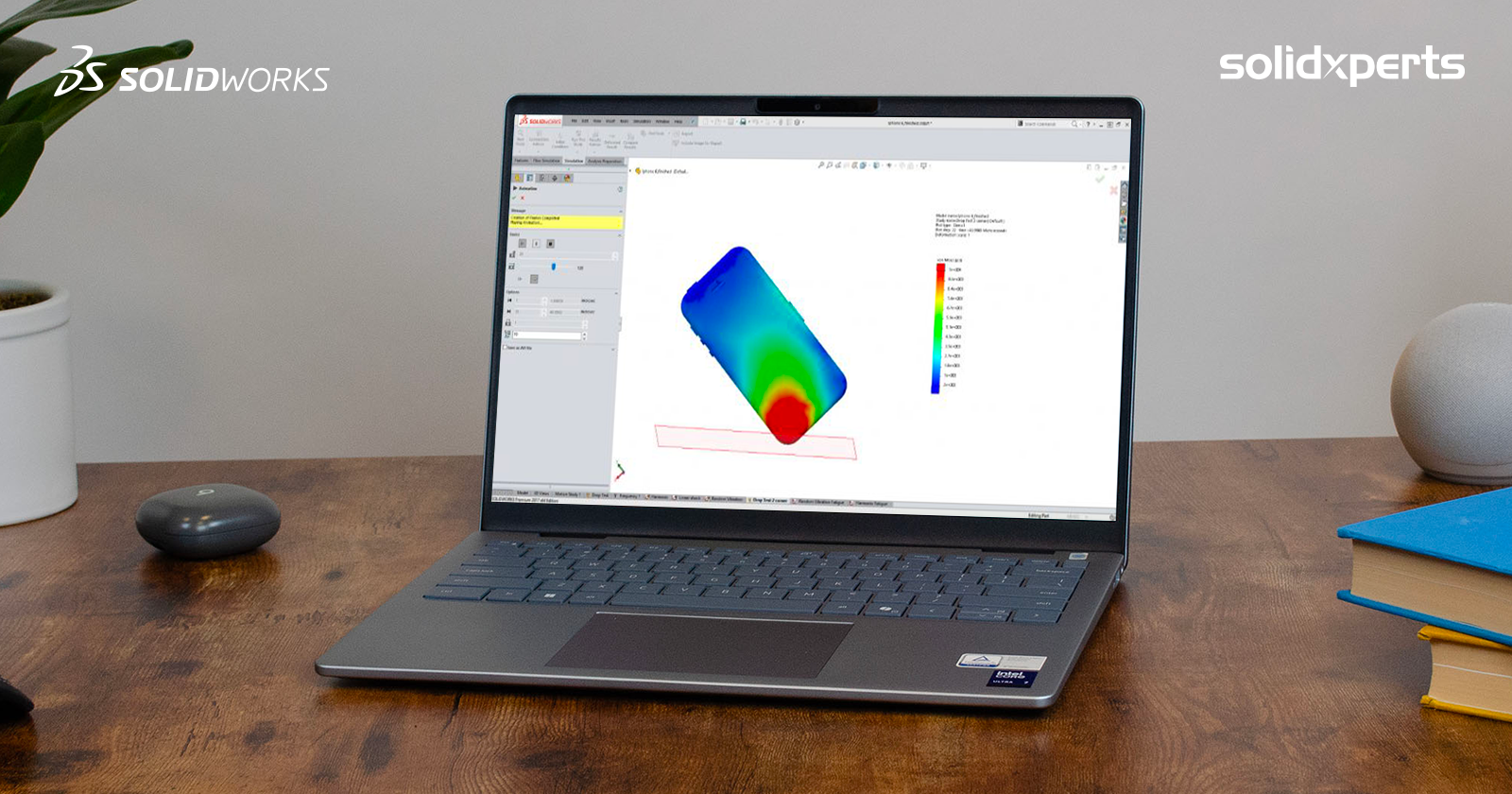
This is where Eiger comes in. Markforged’s software integrates a simulation and optimization module designed to bring the printed part’s real-world performance closer to the design goals, right from the first print.

So, what is this software really worth? Just marketing fluff, or a genuine game changer for the industry? Let’s dig deeper.

1. Access to Simulation

Simulation is only available with the Advanced Digital Forge plan. Once activated, you simply import a part into Eiger, define the printing parameters, and head to the SIM tab.

Advanced Eiger Plan Digital Forge

Want to learn more about the Advanced Digital Forge plan, get a personalized demo, or even test your own part optimizations? Contact us, we’ll be happy to help.

You’ll then see a 3D view of the part along with a panel for setting up the simulation conditions:

  • applied loads,

  • fixed surfaces or regions,

  • desired safety factor,

  • maximum allowable deflection.

For this article, we used the example of a beam subjected to a bending force.

Under flexion

2. Defining and Running a Load Case

Each scenario is defined by selecting the relevant surfaces (for example, sliding planes or fixed supports) and applying a given force.

In our test, a force of 7.7 N was applied.

The simulation runs in the cloud, which eliminates the need to dedicate local resources or a separate server. While the calculation is running, you can continue working and return once the results are ready.

3. Simulation Results

The module then generates a color-coded 3D rendering highlighting:

  • the safety factor (stress vs. strength),

  • the maximum deflection.

Example:

  • With a 7.7 N load, the safety factor was 0.99 → failure expected.

  • The maximum deflection measured was 7.93 mm.

  • With a 7 N load, the safety factor rose above 1, meaning the beam could withstand the force but would fail around 7.7 N.

4. Limits and Interpretation

Like any simulation software, Eiger is based on an idealized model of the part, with theoretical load and constraint conditions. This means that results may vary depending on how the case is defined.

For example, for the same beam subjected to the same load, choosing between sliding planes or fixed supports can lead to two equally realistic simulations. The overall stress zones remain similar, but the location of the maximum stress changes.

This underlines a key rule: you can’t just take the raw results at face value, you need to analyze and interpret them carefully. The tool’s true value lies not only in calculation accuracy but also in the engineer’s ability to understand what the results mean for the design.

Fortunately, thanks to the color visualization and customizable table, critical areas are easy to spot. In our test, three clear stress concentration zones were identified, allowing the designer to anticipate issues and reinforce the part at the design stage.

From Theory to Practice: Eiger as an Innovation Accelerator

Eiger is more than just a slicer for Markforged printers, it’s a design tool. It enables simulation of multiple designs, performance forecasting, and significant time savings before the first physical test.

In our next article, we’ll look at strategies for optimizing a part after simulation and compare the virtual results with real-world testing to validate failure thresholds.

Want to go further? Reach out to our team to explore the Advanced Digital Forge plan, schedule a demo, or benefit from a personalized analysis of your parts.


Lilian

Lilian Beatrix

Additive Manufacturing Specialist

X_green_halo

Any questions? Need help? Ask one of our experts.

Whether you’re ready to get started or just have a few more questions, you can contact us toll-free:

    Making Sense of Collaborative Spaces in 3DEXPERIENCE

    BLOG

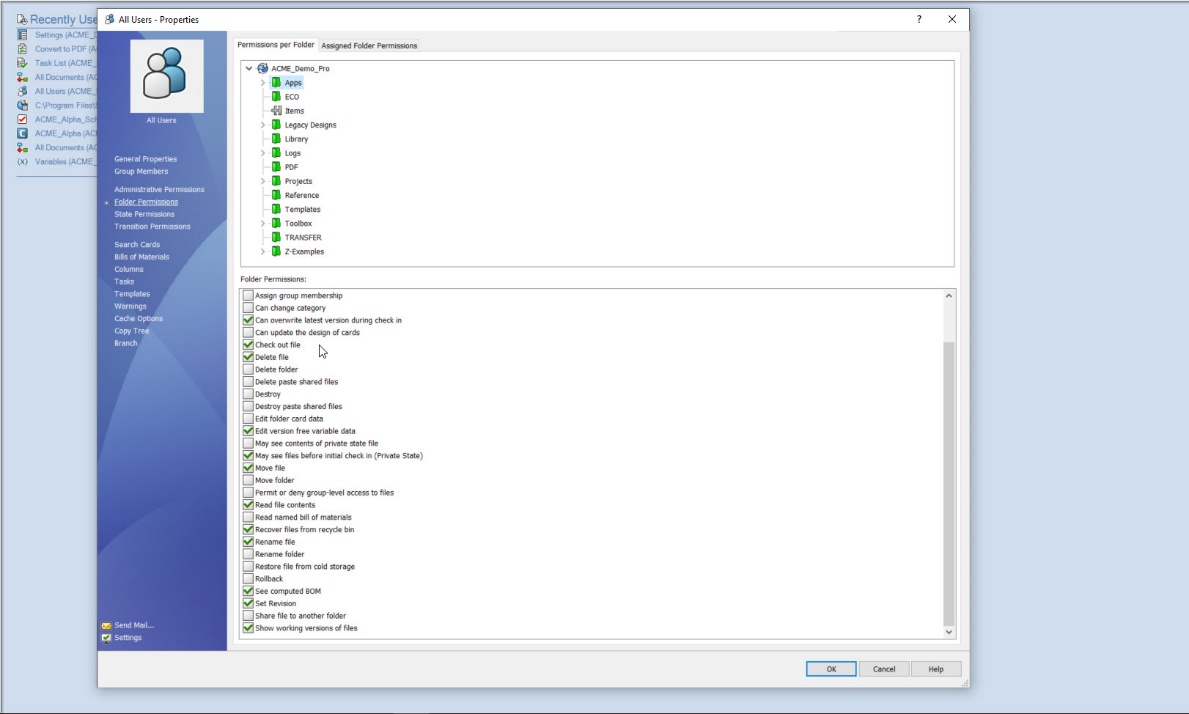
    Making Sense of Collaborative Spaces in 3DEXPERIENCE

    If you’re new to the 3DEXPERIENCE platform, you’ve probably run into questions about Collaborative Spaces such as how they work, how visible they are, and who gets access. You’re not alone! At first glance, visibility settings and permissions can feel a little tricky, but once you understand the basics, managing Collaborative Spaces becomes much simpler. Let’s break it down together.

    What Exactly Is a Collaborative Space?

    Think of a Collaborative Space as a secure vault for your data. It’s not just where files live. It’s also how you control who sees what, and who can do what, with your designs.

    Every new platform starts with one by default: the Common Space. This is often used for templates or standard component libraries. Administrators can open it up or lock it down depending on the needs of the team.

    3DEXPERIENCE Collaborative Spaces - Manage Settings

    Pro tip: You’ll likely create additional spaces as your projects grow, but resist the urge to treat them like folders. Collaborative Spaces are not meant for organizing data. They’re meant for controlling access and visibility.

    For many companies, just two spaces (Common Space and Design Space) are enough. If you’re working across multiple divisions or sharing with external partners, you might need more.

    Visibility: Who Sees What?

    When creating a Collaborative Space, one of the first choices you’ll make is its visibility setting. Don’t worry, you can always adjust it later.

    Collaborative Spaces in 3DEXPERIENCE - Visibility

    Here’s the quick rundown:

    • Private – Only members you invite can access the data. Perfect for sensitive projects or limited teams.

    • Protected – Data starts private, but once it’s released or obsolete, it becomes visible beyond the team. Great for controlling design maturity while keeping transparency later on.

    • Public – Everyone, inside and outside your organization, can see the data. Best for shared standards and libraries.

    Collaborative Spaces in 3DEXPERIENCE - Table

    Important: If you switch a space to Public, everything inside it becomes public too. Combine visibility with maturity states to get the right balance of security and openness.

    Permissions: Defining Roles in a Space

    Once your Collaborative Space is ready, it’s time to decide who gets to do what. This is managed through permission levels, and each role builds on the one before it.

    Here’s the spectrum, from least to most control:

    • Public Reader – Can only view shared data. A good role for contractors or suppliers (not depicted).

    • Reader – Can view data in public spaces and any private spaces they’re invited to (not depicted).

    • Contributor – Can add objects that complement data (comments, discussions), but can’t change core files.

    • Author – Can create and modify designs, but not release them.

    • Leader – Full control of content: can change maturity states, manage templates, and guide the team.

    • Owner – Administrative power. Can manage members, set permissions, and configure the space itself.

    To check or adjust permissions, just open the 3DSpace app, select your Collaborative Space, and review the Members tab.

    Collaborative Spaces in 3DEXPERIENCE - Members tab

    Collaborative Spaces in 3DEXPERIENCE - Add Members

    Bringing It All Together

    Collaborative Spaces are at the heart of data management in 3DEXPERIENCE. By combining the right visibility settings with clear permission roles, you can keep your projects secure, your teams aligned, and your workflows smooth.

    At Solidxperts, we know that these details can make the difference between confusion and confidence. If you’re ready to explore more, check out our other tips and tutorials or reach out to our team directly. We’re here to help you unlock the full potential of 3DEXPERIENCE.


    Michael Habrich

    3DEXPERIENCE Specialist

    X_green_halo

    Any questions? Need help? Ask one of our experts.

    Whether you’re ready to get started or just have a few more questions, you can contact us toll-free:

      Food Safe 3D Printer Filament: How Certified Materials Are Changing the Food Industry

      BLOG

      Food Safe 3D Printer Filament: How Certified Materials Are Changing the Food Industry

      3D printing has already transformed industries like aerospace, automotive, and healthcare with rapid prototyping and on-demand production. But in the food and beverage industry, adoption has been much slower. Why? One key reason: the lack of certified food safe 3D printer filament.

      That’s now changing. With new compliant materials available, manufacturers can finally use additive manufacturing to create safe, durable, and customizable parts for production environments without compromising food safety standards.

      Why Food Safe 3D Printing Materials Are Critical

      For food and beverage manufacturers, the real challenge isn’t just speed. It’s staying compliant while keeping production moving. Every component used on the line, from conveyor guides to packaging tools, is subject to strict hygiene standards. A non-certified material can introduce risks like contamination, regulatory fines, or costly recalls.

      This is where food safe 3D printer filament becomes a game-changer. By using certified materials, teams can create replacement parts and custom tooling quickly without sacrificing compliance. Instead of waiting weeks for machined plastics or stainless steel components, manufacturers gain the flexibility of in-house printing while still meeting food-contact regulations. The result is less downtime, lower costs, and peace of mind that safety standards aren’t being compromised.

      Where Food Safe 3D Filament Fits in Manufacturing

      To understand how food safe 3D printer filament fits into the manufacturing process, it’s helpful to use the industry-standard “zone” concept:

      Food safe 3D printer filament isn’t just about meeting regulations. It’s about keeping operations running smoothly across the entire production workflow. The biggest opportunities show up in three critical areas:

      • Upstream operations: Custom funnels, chutes, and forming tools help direct ingredients without risk of contamination.

      • In-line equipment: Conveyor guides, pushers, and diverters can be printed in-house to reduce downtime and adapt quickly to new product runs.

      • Downstream packaging: Non-marring brackets, clamps, and supports ensure products are packaged safely while minimizing damage and waste.

      By viewing food safe filament through the lens of workflow impact, manufacturers can pinpoint where certified materials will have the greatest effect, reducing delays, cutting costs, and ensuring compliance at every stage of production.

      Another way to think about it comes from Markforged’s blog on food safe 3D printing. They highlight that it isn’t just about where the part is used, but also about how it performs under factory conditions, resisting heat, moisture, and repeated sanitation cycles. In other words, compliance is only the first step; durability and cleanability are just as important when evaluating materials for food-contact environments.

      Food safe filament is most transformative in Zones 1 and 2. In these areas, compliance with certifications like NSF/ANSI Standard 51 and FDA CFR Title 21 is often a requirement, not a recommendation.

      Buyer’s Guide: What to Look for in a Certified Food Safe Filament

      Choosing the right material isn’t just about grabbing the first “FDA approved” filament you find. There are key considerations every manufacturer should keep in mind:

      • Check the actual certification: Not all “food safe” claims are equal. Look for NSF/ANSI 51, FDA CFR Title 21, or EC 1935/2004 compliance.

      • Understand limitations: Some filaments are certified for certain food types only (for example, excluding alcohol contact).

      • Consider surface finish: Even certified materials can fail audits if the printed part has a rough surface that traps contaminants.

      • Think long-term durability: The filament should withstand repeated washdowns, high humidity, and daily wear.

      • Match material to your workflow: Does your team have post-processing capabilities like sanding or vapor smoothing? If not, pick a filament that prints with naturally smoother finishes.

      A smart buying decision combines compliance with practicality. The “best” food safe filament is one that not only meets regulations but also fits seamlessly into your team’s printing, cleaning, and production processes.

      How Manufacturers Apply Food Safe 3D Printer Filament

      With the right material, food manufacturers can confidently print parts such as:

      • Conveyor pushers, diverters, and guides

      • Funnels and chutes for packaged goods

      • Robotic end-of-arm tooling

      • Non-marring clamps, brackets, and supports

      The value lies in customization. Teams can design parts for unique product lines, adjust them on the fly, and replace them in-house without long lead times.

      Choosing and Comparing Food Safe 3D Printing Materials

      Material

      Food-Safe Certified?

      Pros

      Cons

      PLA

      Sometimes

      Easy to print, biodegradable

      Weak and heat-sensitive

      PETG

      Often (FDA grades)

      Good chemical resistance, stronger than PLA

      Needs post-processing

      Standard Nylon

      Rarely

      Strong and durable

      Usually not certified

      Nylon White FS

      Yes

      Certified, smooth, durable, industrial-grade

      Not approved for alcohol contact

      Source: Adapted from Markforged’s blog on food safe 3D printer filament 

      Among these, Nylon White FS stands out as one of the only industrial-grade certified food safe filaments suitable for factory conditions.

      Best Practices for Food-Ready 3D Printed Parts

      To make sure 3D printed parts are truly food ready, manufacturers need to go beyond just choosing a certified food safe 3D printer filament. Design plays a major role in compliance: parts should feature smooth, sloped surfaces that are easy to clean, while avoiding tight crevices where food particles can collect. Post-processing steps such as sanding or vapor smoothing further reduce surface roughness and improve cleanability. It’s also best practice to dedicate specific printers, nozzles, and build surfaces exclusively for food-contact parts to prevent cross-contamination. Finally, every part must be integrated into validated cleaning and sanitation workflows, ensuring consistent performance in demanding food and beverage environments.

      Conclusion: The Strategic Advantage of Food Safe 3D Printing

      Food and beverage manufacturers have always faced a difficult balance: strict compliance on one hand, and the need for speed and flexibility on the other. Traditional materials like stainless steel or machined plastics ensured safety, but they slowed innovation and raised costs.

      Certified food safe 3D printer filament offers a way forward. It allows teams to reduce downtime with rapid part replacement, keep costs under control by printing in-house, and adapt quickly to new product launches without compromising hygiene.

      More importantly, it shifts additive manufacturing from being a prototyping tool to becoming a trusted part of regulated production environments. This means greater agility, faster problem-solving, and the confidence that every printed part aligns with food-contact safety standards.

      In short, food safe filament is more than just a material. It’s a competitive edge for manufacturers ready to modernize their operations and lead the future of food production.

      Ready to see how certified food safe 3D printing materials could transform your production line? Start exploring your options today by contacting our experts.

      X_green_halo

      Any questions? Need help? Ask one of our experts.

      Whether you’re ready to get started or just have a few more questions, you can contact us toll-free:

        SOLIDWORKS and SWOOD: The ideal duo for carpentry design and wood manufacturing optimization

        BLOG

        SOLIDWORKS and SWOOD: The ideal duo for carpentry design and wood manufacturing optimization

        SOLIDWORKS is the gold standard for 3D CAD. Yet, when used in many industries, including mechanical engineering and product design. However, as a timber design software, it has certain limitations in terms of 3D timber modelling and timber production optimisation. As a result, when it comes to wood design and manufacturing, these limitations can make the process less efficient and more error prone. Therefore, to address this challenge, this is where SWOOD, a supplement specially designed for cabinetry, carpentry, interior design, and even the current trend VanLife! comes into play. This solution brings features specific to the wood trade that perfectly complement SOLIDWORKS, facilitating the transition from design to production.

        In this article, we’ll explore in detail why SWOOD is a strategic choice for optimizing your wood designs in SOLIDWORKS, highlighting its benefits, features, and impact on the productivity and profitability of companies in the industry.

        SOLIDWORKS: A Powerful but Generalist Foundation

        SOLIDWORKS is widely recognized for its flexibility in mechanical and industrial design. Key strengths include:

        • An intuitive, parametric 3D environment facilitating the design of complex parts and assemblies

        • Moreover, extensive integration with analysis and simulation tools (material strength, airflow, kinematics, etc.)

        • In addition, advanced management of assemblies and drawings for production

        • Finally, a rich ecosystem of plugins and third-party solutions to extend its capabilities according to the user’s needs

        However, SOLIDWORKS remains a general-purpose software. In the context of wood design, several limitations are felt:

        • Firstly, lack of native management of panels and wood-based materials (MDF, laminate, plywood, etc.)

        • Secondly, complexity of creating specific connections (grooves, mortise and tenons, lamellos, etc.)

        • Another limitation is the lack of bookcases suitable for hardware components commonly used in layout and millwork

        • Finally, the need to develop macros or scripts to automate certain recurring tasks. Consequently, it is in this context that SWOOD brings considerable added value.

        SWOOD: Ideal complement for wood design

        SWOOD is a set of modules developed specifically for the wood sector, offering a complete solution tailored to the needs of carpenters and furniture manufacturers. Unlike other generalist software, SWOOD stands out for its dedicated approach, integrating a wood CAD plugin that automates the design and assembly of panels, hardware and specific machining. Through woodworking automation, SWOOD helps significantly reduce errors, optimize material usage, and speed up the transition from design to manufacturing, making the process smoother, more cost-effective, and designed to integrate seamlessly with SOLIDWORKS. In other words, it offers dedicated tools that simplify the design and production of wooden furniture, fixtures and structures.

        The main modules of SWOOD

        SWOOD Design

        • Advanced panel management, with automated creation of cutouts and assemblies

        • Smart libraries of hardware and standard elements (hinges, slides, fasteners, etc.)

        • Generation of detailed bills of materials to optimize purchasing and production

        • Automation of wood assemblies and constraints

        SWOOD CAM

        • Machining module for generating CNC programs adapted to machines in the woodworking sector

        • Automatic recognition of drilling and machining

        • Machining simulation to detect possible errors before production

        • Support for 3, 4 and 5 axis machines

        SWOOD Nesting

        • Optimization of the placement of parts on the panels to limit falls and reduce costs

        • Advanced management of formats and machining priorities

        • Management of facades and grouping of items by blank slabs

        SWOOD Center

        • Product configurator for the wood industry

        • SWOOD Center is an advanced solution for configuring tailor-made products in the world of wood and fittings. Integrated with SOLIDWORKS, this configurator optimizes process design, production, and automation.

        Why choose SWOOD Center?

        • Advanced customization

        • Parametric configuration of furniture and layouts

        • Managing product variants and options

        • Dynamic visualization of changes

        • Workflow automation

        • Automatic generation of production files (drawings, bills of materials, CNC programs)

        • Integration with SWOOD Design and SWOOD CAM

        • Material optimization and error reduction

        • Time saving and efficiency

        • Reduced design time

        • Simplifying processes for technical and business teams

        • Improved responsiveness to customer requests

        • An ideal solution for manufacturers and fitters

        Thanks to SWOOD Center, wood professionals can standardize their designs while offering tailor-made solutions to their customers. This configurator is particularly suitable for carpenters, fitters, kitchen designers and furniture manufacturers who want to modernize their design and manufacturing process.

        By integrating SWOOD Center into your workflow, you can accelerate your product time-to-market while ensuring a reliable and accurate design.

        The Benefits of an Integrated SOLIDWORKS + SWOOD Solution

        By combining both solutions, using SOLIDWORKS and SWOOD together provides many benefits, including:

        • Time saving: Automation of repetitive tasks such as inserting fasteners, managing panels and exporting files for production

        • Reduction of errors: Consideration of the specificities of the wood from the design stage, thus limiting corrections during the manufacturing phase

        • Full shop floor compatibility: Ability to generate CNC files that can be used directly by machine tools

        • Cost optimization: Less scrap, better management of raw materials and reduction of production times

        • Improved collaboration: Easier integration with other departments in the company, including production and purchasing teams

        Altogether, these advantages allow manufacturers to gain in competitiveness while guaranteeing optimal quality to their customers.

        With SWOOD, companies can streamline their design processes, reduce human error, and maximize shop floor efficiency. As a result, manufacturers can confidently move from design to production.

        SWOOD Testimonial: Reviews and Case Studies

        For instance, many carpentry and layout companies have successfully adopted SWOOD. Here is a concrete example:

        A concrete example is Groupe Beaubois which faced the challenge of improving the efficiency of its project and streamlining its operations. To achieve this, he needed to embrace technological advancements and integrate automation and robotization into his factory. However, he quickly realized that his design software played a vital role in facilitating the flow of information on his equipment. That’s when he discovered the SWOOD solution, which was specially designed for the wood industry.

        Text: Groupe Beaubois boosts efficiency and growth thanks to SWOOD

        Return on investment and development prospects

        From a business perspective, investing in SWOOD represents an initial cost that is quickly amortized thanks to productivity gains. Here are a few things to consider:

        • Learning time: Quick training is often enough to master the basics of the software

        • Material savings: Better cutting management and reduced errors

        • Valuation of internal skills: Designers gain autonomy and efficiency

        In the future, the integration of SWOOD with technologies like artificial intelligence and 3D printing could further improve the performance of the industry.

        From Design to Production Without Limits

        In conclusion, if your processes are disconnected and your work seems to be in silos! Whether you’re switching from one solution to another to get your production up and running, the SOLIDWORKS + SWOOD combination is a powerful, comprehensive solution that’s perfect for you. It helps optimize design, improve accuracy, and increase efficiency, while reducing costs and errors. By integrating SWOOD into your workflow, you ensure better control of your production and increased competitiveness in the market.

        Therefore, if you’d like to learn more about SWOOD and its integration with SOLIDWORKS, request a demo of SWOOD for wood design today and learn how to optimize your woodworking and layout projects! Contact us or request a demo today!


        Alain

        Alain Provost

        Senior Technical Sales Executive

        X_green_halo

        Any questions? Need help? Ask one of our experts.

        Whether you’re ready to get started or just have a few more questions, you can contact us toll-free:

          SolidSteel DSTV Module for SOLIDWORKS

          BLOG

          SolidSteel DSTV Module for SOLIDWORKS

          The structural steel industry is undergoing a rapid transformation, driven by software innovations that simplify the work of engineers, designers, and manufacturers. One of the key drivers of this transformation is the automation of fabrication through standardized file formats, chief among them the DSTV format (Deutscher Stahlbau-Verband), which has become a standard in the industry.

          The DSTV module of SolidSteel, integrated within the SOLIDWORKS environment, enables the automatic generation of DSTV files directly from 3D models. This process streamlines the fabrication of steel components, improves precision, reduces human error, and shortens production timelines. Provided by Solidxperts with personalized training and support, this solution becomes a strategic asset for any company involved in designing and fabricating steel structures.

          In this blog post, we’ll explore the added value of the SolidSteel DSTV module, its seamless integration with SOLIDWORKS and other platforms, and the training and consulting services offered by Solidxperts, your trusted partner in digital transformation.

          1. What Is the DSTV Format and Why Is It Essential?

          The DSTV format (.nc) was developed by the German Steel Construction Association to enable machine tools, particularly CNC machines, to directly read fabrication data for steel parts. It is a text-based file containing all machining instructions: drilling, cutting, beveling, notching, etc.

          Why is DSTV crucial in modern steel fabrication?

          • Standardization: It’s globally recognized and compatible with most CNC equipment.

          • Precision: Eliminates manual conversion or transcription errors.

          • Time Savings: Generates production-ready files directly from 3D models.

          • Traceability: Facilitates better process management and quality control.

          This is where SolidSteel’s DSTV module comes in, unlocking the full power of the DSTV format within the world’s most widely used 3D CAD environment, SOLIDWORKS.

          2. Added Value of the SolidSteel DSTV Module

          SolidSteel is a powerful parametric modeling solution for steel structures, fully embedded in SOLIDWORKS. Its DSTV module offers a seamless bridge from design to manufacturing.

          Key benefits include:

          a. Automated Fabrication Workflow

          The module automatically generates (.nc) files for every profiled part, complete with cutting, drilling, and marking data. Eliminating the need for manual exports or third-party converters.

          b. Increased Accuracy

          By using the 3D model as the single source of truth for production data, the risk of errors is greatly minimized. Every detail is derived from the master model, ensuring perfect alignment between design and production.

          c. Time and Cost Efficiency

          Reducing manual tasks and interpretation errors saves valuable time per project, minimizes on-site modifications, and cuts down on costly rework.

          d. Compatibility with Various CNC Machines

          The DSTV files generated by SolidSteel work with nearly all CNC machines in steel fabrication, including Peddinghaus, Ficep, Voortman, Kaltenbach, and others.

          e. Smooth Workflow Integration

          Users can generate DSTV files without ever leaving the SOLIDWORKS interface, making it easy for designers unfamiliar with CNC programming to contribute to production seamlessly.

          3. Integration with SolidSteel DSVT Module and Other Software

          The SolidSteel DSTV module operates natively within SOLIDWORKS, offering a smooth experience for engineers and designers. Here’s how it integrates and connects with other tools:

          a. SOLIDWORKS: A Robust Foundation

          SolidSteel is fully embedded into SOLIDWORKS, leveraging its familiar interface, parametric modeling tools, and design engine. Key features include:

          • A consistent and intuitive user interface

          • Direct use of dimensioning and drawing tools

          • Support for international profile standards (DIN, ASTM, etc.)

          • Full compatibility with assemblies, configurations, and BOMs

          b. Direct DSTV File Generation from SOLIDWORKS

          DSTV files can be automatically created for each steel profile directly from the 3D model. Users can adjust export settings, including naming conventions, tolerances, and drilling formats.

          c. Interoperability with Other Software

          Although optimized for SOLIDWORKS, the exported DSTV files are universal. Companies can integrate them into ERP, MES, simulation, or external CNC programming tools. They also work with BIM platforms, supporting cross-disciplinary collaboration (concrete, electrical, MEP, etc.).

          d. Customization and Extensions

          The DSTV module can be enhanced with additional tools such as:

          • ERP/MRP Integration: Sync with production planning systems

          • PDM Compatibility: Version control and file management

          • Structural Analysis Add-ons: Connect with tools like RSTAB or Autodesk Robot for material strength calculations

          4. Training and Support by Solidxperts

          Adopting such a high-performance solution requires tailored training and strategic guidance. This is where Solidxperts stands out.

          a. Customized Training Programs

          Solidxperts offers training that’s adapted to your industry (structural steel, industrial, infrastructure, etc.) and your team’s level of expertise in SOLIDWORKS. Training covers:

          • Getting started with SolidSteel

          • Using the DSTV module

          • Setting up CNC-specific export parameters

          • Best practices to ensure design-to-fabrication consistency

          Training sessions are available on-site, online, or in-person.

          b. Dedicated Technical Support

          Solidxperts’ team includes certified trainers and experienced application engineers who provide responsive technical support and guidance on advanced features.

          c. Webinars and Learning Resources

          Beyond traditional training, Solidxperts regularly offers webinars, video tutorials, technical articles, and Q&A sessions to help your team stay current and deepen their expertise.

          d. Implementation and Strategic Consulting

          Solidxperts also helps companies integrate the DSTV module strategically into their workflow, including:

          • Analyzing current processes

          • Configuring software to meet specific needs

          • Creating customized templates and part libraries

          • Integrating with workshop CNC machines

          What Could SolidSteel DSTV Unlock for Your Projects?

          The SolidSteel DSTV module is far more than a CNC file generator. It’s a strategic tool that connects digital design with real-world production efficiently and accurately. Integrated into SOLIDWORKS, it empowers engineers to streamline their workflows, reduce errors, and meet modern project demands in steel construction.

          With Solidxperts’ expertise and support, companies can quickly deploy this solution, train their teams, and digitally transform their production lines, staying competitive in a rapidly evolving market.

          Want to learn more or schedule a live demo? Contact Solidxperts today and discover how the SolidSteel DSTV module can revolutionize the way you design and fabricate steel structures.

          X_green_halo

          Any questions? Need help? Ask one of our experts.

          Whether you’re ready to get started or just have a few more questions, you can contact us toll-free:

            SolidSteel for SOLIDWORKS: The Ultimate Add-On for Steel Design

            BLOG

            SolidSteel for SOLIDWORKS: The Ultimate Add-On for Steel Design

            In the field of industrial design and steel construction, efficiency, precision, and seamless integration of design tools are key success factors. Industry professionals face technical, economic, and time-related challenges that require high-performance software solutions. SolidSteel for SOLIDWORKS stands out as a parametric 3D modeling solution dedicated to steel construction within SOLIDWORKS. This innovative tool allows engineers and designers to save valuable time while meeting industry standards and optimizing the design process from initial sketches to fabrication.

            Target Market for SolidSteel for SOLIDWORKS

            SolidSteel for SOLIDWORKS is primarily aimed at engineering firms, civil engineers, steel fabricators, manufacturers of steel structures, and any company specializing in steel construction. It is especially useful for businesses that work on complex structural projects such as industrial walkways, frames, or structures for specialized machinery. Its deep integration with SOLIDWORKS makes it a natural choice for users already familiar with this widely adopted CAD platform in the industrial sector.

            This product is also ideal for manufacturing companies equipped with CNC production workshops, as data export in the DSTV format facilitates the transition from digital design to physical fabrication. The target market is therefore broad, ranging from SMEs to large international companies in construction, energy, transportation, or heavy manufacturing industries.

            Added Value and Problems Solved with SolidSteel

            While designing steel structures in SOLIDWORKS is possible, it can quickly become tedious and time-consuming using only standard tools. SolidSteel for SOLIDWORKS fills this gap by providing features specifically tailored to steel construction:

            • Automatic generation of standard profiles according to DIN, EN, ASTM, and other norms

            • Automated connections (welds, bolts, base plates, etc.)

            • Calculation and management of cuts, notches, and complex angles

            • Fast creation of fabrication drawings and part lists

            • Integration of manufacturing and assembly constraints at the design stage

            • Libraries of standard components to save time on repetitive projects

            • Generation of complex assemblies with interference management

            Thanks to these features, SolidSteel for SOLIDWORKS eliminates human errors, shortens design timelines, and improves the overall quality of metal structure projects. It also enables companies to be more competitive by allowing them to respond quickly to tenders with accurate designs, automated quotes, and realistic planning.

            Seamless Integration into SOLIDWORKS

            One of the major strengths of SolidSteel for SOLIDWORKS is its native integration within the SOLIDWORKS interface. Unlike external software solutions, SolidSteel functions as a natural extension of the engineer’s daily work environment. Users benefit from a consistent ergonomic experience without needing to learn new software or change their existing workflow.

            With bidirectional integration with other SOLIDWORKS modules, users can combine SolidSteel for SOLIDWORKS with structural simulation (SOLIDWORKS Simulation), stress analysis, or technical documentation generation (SOLIDWORKS Composer), thus enhancing efficiency and precision throughout the entire process.

            This integration also allows users to leverage all the powerful features of SOLIDWORKS (assemblies, configurations, drawings, simulation, etc.) while adding specialized tools for steel design. This synergy ensures a smooth workflow from design to production.

            Competitive Advantages of SolidSteel

            SolidSteel for SOLIDWORKS offers several advantages that set it apart from the competition:

            • Intuitive interface tailored to SOLIDWORKS users

            • Advanced customization of connection templates

            • Fast modeling with intelligent placement tools

            • Compatibility with international standards

            • Automated documentation and traceability features

            • Scalable solution based on client needs

            These benefits help companies standardize their design processes while maintaining the flexibility needed to meet specific project requirements. SolidSteel for SOLIDWORKS is therefore a strategic tool for digital transformation in the steel industry.

            Training Offered by Solidxperts on SolidSteel for SOLIDWORKS

            To help professionals get the most out of SolidSteel for SOLIDWORKS, Solidxperts—an expert SOLIDWORKS solutions partner—offers a comprehensive range of training programs tailored to various needs. These training sessions cover the different SolidSteel modules:

            • SolidSteel Parametric for accurate and parametric 3D design of complex steel structures

            • SolidSteel Frame for rapid creation of steel frames and structures

            • SolidSteel Manufacturing for fabrication preparation, including production drawings and assembly management

            Training includes:

            • Hands-on sessions with each module in the SOLIDWORKS environment

            • Best practices for modeling steel structures

            • Creation of smart and customizable connections

            • Automatic generation of drawings and BOMs

            • Production process optimization

            • Export to DSTV format for automated machining of profiles in the workshop (crucial for interoperability with CNC production lines in the steel construction industry)

            • Automation of technical documentation and bill of materials

            Solidxperts offers flexible training formats: online, in-person, onsite at the client’s location, or at their own facilities. In addition, personalized post-training support is provided to ensure proper integration of SolidSteel for SOLIDWORKS into the team’s daily operations. Advanced workshops can also be arranged on topics such as connection optimization, BIM export, or project revision management.

            Use Cases and Customer Feedback on SolidSteel for SOLIDWORKS

            Several companies that have adopted SolidSteel for SOLIDWORKS report significant gains in productivity and quality. For example, a steel construction firm reduced its complex structure design time by 40% thanks to automatic connection and drawing generation. Another company integrated DSTV files directly into its CNC machines, eliminating intermediate reprogramming steps.

            These success stories highlight the tangible impact SolidSteel for SOLIDWORKS has on project profitability. It’s not just a design assistant. It’s a true catalyst for efficiency and innovation.

            The Future of Steel Design with SolidSteel for SOLIDWORKS

            SolidSteel for SOLIDWORKS is much more than just a plugin: it’s a comprehensive solution that transforms how steel structures are designed, documented, and manufactured. With its seamless integration, powerful tools, and specialized training offered by Solidxperts, professionals gain a strategic edge in both efficiency and quality.

            By combining technical performance, industry compatibility, and human support, SolidSteel for SOLIDWORKS empowers companies of all sizes to advance their digital transformation. For any business looking to streamline steel design while relying on the reliability of SOLIDWORKS, SolidSteel is the obvious choice.

            Whether you’re an engineer, drafter, project manager, or workshop supervisor, SolidSteel for SOLIDWORKS helps you tackle the challenges of modern steel construction with precision, speed, and confidence.

            Ready to take your steel design process to the next level? Contact Solidxperts today to learn how SolidSteel for SOLIDWORKS can transform your projects.

            X_green_halo

            Any questions? Need help? Ask one of our experts.

            Whether you’re ready to get started or just have a few more questions, you can contact us toll-free:

              What’s New in SWOOD 2025?

              BLOG

              What’s New in SWOOD 2025?

              We are pleased to announce the upcoming arrival of the updated version of SWOOD 2025 solutions, eagerly awaited by professionals working with wood, both in cabinets, architectural cabinetry, and any type of layout. In fact, the new SOLIDWORKS, SWOOD innovations are attracting lots of interest.

              Moreover, the updated version, which will be available soon, includes several notable improvements to the SWOOD software suite. Here is a summary of the main advances, structured around the three pillars of the new SWOOD 2025 products.

              This is an overview of what’s new. Contact us for more details, as each new feature can have several aspects.

              The 3 Pillars of SWOOD 2025

              • Design
              • Manufacturing
              • Automation

              Pillar 1: Design

              Panel Cutting Improvements SWOOD 2025Panel Cutting Improvements

              Panel cutting was introduced with SWOOD 2024 and has undergone some improvements this year. For example, improvements around the user experience by adding for example a help button, it is now possible to pin the function and therefore to chain the different cuts. Finally, the highlighting of interference has been added.


              Edge Banding Length Feature

              From the Edge Library or, from the Edge function, in the Design Tree, you will have the choice to set an over-field length. This overlength is going to be mostly used in the report or the total length in the report. As a result, you will have a reliable estimate.

              Easy Customization of SWOODBox

              Thanks to the library installer you have access to links too! For example, hinges, inserting default settings allows you to quickly create SWOODBox! Therefore, you can save them to your SWOODBox library and quickly reuse them.

              Improved User Experience

              Right-clicking allows you to collapse folder contents, reducing the number of clicks and making navigation faster and more intuitive. This also eliminates the need for endless scrolling when searching for the right folder.

              Additionally, to further streamline navigation and enhance your overall experience, you can also make use of filters.

              Performance Improvements

              Significant enhancements have been made across multiple areas. PDM now handles copy operations more efficiently, while deletion states in SWOODBox have been optimized for smoother workflows. Texture and appearance management has also been improved, ensuring greater consistency. Finally, reporting has been streamlined for faster, more reliable results.

              Order Manager Improvements

              Similarly, the order managers, so SWOOD design and SWOOD Cam. What was done was to bring the SWOOD design and SWOOD Cam tools directly into these managers. This makes them more manageable and can even be reset to default if needed.

              Library Installer in SWOOD 2025Library Installer Updates

              The next Library installer that will arrive so there are about new features once a month, an update once every 2 weeks with new hardware and new elements. Furthermore, speaking of new elements, well, let’s move on to the SWOOD 2025 improvements.

              Liaisons were something that was missing. And now? Well, we will have the possibility to download links from the free installer.

              In addition, another new feature is that the elements that you are going to download are going to be blocked, but if you want to modify them, you will just need to duplicate them, copy them and then you can modify them according to your needs.

              Panel Manager Enhancements

              In particular, the panel manager is a tool developed a little over five years ago, with a first version released in 2020. Its main purpose is to add SWOOD data to existing CAD files, whether they are models designed only with SOLIDWORKS (especially before the introduction of SWOOD), multibody parts exported to assemblies or files imported in STEP format. The workflows and features of this tool have been fine-tuned to allow the manufacture of models that were not originally created with SWOOD.

              New Conditional Filter Tool in SWOOD 2025!

              These conditional filters will be found a little bit everywhere in the software. This will simply allow us to start from a list. Well, to set of, variables, parameters to filter a list.

              Most importantly, the advantage is that these filters are intelligent so that they can be found in a library of materials or fields, for example.

              Pillar 2: Manufacturing

              CAM Copy Tool

              Its accessibility has been simplified. We will find it directly from the Command manager so we will have easy access to it.

              We will find 2 modes, the mode, the first mode is the copy mode or from the source strategy, we will be able to take this strategy, define either an assembly, a part or even a folder! to stick this strategy to the selections.

              On the other hand, the second mode will allow us to duplicate from a nesting file to be able to duplicate them to a new post processor and so, for example, if we have several CNCs and Well, we will be able to duplicate all these elements, all these nesting sheets to a new machine.

              Input and Output Machining Speed

              The management of machining inputs and outputs will define how the tool will enter the material, we will be able to define a specific speed to avoid splinters and have a better rendering, for example. These are often parameters that are not necessarily available, so here we will have the possibility to do it directly with SWOOD cam and encode it on the machine.

              3D Finishing Enhancements

              In concrete terms, this is how it works: on this part, a new 3D finish is defined by selecting the relevant surfaces. Then, all the necessary options are chosen, for example by specifying that the tool should be positioned horizontally and then adjusting the appropriate angle. It is not possible in some cases to access certain areas. However, with the new undercut option, it becomes possible to treat these parts, along with a release option to ensure the safety of tool outlets. Simulation of the toolpath allows you to visualize these steps, and this feature opens up more possibilities for the manufacture of complex parts.

              Nesting Improvements with the Auto Flip Detection

              From a 3D file, SWOOD automatically detects parts that require flipping. Users can change this list if needed. When recalculating based on set parameters such as offset, flip direction, or reference corner, SWOOD finds which sheets have parts requiring reversal. This reduces unnecessary flips by grouping compatible parts on the same sheet.

              SWOOD 2025 introduces the new Nesting from CSV

              Let’s continue with the nesting feature that allows you to import data from a CSV file. Remember that the system report offers the possibility of exporting lists in CSV format. By simply specifying the file path and the desired quantity for one or more projects, we can export this CSV and then import it into the nesting module; it is possible to work with one or more CSV files. This flow automatically redefines the sources and their quantities, whether it’s an assembly or a part. A simple recalculation then allows the best nesting result to be obtained quickly. As a result, the transition from design to manufacturing is just a few clicks away, easing more correct production management without the need to manually search for the right files.

              5 New Tilting Types in SWOOD 2025New Tilt Types in SWOOD 2025!

              Five additional tilt angle configurations are now supported for more refined tool orientation control during 3D operations.

              Pillar 3: Automation

              General System Report Enhancements

              • Data Export: Data export has been improved with SWR format stabilization, a standalone viewer, and lighter data files that can now be created in just milliseconds. In addition, cutting patterns and board estimations have been refined for greater accuracy.
              • System Report: The new standard data export allows you to export all project data with multiple levels of detail (parts, panels, materials, hardware, programs, etc.). A project report history is also available for easy tracking.
              • Customize Data Views: You can now hide or show data levels, filter data views, display columns, export table views to CSV, and choose your preferred print layouts and much more.
              • Customize Views: Enhanced customization options make navigation easier: you can open documents directly from folder access, group data by variables, and add a calculation line (sum, count, average, min, max, etc.). In addition, you can now save your settings by creating profiles.

              New SWOOD 2025 Data Sharing Method

              This updated version offers a multitude of features, mainly focused on data sharing and collaboration within the company. It offers precise access management, whether online or offline.

              About automation, significant improvements have been made to the system report. It is now possible to easily share all data and documents, without having to install more software, simply via a link accessible to the entire organization.

              It’s Now Your Turn to Discover the Power of SWOOD 2025

              SWOOD 2025 represents a major leap forward in woodworking design, manufacturing, and automation. The new features and enhancements covered here are only a glimpse of what the latest version has to offer. Indeed, whether you are optimizing your workflows, improving accuracy, or streamlining collaboration, SWOOD 2025 provides powerful tools to help you achieve more.

              To fully explore how SWOOD 2025 can transform your projects, contact us today for personalized guidance and demonstrations.


              Alain

              Alain Provost

              Senior Technical Sales Executive

              X_green_halo

              Any questions? Need help? Ask one of our experts.

              Whether you’re ready to get started or just have a few more questions, you can contact us toll-free:

                The Role of CAD Softwares in the Manufacturing Chain

                BLOG

                The Role of SOLIDWORKS CAD Software for Manufacturing in the Digital Manufacturing Chain

                When we talk about digital transformation in manufacturing, we often picture smart factories, IoT, robotics, or even artificial intelligence. Yet, there’s a critical, and sometimes underestimated, stage that initiates this transformation: the digital design of products using CAD software for manufacturing. This is precisely where SOLIDWORKS comes in.

                Developed by Dassault Systèmes, SOLIDWORKS has long been a key player in the world of Computer-Aided Design (CAD). But today, its role extends well beyond drafting and modeling. As powerful CAD software for manufacturing, SOLIDWORKS sits at the core of the digital manufacturing chain, acting as a bridge between creativity and production, and integrating with data management, simulation, process automation, and enterprise systems.

                At Solidxpets, we help businesses implement these technologies across their operations. With the hands-on support of our experts, you can count on real-world guidance for deploying the full SOLIDWORKS portfolio.

                From 3D Modeling to the Shop Floor: A Seamless Transition with CAD Software for Manufacturing

                While 3D modeling is already a step toward digitization, it becomes far more powerful when integrated with the rest of the production workflow. That’s why a fully connected digital chain, from design to delivery, is so vital.

                With the 3DEXPERIENCE® Works platform, SOLIDWORKS becomes more than a design tool. It is a collaborative hub that connects departments, suppliers, customers, and even machines. As CAD software for manufacturing, it ensures your designs flow seamlessly into production.

                This connectivity leads to:

                • Shorter lead times

                • Improved decision traceability

                • Clearer interdepartmental communication

                • Enhanced agility

                Smart 3D Modeling and Integrated Simulation in CAD Software for Manufacturing

                SOLIDWORKS provides robust parametric 3D modeling tools, enabling precise control over parts, assemblies, and configurations. These models can be easily reused, modified, and scaled.

                The real game-changer is simulation. With SOLIDWORKS Simulation, a core component of CAD software for manufacturing, engineers can:

                • Test structural integrity under load

                • Predict deformation and failure

                • Analyze fluid dynamics and airflow

                • Evaluate thermal performance

                All of this happens before manufacturing begins, drastically reducing prototypes, costly rework, and delays.

                Connected, Flexible Manufacturing Tools Powered by CAD Software for Manufacturing

                The 3DEXPERIENCE® Works portfolio includes purpose-built tools for the factory floor:

                • Shop Floor Programmer: Allows CNC programmers to create and simulate 2.5- and 3-axis toolpaths, generate wire EDM operations, and detect potential collisions during production.

                • Robot Programmer: Enables fast and easy programming, simulation, and deployment of robotic routines without disrupting current production lines.

                • Factory Simulation Engineer: Simulates plant layouts and production flow using 2D, 3D, or point cloud environments, helping optimize floor space and logistics.

                Together, these tools form a closed-loop ecosystem between design and manufacturing, ensuring continuous feedback and real-time synchronization.

                Collaboration and File Management: A Strategic Necessity in CAD Software for Manufacturing

                In manufacturing, engineering data is a strategic asset. Managing this data becomes increasingly complex with more iterations, collaborators, and file versions.

                With SOLIDWORKS PDM and the 3DEXPERIENCE platform, both integral to modern CAD software for manufacturing, companies can:

                • Centralize all product data

                • Control revisions and user access

                • Collaborate securely via the cloud

                • Track every design change, comment, and approval

                This level of traceability is essential, especially in highly regulated industries like aerospace, medical devices, or defense.

                ERP Integration with CAD Software for Manufacturing: Real-Time Data Flow Across the Business

                Enterprise Resource Planning (ERP) systems are at the heart of business decision-making. Yet in many organizations, CAD remains disconnected from the main information system.

                Integrating SOLIDWORKS CAD software for manufacturing with ERP software like SAP, Oracle, or Microsoft Dynamics allows for:

                • Automatic transfer of Bill of Materials (BOMs)

                • Real-time work order generation

                • Cost estimation based on materials and machine time

                • Elimination of redundant data entry

                This creates a direct link between design and operations, boosting organizational responsiveness and reducing costly delays.

                At Solidxperts, we offer proven connectors and services for integrating SOLIDWORKS with leading ERP systems so your business runs smoother from day one.

                Cloud Solutions for Distributed Teams Using CAD Software for Manufacturing

                As remote and hybrid work models become standard, secure and flexible cloud access to CAD data is more critical than ever.

                The 3DEXPERIENCE platform provides centralized, cloud-based project spaces with:

                • Anytime, anywhere access to design files

                • Real-time collaboration

                • Browser-based viewing and markup

                • Built-in security and automatic backups

                For teams using CAD software for manufacturing, this means faster decision-making, improved communication, and a single source of truth for every stakeholder.

                Automating Business Processes with CAD Software for Manufacturing

                Beyond CAD, the 3DEXPERIENCE platform empowers users to digitize business workflows such as design validation, quality approvals, and production launches.

                With low-code and no-code tools, you can:

                • Build simple, intuitive apps for non-technical staff

                • Automate approval workflows

                • Eliminate repetitive manual tasks

                By embedding automation into CAD software for manufacturing, companies can save time, reduce errors, and accelerate product launches.

                People Matter: Training and Expert Support for CAD Software for Manufacturing

                A digital manufacturing chain is only as strong as the people behind it. Even the most powerful tools are ineffective without proper training and adoption.

                That’s why Solidxperts offers:

                • Certified training on SOLIDWORKS and 3DEXPERIENCE

                • In-depth audits to identify process improvement opportunities

                • Bilingual technical support based in North America

                • Pilot projects to support change management

                The best CAD software for manufacturing is only as good as its users, and the right training ensures you get maximum value from your investment.

                Conclusion: The Role of SOLIDWORKS CAD Software for Manufacturing in the Digital Manufacturing Chain

                SOLIDWORKS is far more than a design tool. It is a foundational element in the digital manufacturing chain, enabling companies to innovate, streamline production, and stay competitive in an evolving market. By connecting SOLIDWORKS CAD software for manufacturing with the 3DEXPERIENCE® Works platform, businesses gain access to simulation, cloud collaboration, manufacturing tools, and process automation, all within one agile, integrated ecosystem. This strategic integration empowers organizations to work smarter, adapt faster, and achieve long-term success in the era of Industry 4.0.

                At Solidxperts, we believe this transition must be strategic, personalized, and scalable. In other words, tailored to your company’s unique reality. Ready to take the next step? Contact our experts.


                Alain

                Alain Provost

                Senior Technical Sales Executive

                X_green_halo

                Any questions? Need help? Ask one of our experts.

                Whether you’re ready to get started or just have a few more questions, you can contact us toll-free:

                  Reverse Engineering with Artec 3D Scanners: Accuracy Meets Innovation

                  BLOG

                  Reverse Engineering with Artec 3D Scanners: Accuracy Meets Innovation

                  Quick Look

                  Reverse engineering with Artec 3D scanning technology is revolutionizing how industries replicate, analyze, and improve existing parts.

                  This blog explores the role of Artec 3D scanners in reverse engineering, highlighting their precision, ease of use, and impact across sectors like automotive, aerospace, manufacturing, and product design.

                  What Is Reverse Engineering?

                  Reverse engineering is the process of deconstructing a physical object to understand its design, structure, and functionality. Whether for quality control, reproduction, or innovation, this technique plays a vital role across many industries.

                  Traditionally, this process relied on manual measurement techniques, which were time-consuming and error-prone. Thanks to advanced 3D scanning technologies like Artec Leo and Artec Eva, reverse engineering is now faster, more precise, and more accessible than ever.

                  Real-World Use: Scanning a Vantage Bandsaw with Artec Leo

                  In a recent project, I used the Artec Leo 3D scanner to scan my Vantage bandsaw.

                  My goal was to ensure I had every critical dimension needed before modifying the table. It might have seemed overkill, but I wanted complete confidence that the new slots I was adding wouldn’t interfere with any mounting brackets underneath.

                  More importantly, I needed to control the location of my jigs to within 0.5 mm tight tolerances are essential for my process. By building jigs from a model that was 100% true to the real tool, I eliminated the guesswork.

                  The scan allowed me to design precise slots for quick tool changes and ensured everything fit on the first attempt. I then used Markforged desktop printers to bring those jigs to life.

                  The result: faster setup, fewer errors, and higher confidence in the final tooling.

                  What Makes Artec 3D Scanners Unique?

                  Artec 3D scanners stand out due to their exceptional accuracy, portability, and user-friendly interface. Devices like the Artec Leo and Artec Eva can capture high-resolution, full-color 3D models quickly, without requiring physical contact or markers.

                  The real-time scanning feedback and seamless integration with software such as Artec Studio make it easy to digitize objects of all sizes, from intricate mechanical parts to full vehicles.

                  Reverse Engineering Applications Across Industries

                  Artec scanners are used in various reverse engineering workflows.

                  In the automotive industry, engineers can scan legacy parts no longer in production and create CAD files for reproduction or redesign.

                  Aerospace companies use Artec for stress analysis and component modification.

                  In manufacturing, it enables faster prototyping and better fitment checks, while product designers leverage it to iterate and innovate efficiently.

                  From Scan to CAD: The Workflow

                  A typical reverse engineering workflow with Artec begins by scanning the object and processing the scan in Artec Studio.

                  From there, the data is cleaned, aligned, and exported into CAD-compatible formats. Software like Geomagic or SOLIDWORKS then helps generate precise CAD models.

                  This digital workflow dramatically reduces turnaround time and ensures superior accuracy compared to manual measurement methods.

                  The Future of Reverse Engineering Starts with Artec

                  Reverse engineering with Artec 3D scanners is transforming how we approach design, reproduction, and innovation. Their ease of use, portability, and accuracy make them essential tools for businesses seeking a competitive edge. Interested in exploring what Artec can do for your reverse engineering needs?

                  Contact us today at Solidxperts for a demo or consultation.


                  Richard Forcier

                  Solutions Specialist – Additive Manufacturing & 3D Scanning

                  X_green_halo

                  Any questions? Need help? Ask one of our experts.

                  Whether you’re ready to get started or just have a few more questions, you can contact us toll-free:

                    How to Scale your Business with the Artec Ray II 3D Scanner

                    BLOG

                    How to scale your business with the Artec Ray II 3D scanner

                    Unlocking growth across industries with the Artec Ray II 3D scanner

                    In today’s competitive landscape, scaling your business isn’t just about taking on more it’s about doing it more efficiently, faster, and with bigger margins that benefit you. The Artec Ray II 3D Scanner, a long-range LiDAR 3D scanner from xAI, is revolutionizing how industries operate by delivering precision, speed, and efficiency from up to 130 meters away. Whether you’re crafting industrial equipment, optimizing your plant layouts, designing aerospace components, shaping infrastructure, or solving forensic puzzles, this tool can transform your workflow. Let’s explore how the Artec Ray II 3D scanner boosts your profitability in manufacturing industrial equipment, floor plan measurements in manufacturing plants, aerospace, civil engineering and architecture, and forensics focusing on its ability to cut time, minimize mistakes, and supercharge efficiency.
                     

                    Artec Ray II 3D scanner


                    Manufacturing industrial equipment: Precision meets profit with the Ray II

                    For businesses manufacturing industrial equipment think heavy machinery, turbines, or pumps scaling profitably means delivering faster without compromising quality. The Artec Ray II 3D Scanner captures up to 2 million points per second, creating detailed 3D models with metrology-grade accuracy in minutes, not hours. This speed slashes you’re prototyping and production timelines, letting you ship sooner and invoice faster. In addition, fewer delays mean higher throughput, bigger margins, and the ability to take on more business that grows your bottom line.


                    The real margin booster? Fewer mistakes. With high-resolution scans and scan-to-CAD integration via Artec Studio, you can reverse engineer parts or spot design flaws early, avoiding costly rework. Its portability also cuts time by bringing scanning onsite no need to ship components or halt your production. By reducing manual measurement errors and accelerating workflows, the Ray II drives efficiency, letting you take on complex, high-value projects while keeping overhead low. Scale your output, not your expenses.


                    Measuring floor plans in manufacturing plants: Efficiency that pays

                    Scaling a manufacturing plant hinges on optimizing space and workflows every square foot count toward your bottom line. Measuring floor plans manually is slow and error-prone, eating into margins with wasted time and miscalculations. The Artec Ray II 3D scanner changes that, mapping entire facilities with millimeter accuracy in hours, thanks to its long-range capability and top-tier angular precision.


                    This speed cuts planning time dramatically think days turned into hours freeing you to reconfigure layouts or plan expansions without downtime. Accurate digital twins reduce mistakes like equipment misplacement or workflow bottlenecks, saving on costly fixes that could slow you down. Efficiency soars as you simulate changes virtually, ensuring every adjustment maximizes productivity. For growing businesses like yours, this means higher margins through faster turnarounds and leaner operations more output, less waste, and the ability to scale capacity profitably.


                    3D scanning floor plans in a manufacture


                    Aerospace: Soaring margins with 3D scanning precision

                    In aerospace, where precision is non-negotiable, scaling profitably requires balancing speed with flawless execution something you likely demand every day. The Artec Ray II 3D scanner excels, scanning massive objects like aircraft fuselages with submillimeter accuracy in hours instead of days. This rapid turnaround cuts your inspection and design validation time, letting you meet tight deadlines and bill clients sooner boosting your cash flow and margins.
                     

                    Its precision eliminates errors that could ground a project think misaligned components or undetected wear. Fewer mistakes mean less rework, saving you on labor and materials while keeping schedules intact. Efficiency spikes as engineers analyze high-quality 3D data faster, iterating designs with agility. Pair it with other Artec scanners for hybrid workflows, and you’ve got a streamlined process that scales your output without scaling your costs. Secure more contracts, deliver on time, and watch your margins climb.

                     

                    Civil engineering and architecture: building profits smarter

                    As for civil engineering and architecture, scaling means delivering standout projects without budget overruns a goal you’re probably chasing. The Artec Ray II 3D scanner makes it happen, scanning bridges, tunnels, or skyscrapers with world-class precision in a fraction of the time traditional surveys take. Faster data collection hours instead of days—cuts your labor costs and keeps your projects on track, directly enhancing margins.


                    Accuracy is the mistake-killer here. Detailed 3D models prevent errors in design or construction like misjudged supports or clashing systems saving you thousands in rework. Efficiency shines through digital twins, streamlining collaboration and planning. Need to renovate a historic site or layout a new infrastructure project? The Ray II’s portability and remote scanning (via the Artec Remote App) eliminate delays from hard-to-reach areas. By slashing timelines and boosting precision, you can take on bigger jobs, deliver superior results, and grow profitably.


                    Forensics: Solving cases with clarity

                    In forensics, every detail matters whether you’re reconstructing a crime scene, analyzing evidence, or presenting findings in court. Scaling your forensic business means handling more cases with greater reliability, and the Artec Ray II 3D scanner is built for it. Its ability to rapidly scan large scenes like a vehicle or building with submillimeter accuracy creates tamper-proof 3D records that stand up to scrutiny.


                    The advantage lies in its efficiency and detail. Traditional methods like photography or tape measures can’t match the Ray II’s 3D scanner speed or depth. A single scan captures everything from tire tracks to structural damage, preserving evidence in a digital format that’s easy to analyze or share perfect for your needs. For growing forensic firms, this means faster case turnarounds and a reputation for cutting-edge work. Plus, the scanner’s lightweight design and remote capabilities let investigators work in tight or hazardous spaces without compromise. Scaling here isn’t just about volume it’s about credibility, and the Ray II 3D scanning system delivers both for you.


                    Forensics 3D scanning


                    Why the Artec Ray II is your  margin multiplier?

                    Across these industries, the Artec Ray II 3D scanner isn’t just a scanner it’s your profit engine. Not only does its portability cuts time by bringing precision onsite, no logistics required, but is also able to capture millions of points quickly slashes your project timelines, letting you deliver more with less effort. Furthermore, its accuracy eliminates costly mistakes, from design flaws to layout errors, preserving your budget. And, its versatility, syncing with tools like Artec Studio, tailors efficiency to your needs.


                    Scaling profitably means trimming fat while boosting value. The Ray II 3D scanner reduces your labor costs by automating slow manual tasks. It minimizes rework by catching issues early. It enhances your margins by enabling faster, higher-quality deliverables letting you command premium rates or secure bigger deals. From manufacturing to architecture, this tool future-proofs your business with data-rich 3D models that drive smarter decisions. In 2025, it’s your edge for cutting time, reducing errors, and scaling efficiently.


                    Ready to boost your margins?

                    The Artec Ray II 3D scanner is your key to growth. Dive in, and watch your business thrive. Curious about how 3D scanning could fit into your work? Contact our experts and they will help you with any request you may have.


                    James O’ Farrell

                    Head of Additive Manufacturing

                    X_green_halo

                    Any questions? Need help? Ask one of our experts.

                    Whether you’re ready to get started or just have a few more questions, you can contact us toll-free:

                        Download

                          Download

                            Download

                            All search results