SOLIDWORKS Cloud Services integrates seamlessly with the 3DEXPERIENCE platform, offering three key benefits: Share and Markup, Store and Revise, and Manage and Control. These features simplify collaboration, secure data storage, and enable structured design management. Whether you’re sharing 3D models, tracking revisions, or managing complex design changes, Cloud Services enhances your workflow, reduces inefficiencies, and keeps your team aligned. If you’re looking to streamline your design process, enhance collaboration, and maintain a single source of truth, SOLIDWORKS Cloud Services is the ultimate solution.
Unlocking the Freedom to Design
SOLIDWORKS has always been about breaking barriers in CAD, making powerful design tools accessible to engineers everywhere. Today, that mission continues with Cloud Services, seamlessly connecting SOLIDWORKS CAD data to the cloud-based 3DEXPERIENCE platform. This integration is designed to eliminate inefficiencies, minimize repetitive tasks, and streamline collaboration, allowing engineers to focus on what they do best—designing.
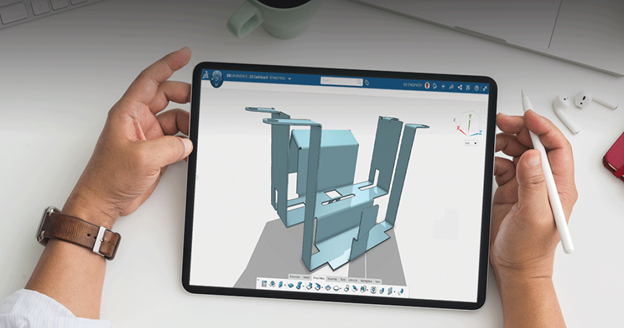
With Cloud Services, SOLIDWORKS users gain three key advantages: Share and Markup, Store and Revise, and Manage and Control. These capabilities enable teams to work efficiently, reduce rework, and maintain a single source of truth for design data. Whether you’re a solo designer or part of a large engineering team, leveraging the cloud ensures that your workflow remains smooth, collaborative, and secure.
Share and Markup: Instant Collaboration with Stakeholders
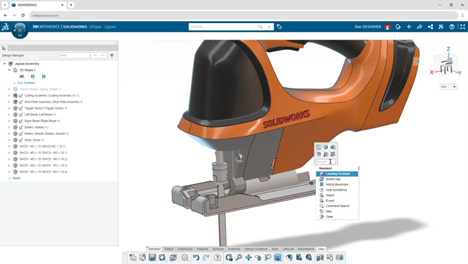
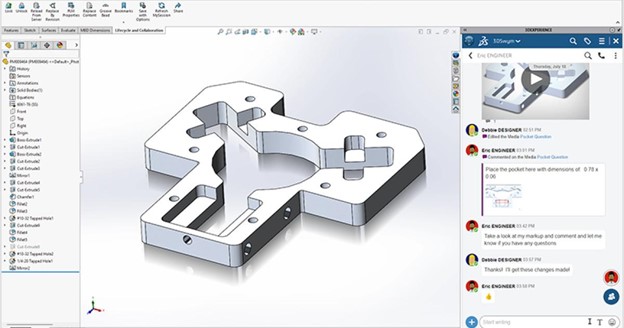
Sharing designs has traditionally involved cumbersome processes—sending large files via email, dealing with software compatibility issues, and waiting for feedback. With Cloud Services, SOLIDWORKS eliminates these hurdles by allowing users to share designs via a simple secure link. Stakeholders can view 3D models in their web browser, add comments, and even markup designs without needing SOLIDWORKS installed.
This real-time collaboration significantly accelerates design iterations. Whether you’re working with suppliers, clients, or internal teams, feedback loops become faster and more effective. By integrating with tools like 3DPlay, recipients can interact with the model, explore assemblies, and provide precise annotations, ensuring that feedback is clear and actionable.
How it Works:
- Click “Share a File” in the SOLIDWORKS Lifecycle and Collaboration toolbar.
- Enter the recipient’s email and a message, then send the secure link.
- The recipient can open the 3D model in a browser, view it in 3DPlay, and add markups.
- Users receive notifications in SOLIDWORKS when comments or changes are made.
This cloud-based sharing method replaces the need for eDrawings or other file-sharing methods, reducing compatibility concerns and keeping data security intact.
Store and Revise: Keeping Your Designs Secure and Up-to-Date
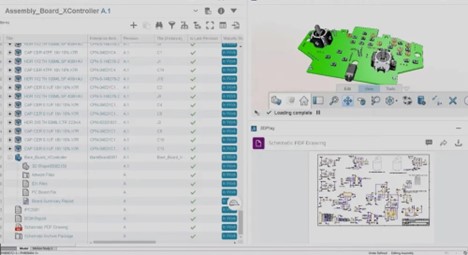
As remote work and global collaboration become the norm, the need for centralized data storage has never been greater. SOLIDWORKS Cloud Services ensures that your designs are securely stored in a single location, accessible from any device. Gone are the days of managing complex VPN connections, external servers, or disconnected cloud platforms like Google Drive or Dropbox.
One of the biggest advantages of the 3DEXPERIENCE platform is its CAD-awareness—it understands how SOLIDWORKS files interact. Unlike traditional cloud storage solutions, renaming or revising a part doesn’t break file references. Assemblies remain intact, eliminating frustrating rework caused by broken file paths.
Key Features:
- Single Source of Truth: Always work with the latest version of your design.
- No External Servers Required: Reduce IT infrastructure costs and maintenance.
- Automatic Revision Tracking: No more duplicate files or confusing file names.
- Secure Access Controls: Define permissions for viewing, editing, and sharing files.
Supporting Apps:
- 3D Markup – Enables cloud-based design review with real-time comments.
- Collaborative Tasks – Assign, track, and manage design work directly in SOLIDWORKS.
- Compare App – Instantly visualize design changes between revisions.
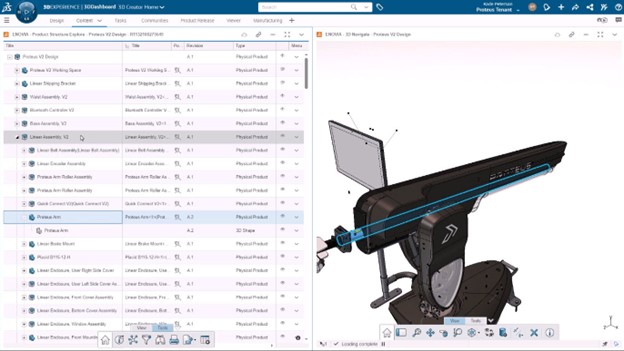
- Product Explorer – Navigate product structures and metadata for better decision-making.
With these capabilities, SOLIDWORKS users can eliminate version control headaches and ensure that everyone involved in the project is working with accurate, up-to-date information.
Manage and Control: Advanced Data Management for Complex Projects
For organizations requiring a higher level of control, SOLIDWORKS Cloud Services extends into formal change management and project oversight. If you need structured workflows, approval processes, or compliance tracking, the 3DEXPERIENCE platform offers robust tools to manage every stage of the design lifecycle.
Scalability at Your Pace
Cloud Services are designed to scale with your business needs. Start with simple design sharing or full-fledged product lifecycle management (PLM), the platform adapts to your requirements. Some of the tools available include:
- Issue Management – Tag team members in issues and track resolution status.
- Change Execution – Implement and document design changes with full traceability.
- Route Management – Automate approval workflows to keep projects moving efficiently.
By transitioning to a cloud-based design and data management environment, teams can reduce costly delays, improve compliance with industry standards, and maintain full visibility over project progress.

Why Upgrade to SOLIDWORKS Cloud Services?
SOLIDWORKS Cloud Services isn’t just about storing files in the cloud—it’s a comprehensive collaboration and data management solution tailored to CAD professionals.
- Seamless Integration – Works directly with your existing SOLIDWORKS environment.
- Real-Time Collaboration – No more emailing files back and forth.
- Secure & Scalable – Advanced access control, encryption, and revision tracking.
- Built for Engineers – CAD-aware storage and structured data management.
- Reduced IT Overhead – No need for external PDM servers or VPNs.
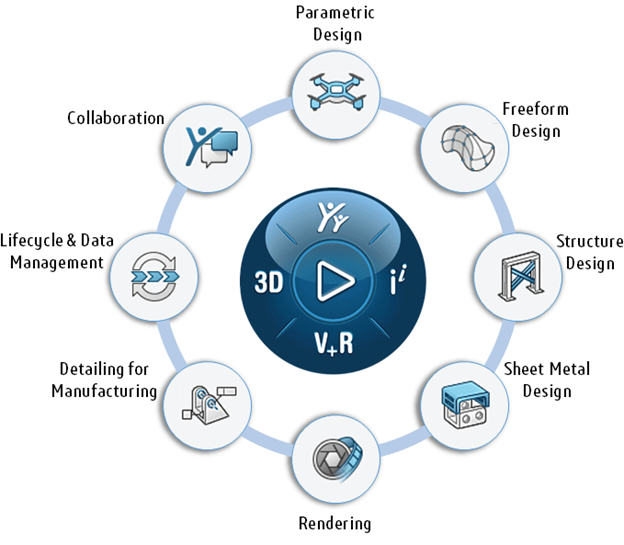
If you’re ready to streamline your design workflow and take advantage of the latest cloud-based technologies, now is the time to activate SOLIDWORKS Cloud Services. Stay ahead of the competition, enhance collaboration, and ensure your team is always working efficiently and securely.
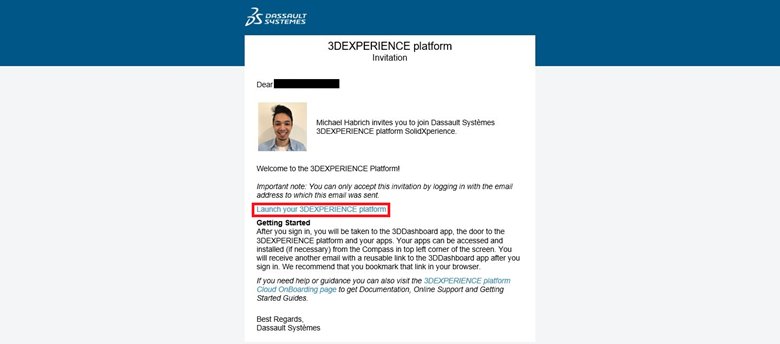
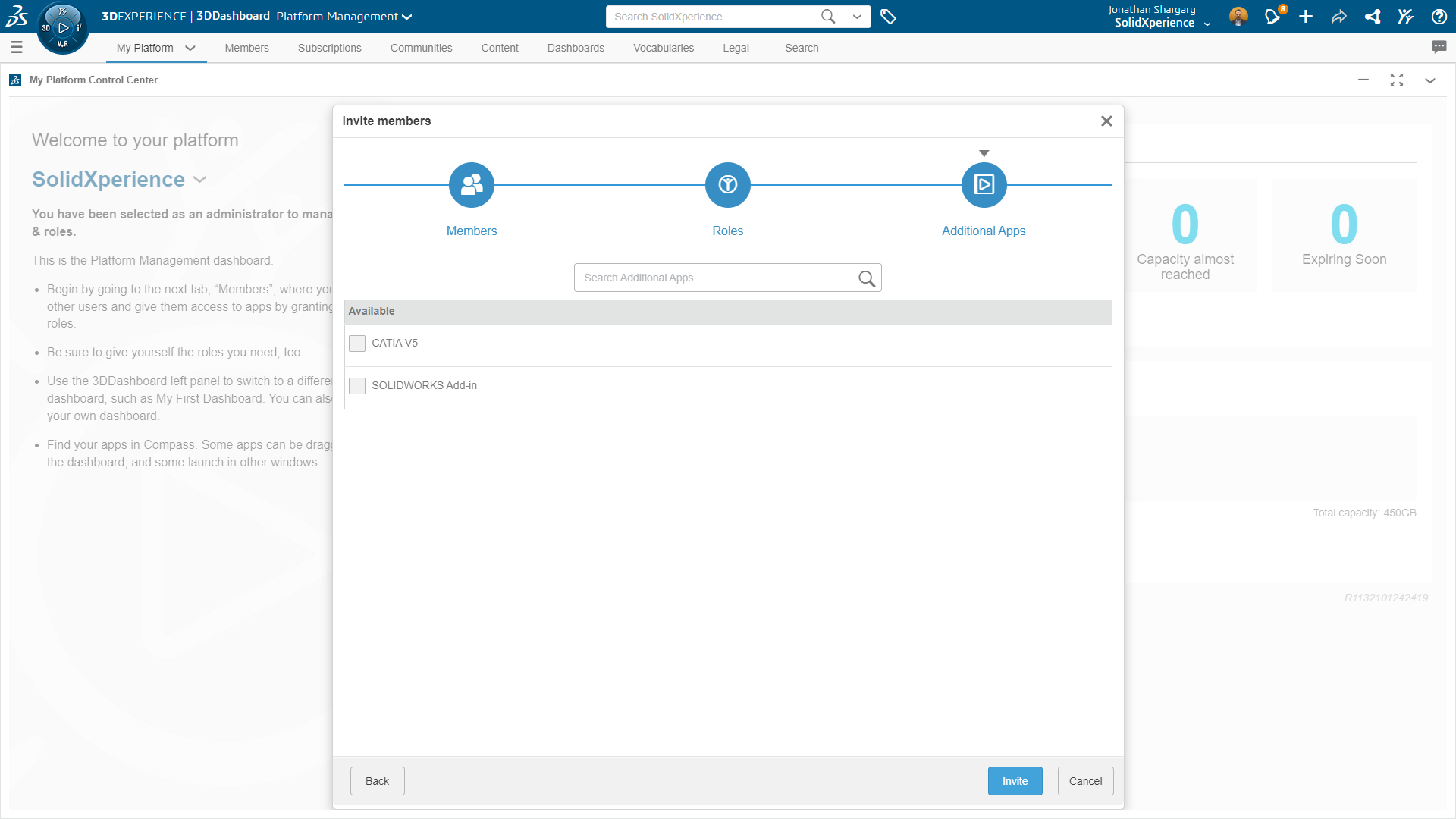
Get Started on the 3DEXPERIENCE platform
Cloud technology is no longer a luxury—it’s a necessity for modern engineering teams. By integrating Cloud Services into SOLIDWORKS, designers and engineers can enjoy a more fluid, connected, and secure design experience. Whether you’re looking to simplify data sharing, enhance team collaboration, or implement full-scale design management, SOLIDWORKS Cloud Services has the tools to make it happen.
For more information, visit SOLIDWORKS Cloud Services or contact us to learn how you can maximize your design potential today!

Any questions? Need help? Ask one of our experts.
Whether you’re ready to get started or just have a few more questions, you can contact us toll-free:



 Marc Raibert, a lifelong roboticist, has been at the forefront of robotics innovation for over 50 years. As the founder of Boston Dynamics, he led the creation of iconic robots like BigDog, Atlas, and Spot, which revolutionized dynamic mobility. He founded The AI Institute in 2022 to advance intelligent robotics. Raibert’s career highlights include tenure at MIT and Carnegie Mellon University, pioneering dynamic robot research at the Leg Laboratory, and earning accolades like the IEEE Robotics Pioneer Award and the Engelberger Award. His inspiring journey continues to shape the future of robotics and AI.
 Spot, the versatile robotic platform, will make a special appearance at 3DEXPERIENCE World 2025. Known for its dynamic mobility and adaptability, Spot has garnered fame for its ability to navigate diverse environments, carry payloads, and even climb stairs with ease. This particular Spot, nicknamed “One”, has achieved celebrity status, starring in a Billie Eilish music video and even making an appearance in renowned sci-fi franchise, Black Mirror. Don’t miss the chance to see Spot live in action!
 Gian Paolo Bassi – With over 25 years in the 3D, CAD, and PLM industries, Gian Paolo Bassi drives innovation as 3DEXPERIENCE Works SVP & Customer Role Experience. Previously SOLIDWORKS CEO, he spearheaded groundbreaking developments in cloud-based design. Before Dassault Systèmes, he founded RIWEBB and co-invented multiple patents at ImpactXoft, showcasing his passion for advancing functional modeling and collaboration technologies.
 Suchit Jain – Vice President of Strategy & Business Development, Suchit Jain leads the cloud transformation and 3DEXPERIENCE Works expansion of SOLIDWORKS, focusing on product and sales strategies. He also oversees the User Advocacy team, supporting SOLIDWORKS’ passionate global community. A mentor and advocate for startups, Suchit actively engages with innovation hubs like Greentown Labs and MassChallenge, driving collaboration between entrepreneurs and resources. His academic achievements include a bachelor’s degree from IIT Bombay and a master’s degree in Structural Mechanics from USC.
 Manish Kumar – With over two decades at SOLIDWORKS, Manish Kumar has been instrumental in driving innovation. As CEO, he leads the synergy between R&D and SOLIDWORKS’ vibrant user community, fostering adoption of the expanding SOLIDWORKS portfolio. From pioneering developments in sketching and modeling to introducing V6 technology, Manish has shaped the future of design. A graduate of IIT Delhi and Harvard University, he is also an artist, woodworker, and avid cricket enthusiast, balancing his professional achievements with personal passions.