Fun fact: 5 Amazing Objects Created with a 3D Printer

BLOG

Fun fact: 5 Amazing Objects Created with a 3D Printer

Written by Senior Technical Representative – SolidXperts USA, John Nolin

There are many new uses for industrial quality 3D printers. The strength and part quality from plastic or composite printers and the price point for metal 3D printers has improved significantly over the last 5 years.

Largest in the World

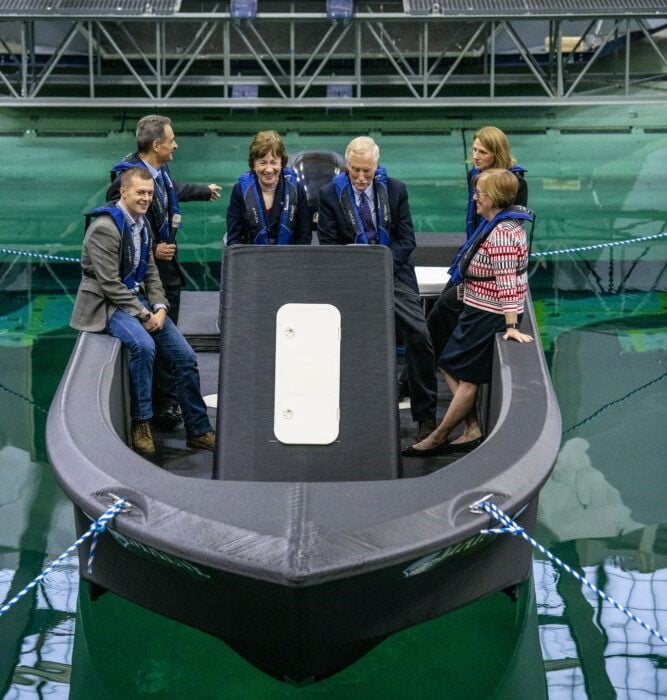
Recently in the news, the UMaine Advanced Structures and Composites Center achieved 3 separate Guinness World Records related to producing an entire full scale boat with world’s largest polymer 3D printer.


The boat is a 25 foot long model 3Dirigo, that weighs 5000 lbs and has already undergone initial testing in the Alfond W2 Ocean Engineering Laboratory.

Reaching new terrain

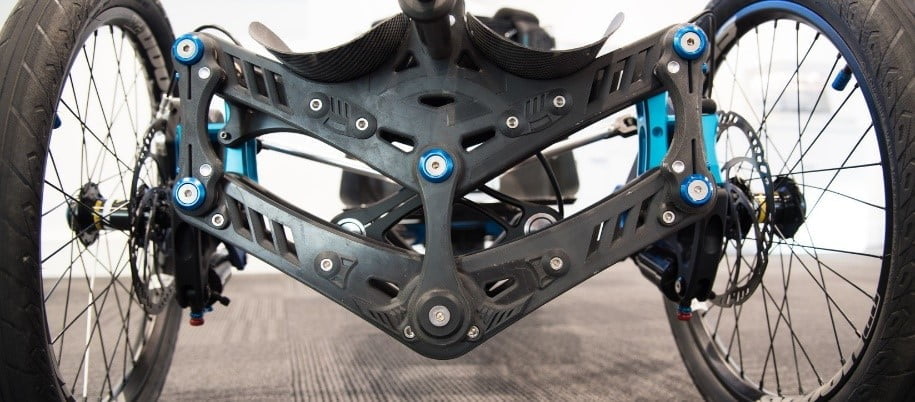
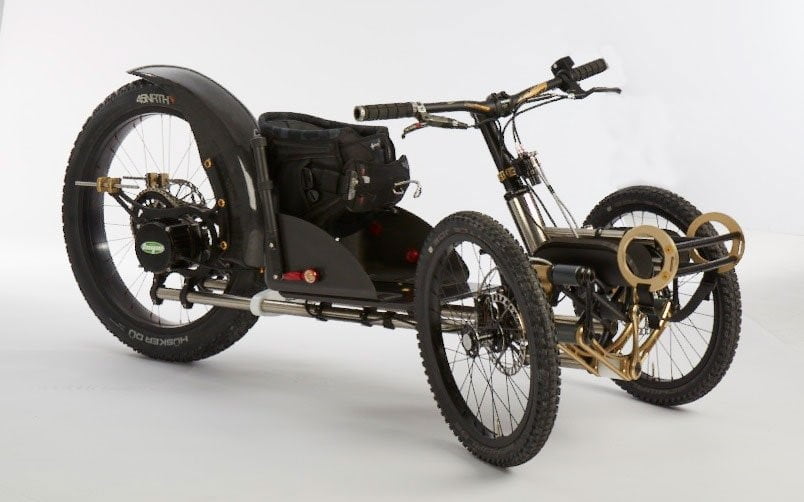
Similarly, BowHead Corp produces the Reach adventure cycle that allows disabled persons to enjoy mountain bike or similar trail systems. The steering and suspension components are composite 3D printed and some power train components are metal 3D printed.


Christian Bagg is wheelchair bound himself and developed the first explorer cycle for his own use to better enjoy the Rocky Mountain area by the Bow River where he lives.

Better Robots

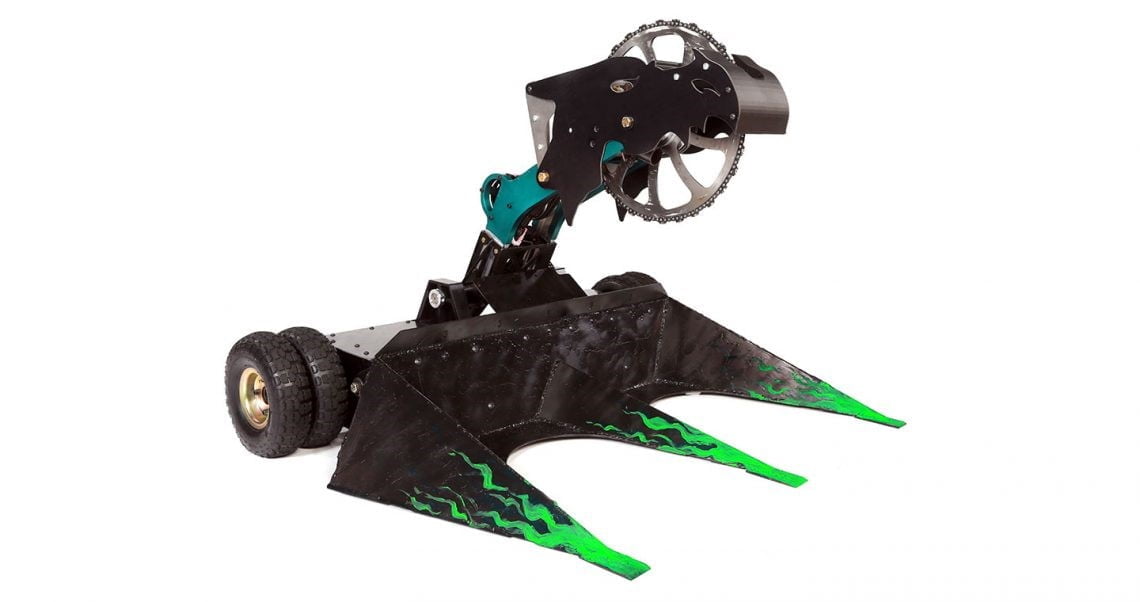
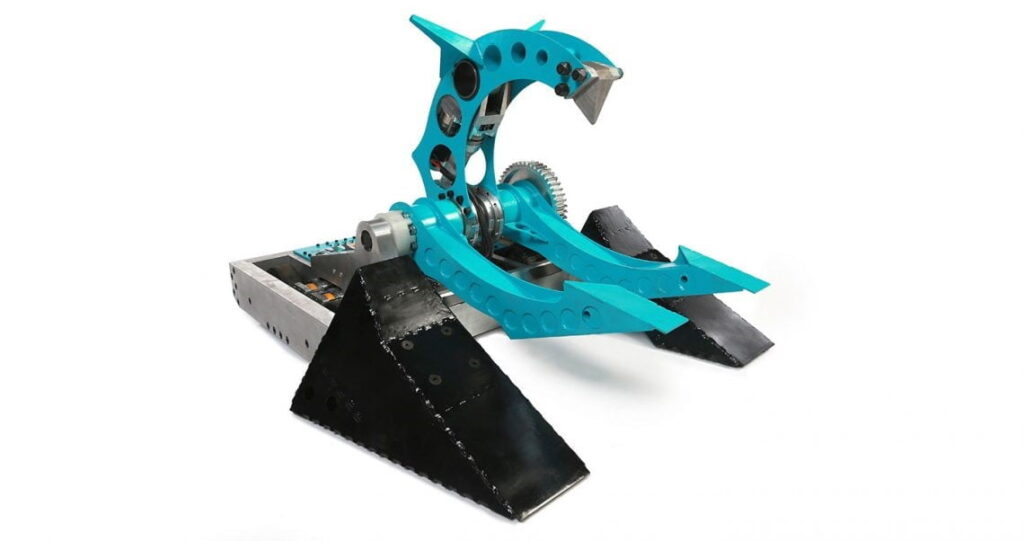
Several BattleBots teams use 3D printed components as weapons, drive systems, and chassis parts. Robots such as Overhaul and Sawblaze have been competing and winning with 3D printed parts since the 2016 season.


3D printed end effectors are a popular user upgrade or customization for traditional manufacturing pick & place robots. Also, several makers of warehouse robots and systems are incorporating 3D printed components within their end products.

A Smarter Dummy

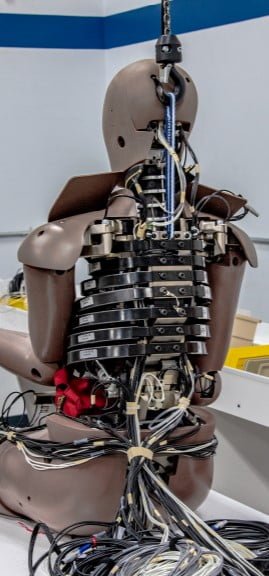
The crash test dummy that certifies your next new car or truck has the proper safety design to protect you, has ribs and other parts that are 3D printed. The printed part design provides strengths similar to bones and allows wires and sensor electronics to be incorporated easily without interfering with the behavior in a crash.


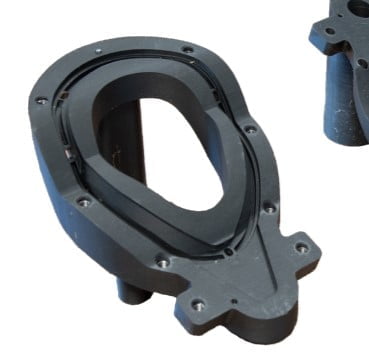
3D printed molding fixtures are also used in the production of flexible crash test dummy neck rings. The printed molds are much more durable than other soft mold options and much less expensive than machined metal mold forms.

Forming new music

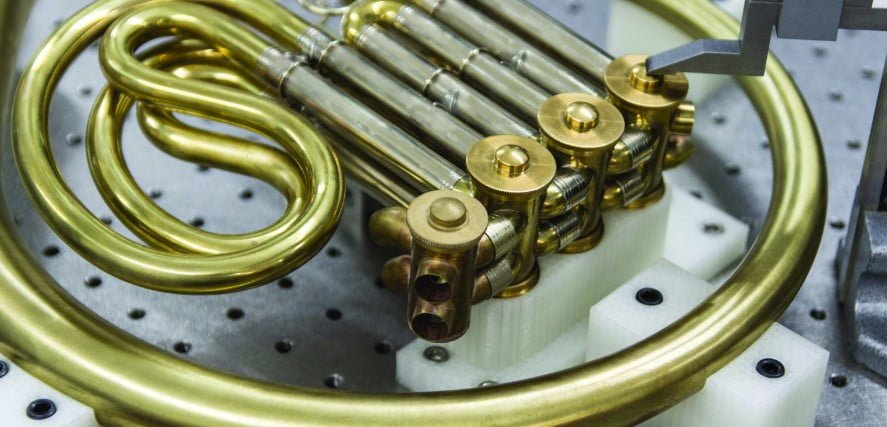
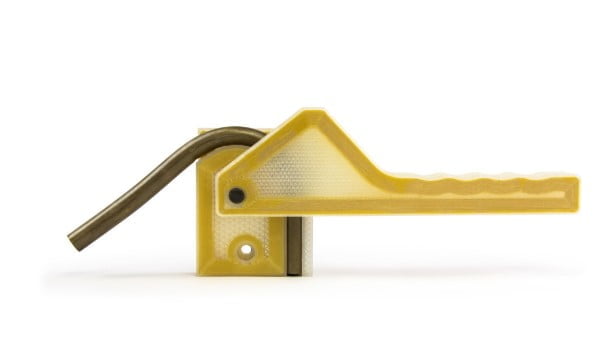
Wind instruments are generally hand formed by bending hard brass and similar tubing into the proper shape. The bending tools need to have the proper strength but not introduce any scratches which may ruin the sound of the finished product. 3D printed bending fixtures with internal reinforcement perform the job and are much faster and less expensive than traditional wood form production. For the French Horn shown, even some levers and finger pads were 3D printed.

The technique can be applied to more industrial applications such as rigid tubing pieces or microwave waveguide sections.


Several designs also exist for various sort of electric string instruments. The variety extends all the way from professional quality electric violins to a home built ukulele or guitar.

These amazing products are just a sampling of what is being accomplished recently with higher quality 3D printers and improved, lower cost materials. The SolidXperts website has several 3D printers with capacities for the inventor at home, all the way to the large firm producing metal components for test and end use.


For more information on our range of Markforged 3D printers or to talk to an Xpert, click here.
X_green_halo

Any questions? Need help? Ask one of our experts.

Whether you’re ready to get started or just have a few more questions, you can contact us toll-free:
    Best Practices for DriveWorks Project Structures

    BLOG

    Best Practices for DriveWorks Project Structures

    So, you are starting a new DriveWorks project using DriveWorks Administrator and would like help structuring your folders, transferring your data, and managing the sustainability of your projects. Here is a guide from your DriveWorks specialists at SolidXperts.


    1. Group Creation

    A DriveWorks Group is an environment where you store information that you will use in your Configurator. You need to create and name your group. The group (xxxxx.drivegroup) should be stored on the network. Depending on the criteria describe below you can create an individual or shared group.


    Individual group
    • For one user only
    • Project duration: ± 0 to 6 months


    Shared group
    • For more than 3 users ±
    • Project duration: long-term projects
    • Required SQL Server installation + DW Administrator + DW Autopilot
    (Can be stored on a WorkStation for one user only, or a server for multiple)


    2. Environments

    Create two groups. One for development (R&D) and one for production.
    Group name example:
    • …\Compagnie name_Prod
    • …\Compagnie name_Dev


    3. Project File Creation

    The project file (xxxxxx.driveprojx) should be stored on the network.


    4. Folder Structure

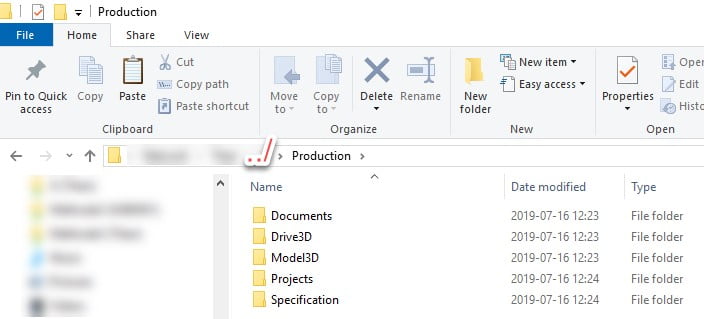
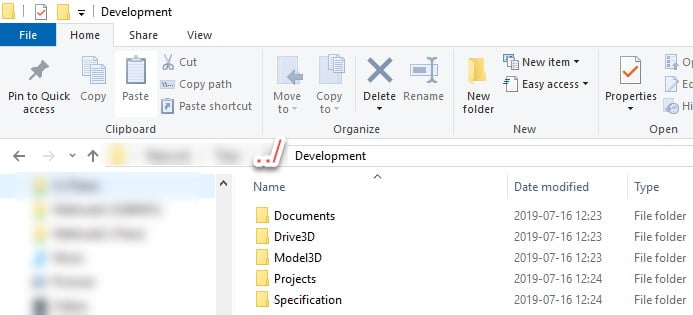
    We recommend this folder structure for each environment. Folders could be stored on the network or on SolidWorks PDM.


    5. Documents Folder


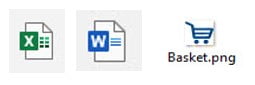
    • Excel files (.xls; .xlsx etc…)
    • Images files (Jpeg, .PNG etc..)
    • Word files (.dox; .doc etc…)
    • Can have sub-folder


    6. Drive3d Folder


    • .Drive3d Files
    • Can have sub-folder


    7. Model3d Folder


    SolidWorks files: .sldprt ; .slddrw ; .sldAsm ; pdf ; etc…
    • Can have sub-folder


    8. Projects Folder


    • .Driveprojx files
    • Could have sub-folder


    9. Specifications Folder


    • Generated specifications


    10. Common and Dynamic Path

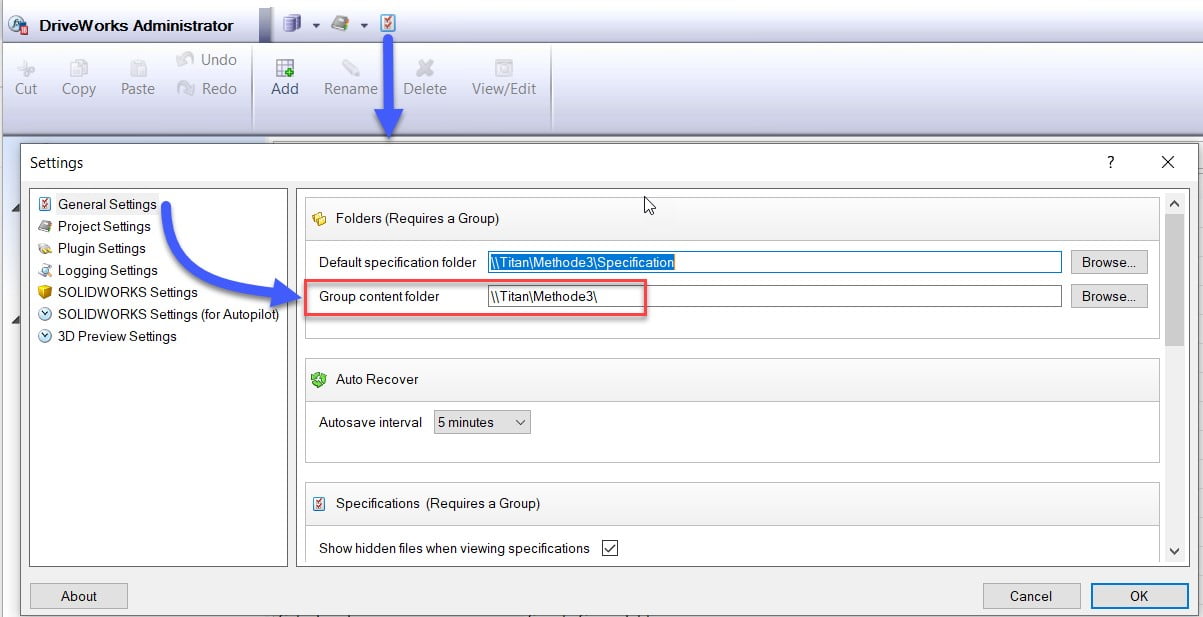
    a. When transferring and sharing your project data it is important to use a common path.
    Choose a path for the group content folder. This path must be the parent of all data in the DriveWorks project.

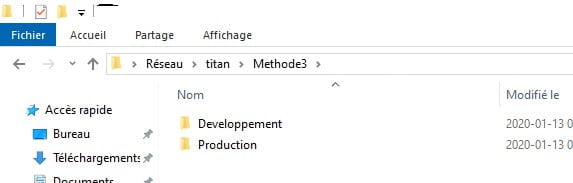
    \\Titan\ : Server name or if it is a computer it could be C: \ , etc.

    Methode3\ : Parent Files.


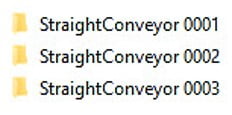
    Example Parent Files.


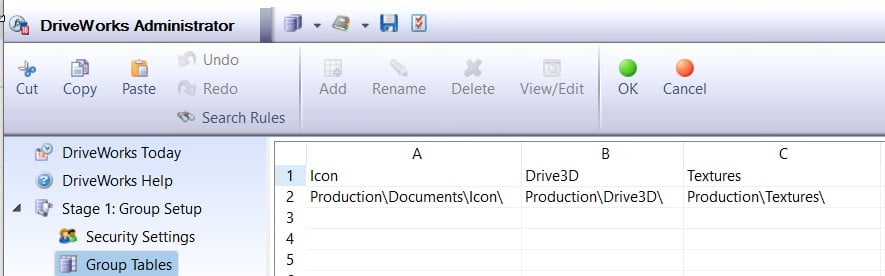
    b. Creation of a table group containing the folder paths:

    Add a Group Table file location.


    Get information from the Group Table.


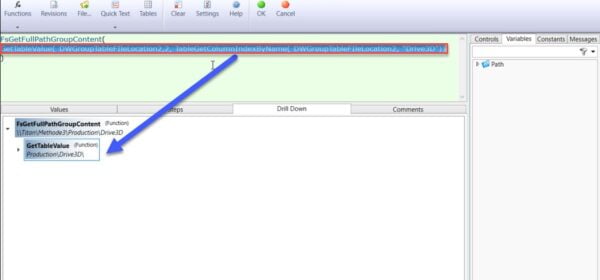
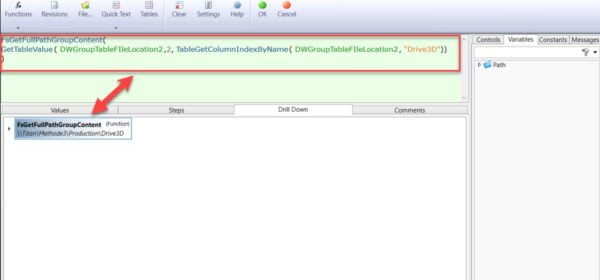
    c. Using the function FsGetFullPathGroupContent().


    d. Example:


    For more information, please do not hesitate to contact our DriveWorks specialists.

    X_green_halo

    Any questions? Need help? Ask one of our experts.

    Whether you’re ready to get started or just have a few more questions, you can contact us toll-free:
      Down and Dirty with Additive Manufacturing – Think twice before slamming that toilet seat!

      BLOG

      Down and Dirty with Additive Manufacturing – Think twice before slamming that toilet seat!

      Written by Steven Murphy – SolidXperience Applications Engineer


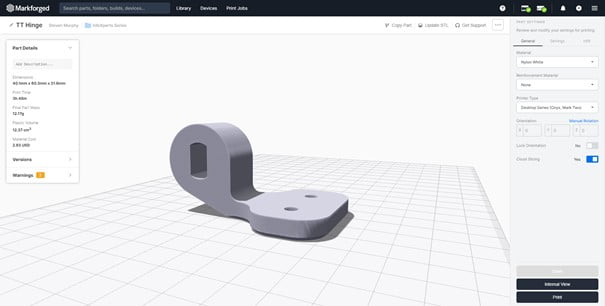
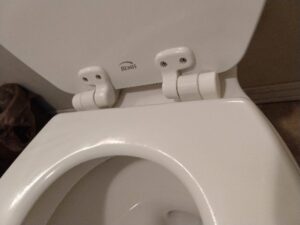
      We are always striving to find new ways to leverage the flexibility of additive manufacturing, so when a toilet seat hinge decided it had been slammed for the last time there was only one thing to do!  

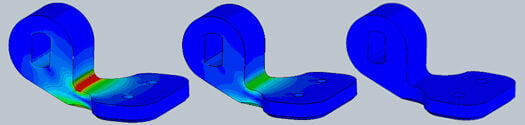
      After modeling up the bracket in SOLIDWORKS, I couldn’t stop thinking if there was a good way to know if a 3D printed component was going to be strong enough? Conventionally, 3D printed components have a bad reputation for being brittle. So with nothing to lose, I dove into SOLIDWORKS Simulation: The Results?

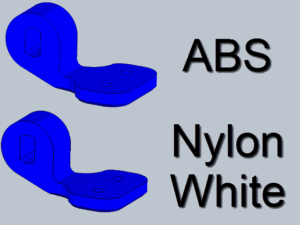
      The first thing I looked at was comparing a conventional 3D printing material such as ABS to the Markforged Nylon White materialand the results are pretty straightforward (let’s just say if I don’t want to be remaking this part again in the near future – I used the Nylon White!) 


      also approximately simulated using the Markforged continuous fiber material with the chopped carbon fiber thermoplastic Onyx– but it was frankly overengineered. Once I realized that I was designing the bracket for a professional weightlifter to “clean and jerk” lift with the seat at 8,000N of force, I decided it was time to move on to printing the original Nylon White design 

      Drop the STL model into the MARKFORGED Cloud EIGER software, and it is ready to be printed! And even though I simplified the simulation process with assumptions, the worst-case scenario is I have to reprint the part for a couple of hours!


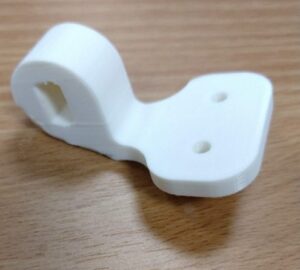
      And just like that, I replaced a household component in no time. Take a look at the end result: 


      Additive manufacturing is reshaping the way that conventional device repair works- by decreasing the time waiting for parts, you can get back to the truly important tasks in life. And that applies to machines and fixtures just as much as it applies to a toilet.


      For more information on our Simulation software solutions or our wide range of 3D printers and materials, contact an Xpert today!

      X_green_halo

      Any questions? Need help? Ask one of our experts.

      Whether you’re ready to get started or just have a few more questions, you can contact us toll-free:
        The CAD Leader – SOLIDWORKS

        BLOG

        The CAD Leader – SOLIDWORKS

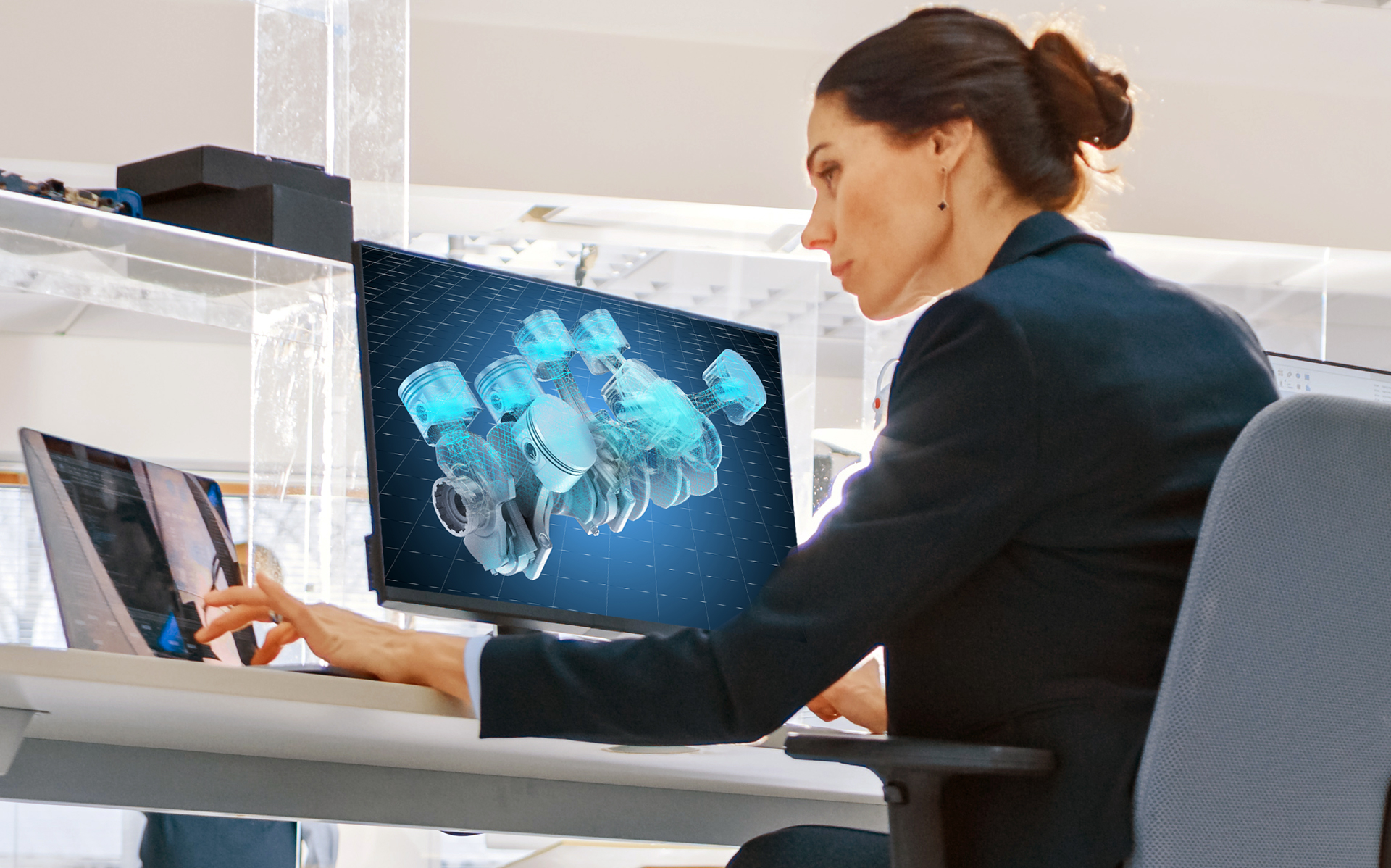
        SOLIDWORKS has dominated as a staple software for engineering and design across the automotive, aerospace, and manufacturing industries for over 2 decades by making 3D CAD affordable and accessible without sacrificing utility or power. Let’s take a closer look at what SOLIDWORKS really is, why it has been the strongest industry-standard in digital product design and engineering, and how its massive community supports you through your entire design cycle, no matter the size of your business.

        “It is clear that SOLIDWORKS is focused on empowering customers to innovate and design, without software getting in the way.”

        —Michelle Boucher, Tech-Clarity


        What SOLIDWORKS Does and Why It Works

        Conceptualize, create, validate, communicate, and manage your ideas into innovative products with an intuitive user experience for design, simulation, publishing, data management, and environmental impact assessment. All in one place.

        Also, with a legacy of dedication to training and supporting its users, SOLIDWORKS helps customers develop market-leading products while continuing to invest 80% of revenue back into its development. Did you know? Each annual update release for SOLIDWORKS has 200+ new enhancements with over 90% directly resulting from actual user feedback!

        How SOLIDWORKS Supports You and Your Business

        With SOLIDWORKS you’re never alone. With millions of users across the globe in every industry imaginable, we’ve seen it all and there is no problem that the passionate SOLIDWORKS community can’t tackle together. As a SOLIDWORKS user you get access to an extensive network of benefits and resources, at no additional cost:

        • A centralized hub to get answers and connect with the community
        • Access to an online knowledgebase of tips and tricks
        • The support of 6 million users, across more than 80 countries
        • Hundreds of integrated Partner Solutions
        • A massive international SOLIDWORKS Users Group Network
        • A growing community of 500,000+ certified SOLIDWORKS users (as of February 2021)

        Fun fact:  Over 2 million students graduate with SOLIDWORKS training every year!

        The Total CAD Package

        Enjoy a competitive edge with the right tools built-in to help you make better decisions that lead to greater ROIs. As a product design solution, SOLIDWORKS does more than a 3D model with precision and speed. Take your investment even further with the capability to:

        • Assess product cost and sustainability impact
        • Leverage a full suite of extended applications including data management, electrical design, simulation, and technical communications
        • Optimize front-end innovation with concept and industrial design tools that take advantage of the latest technologies and infrastructures


        Download our SOLIDWORKS: The CAD Leader white paper for a snapshot of the statistics that make SOLIDWORKS the go-to solution for the world’s 3D CAD needs. You can even reach out to our experts for more information or to request a free demo.

        X_green_halo

        Any questions? Need help? Ask one of our experts.

        Whether you’re ready to get started or just have a few more questions, you can contact us toll-free:

            Download

              Download

                Download

                All search results